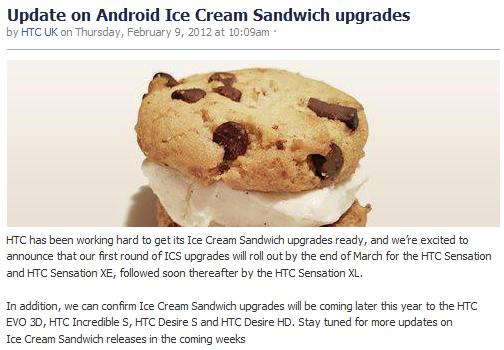
HTC has just updated their Facebook to announce its ICS rollout plan. ICS or Ice Cream Sandwich is the most anticipated Android update since android Froyo. it brings a whole host of changes to the table, and it will be interesting to see how HTC updates their Sense UI to add to ICS. According to HTC’s announcement the HTC Sensation and Sensation XE will be the first to get the updates followed by HTC EVO 3D, HTC Incredible S, HTC Desire S and HTC Desire HD
HTC has been working hard to get its Ice Cream Sandwich upgrades ready, and we’re excited to announce that our first round of ICS upgrades will roll out by the end of March for the HTC Sensation and HTC Sensation XE, followed soon thereafter by the HTC Sensation XL.
In addition, we can confirm Ice Cream Sandwich upgrades will be coming later this year to the HTC EVO 3D, HTC Incredible S, HTC Desire S and HTC Desire HD. Stay tuned for more updates on Ice Cream Sandwich releases in the coming weeks
FOr those in the US HTC has announced ICS updates for the Rezound, Vivid, Amaze 4G and EVO Design 4G. The US devices will get updates by the end of 2012.
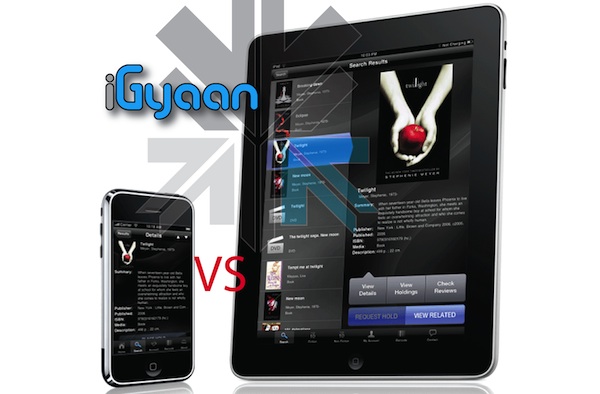
The question haunts every smartphone buyer, “should i instead buy a tablet?”. In the past few weeks we have got over a hundred emails asking us this question.
Tablet season is here and its going to stay. When tablets were launched globally starting with the 1st iPad in the United Stated, analysts speculated that the market in India would not adapt to a tablet lifestyle. Today more than 25% of India’s mobile internet traffic is from iPads alone, another 10% from other tablets. Analyst have been proven wrong yet again, but the question still remains a Tablet or a souped up Smartphone?
We shall try and resolve this predicament for you.
A smartphone today has come a long way from what it was when the term was invented. Smart phones started off as basic day to day mobile phones that did a little bit more. A color screen, an mp3 player and customizable ringtones, a WAP browser and VGA cameras with infrared photo sharing. People were happy with these features and were shelling out Rs. 25-35 thousand for devices that were just smart.
Today you can’t be happy with what you pay for, A dual core phone, WiFi – N, Bluetooth 3.0, GBs of Ram, Multiple GBs of storage, touchscreens, slim designs, gorilla glass, unibody constructions and a whole host of Apps that do everything else. But its still not enough, we need higher spec’d displays LCD, SLCD, Amoled, Super Amoled, Super Amoled Plus and now Super Amoled Plus HD. Why is there a constant need for upgraded technology? Socially a man buying a phone always has the need to be on top of technology (This is directly proportional to the size of his, since this is a public page lets say “car”) The newer and more expensive the tech, the more a man feels like a man. Why shouldn’t we? we have a right to everything that makes us happy, and a right to get what we pay for and sometimes more than what we pay for.
A Smartphone today is the ultimate tool for a man ( student through Business men) from lectures, to calculations , wind speeds, weather info, document editing, printing , presentations, video editing, photo editing, emails, messaging everything can be achieved on a smartphone. So why should we not get one.
APPS ON THE DEVICES OF TODAY
Tablets in the market today are essentially blown up versions of the devices we carry in our pockets, the iPad 1 matched the specs of the iPhone 4 , (infact the phone had more ram) and the iPad 2 will be dwarfed by the iPhone 5s specs. Similarly Android phones dwarf the tablets, Galaxy S2 and Sensation are far more powerful than any Android tablet in the market today.
So is a larger screen a better option?
No one can really answer that question for you, it all comes down to what you do with the device you buy. I personally hate carrying my tablet and only like to carry my phone. A tablet is useful while traveling its a multimedia powerhouse- gaming , movies, videos even basic editing work can be done easily on a tablet. I also have met and often bump into folks who like carrying a tablet everywhere even to the GYM ( seriously what are they thinking?). Upon a little investigation you find out that they spent their budget on a tablet with phone call abilities and don’t own a phone anymore.
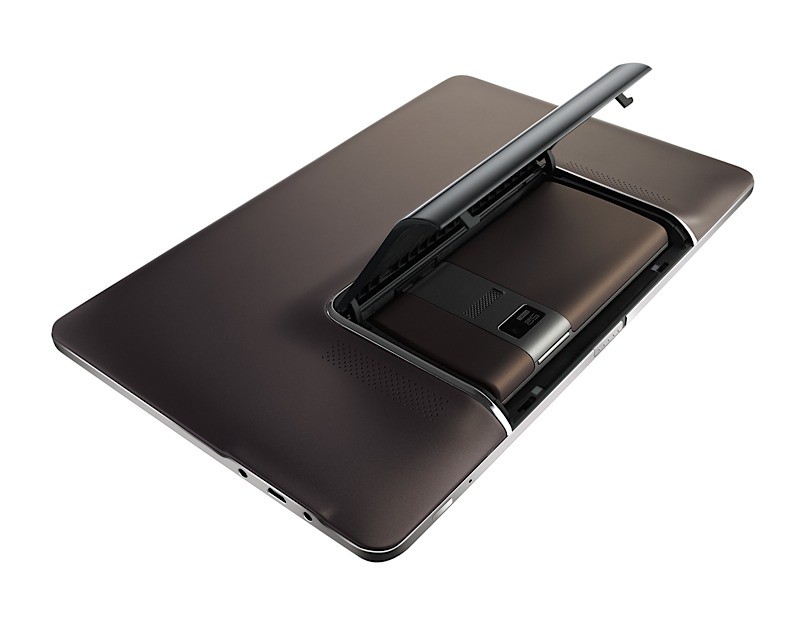
PADFONE
In an ideal world a product like the Asus Padfone would be perfect. A smartphone which converts into a tablet when you need it to be one, what else could one ask for? Devices like the Padfone are going to be the ultimate tool of a technology lover, but they still have time to arrive.
Till then our recommendation is:
If you really want to, then get a tablet and fulfill your dreams. But keep in mind that a tablet will never replace a phone and you should always have a phone handy, whether a Smartphone or a standard phone is what your budget will answer (even your day to day requirements). Carrying a tablet around as a phone will not only make you look, well how should we put it, like a “doofus”. Unless you are totally business oriented and your work calls for it. But then if you are a business man then you probably already own a smartphone, right?
According to us, tablets today are not yet there, not ready to beat a good phone. Invest in a good phone, you will get more done. A tablet is only eye candy, a large touchscreen that has been a part of Sci-Fi movies for a long time and today when the opportunity is here, everyone wants to grab it. Get one only as a secondary device, something between your phone and your notebook, as a notebook replacement even, if you don’t have much work except document editing than a tablet will fulfill your notebook requirements and look good doing it. Plus there is always the benefit of Angry Birds on a large screen.
So we finally found a perfectly stable way to downgrade and root the HTC DESIRE HD. All credit goes to the devolopers at XDA-DEVELOPERS.com we are just bringing this guide for our readers in a simplified manner.
Warning: Please note you are doing this at your own risk! there is a high chance that this might damage your device, or make it inoperable. ALL FILES AND TOOLS MENTIONED IN THIS WRITEUP ARE PROPERTIES OF THE DEVELOPERS
THIS GUIDE IS PURELY FOR EDUCATION
This guide has been made considering your device is factory unlocked.
Now that legalities are out of the way lets begin!
PART 1 : Downgrade
First and foremost check the version of your bootloader.
Do this by going to the about phone panel in the settings folder.
If its 1.72 and above then follow part 1 – else move to part 2
Extract the folder and run “Desire HD easy radio tool.exe”
Step two
Connect Desire HD – charge only mode + usb debugging on
Step three
In “Desire HD easy radio tool.exe” select option 3 and click “do it now”
wait for it to finish
You have now fully completed the Root process along with downgrade if applicable. If you already know how then you are ready to install custom roms on this. If not, then wait for our second update on the HTC desire HD – which will shine some light on that.
Information and files : Various articles : xda-developers, Modaco, Phandroid, android-forums – youtube
There you go Folks the HTC 7 Mozart was announced some time back and we have exclusive hands on Pics for you Guys, Stay tuned for an Unboxing video followed by a full review of the device, along with comparisons with the near and dear.
Windows Phone 7 Was released Q4 2010, Htc was the most involved during Launch of Windows phone 7. Htc was also, the firt company to bring their WP7 phones to India.. The First WP7 device to hit India was the HD7. iGyaan was the First to report its availability and also the first to give an unboxing video and pictures. Today we are here as the first with a review of this device on Indian shores. So, lets begin :-
Overview
Windows phone had predominantly dominated the smartphone (or supposed) market before the likes of Android and iOS. Windows Mobile OS was the easiest was to get around on your handheld touchscreen device using a stylus to navigate through the tiny start menus and buggy interfaces. Gone are those days, Microsoft, has upped the bar and competition has been tough on their noses. The Latest version of the Windows mobile platform the WINDOWS PHONE 7, does everything that the earlier variants couldn’t, a lot less of everything that they could, most importantly, it is as smooth and good looking as butter on a Hot Pan.
HTC began as a company of Windows Devices, manufacturing devices under third party names, until they decided to launch their own brand and come out strong. The company has grown because of Microsoft and the Windows platform. So, they were the first to offer support for a refreshed version of their favorite OS. The HD7 is the flagship for the company in the Windows Phone 7 Series. With Beautiful looks and an inside that makes a even android phones shame the device packs it all, but, does it?
Build Quality
The Hd7 packs a stunning 4.3 inch 480×800 px front LCD. this screen along with a dark chrome metal bezel and invariably sexy looks make it one of the Hottest smart-phones in the market today. Overall a high strength construction along with premium use of glass and metals make it absolutely top notch. The flaws however are there and include, a very poorly designed back cover which leaves a lot to be desired and a lot of noise from the handset when, well its shaken.
Also, noticeably bothersome is the fact that all the buttons are flush with the phones bezel so they are not tactile and really difficult to operate. The Screen is recessed into the bezel and the bezel hurts the finger while its under operation.
TouchScreen & Display
The Display is a 480×800 px LCD display, which is multitouch and boasts a high contrast and brilliant brightness. The display is absolutely amazing, we always hoped that the HTC samsung fallout wouldn’t happen. so that the HTC phones could continue getting SAMOLED screens. But, this screen makes you feel otherwise. The beautiful display along with brilliant colors from the Windows Phone 7 make the device look and perform great. The touch screen experience is fluid, to the extent that every tap gives you a response. The screen in our case did not fade when tilted, like it did for a lot of others people who complained about the quality of display. Agreed the viewing angle is not as good as we would expect from a device like the said, But, then again how many times do you actually look at your device at a 70-90 degree angle.
The Kickstand plays a major role in how the display looks, Once placed on a surface the angle of view changes to a slightly tilted one, this does not affect the viewing experience on the device – which can be totally hands-free
Continue Reading by Clicking the Next Page Link Below
Continue Reading by Clicking the Next Page Link Below