Tag: software

  • Cortana is Finally Here: Windows Voice Assistant Hits Indian Markets

    Cortana is Finally Here: Windows Voice Assistant Hits Indian Markets

    Following suit with its Apple and Android counterparts, Windows had launched its own voice assistant called Cortana, this year. And now India too has been made part of the limited launch of the personalised digital assistant by Microsoft.

    And She Has Arrived!
    And she has arrived!

    Demonstrated for the first time at the Microsoft BUILD Developer Conference (April 2–4, 2014) in San Francisco, Cortana is part of Microsoft’s attempt to revamp its operating system. Available in India with Windows 10 Insider Preview builds 10532+, Cortana can be used only by the members of Windows Insider programme which lets users test features before their official release.

    Cortana, the blue-skinned beauty is ready to take the Indian tech circuit by storm with a voice and character of her own. In a first of its kind software for Windows phones in the country, the personal assistant offers features that include setting reminders, recognising natural voice without the user having to input a predefined series of commands, and answering questions using information from Bing.

    The company also added that the assistant “will be updated with an improved voice later this month.” The voice assistant is available as an optional download in Nihongo for Japan and in English for Australia and Canada. After this, Microsoft is expected to prepare the voice assistant for Brazil and Mexico, along with releasing a French version in Canada.

    Considered one of the best features of Windows so far, Times of India praised this cool new addition to the tech world by saying, “In our Windows 10 review, we found it to be pretty accurate in terms of recognizing our voice and offering answers to our questions.”

  • Meet Cortana , Microsoft’s Alternative to Siri

    Meet Cortana , Microsoft’s Alternative to Siri

    Microsoft has finally shown off its new mobile search assistant, Cortana, its version of Siri and Google Now.


    As a part of Microsoft’s new Windows Phone 8.1 update, Cortana is a new Voice Recognition based personal digital assistant. Named after the AI in the popular XBOX title “Halo” the “personal digital assistant,” has the ability to search the Internet, set up alarms, shift calendar appointments, find restaurants, send messages, place calls and more.

    Cortana is quite identical to Siri on an iPhone, tap a button and ask the ui a question, however like Google Now Coranta can also tap into applications and and the phone’s core services to deliver you contextual information.It can offer the weather where you’re located, deliver favorite sports scores, or scan email and provide updates on a flight status or package delivery.

    Cortana runs on Bing and has a lot of intriguing features, for example it learns from habits of its users when and how they do their tasks. One unique feature of Cortana is that it can actually push the results of its searches over to other apps. Also like competition, Cortana doesn’t need to learn your voice and tries to interact with you naturally.

    Cortana wasn’t the only new aspect of Windows Phone 8.1, which now has a notification drawer called Action Center, which collects text messages, emails, calls and updates from social networks and other apps. It also has quick toggles for things like Bluetooth and Wi-Fi seen on Android and iOS both.

    Microsoft Also plans to push this Windows for free for hardware makers to use on phones, tablets with screens under nine inches. This should considerably bring down the costs of hardware running Windows. 

  • Apple OS X 10.9 Mavericks will come a s a free Download to all Mac owners

    Apple OS X 10.9 Mavericks will come a s a free Download to all Mac owners

    Apple has just announced that Mac OS X 10.9 Mavericks will be available to all MAC owners running Snow Leopard or later as a free of cost upgrade. This release includes iBooks, Maps, a revamped Calendar and Air drop sharing with enabled devices on iOS 7. This is fantastic news for all those who stuck out the Mountain Lion update, as now most users will be able to jump directly to 10.9 free of cost. The update goes live later today in the US, for those on different time lines can expect it early tomorrow.


    Press Release

    OS X Mavericks Available Today Free from the Mac App Store

    SAN FRANCISCO—October 22, 2013—Apple today announced that OS X Mavericks, the 10th major release of the world’s most advanced desktop operating system, is available for free from the Mac App Store. With more than 200 new features, OS X Mavericks brings iBooks and Maps to the Mac, includes a new version of Safari, enhances multi-display support, introduces Finder Tabs and Tags and delivers new core technologies for breakthrough power efficiency and performance.

    “Mavericks is an incredible release, which introduces significant new apps and features, while also improving the performance and battery life of your Mac,” said Craig Federighi, Apple’s senior vice president of Software Engineering. “We want every Mac user to experience the latest features, the most advanced technologies, and the strongest security. We believe the best way to do this is to begin a new era of personal computing software where OS upgrades are free.”

    OS X Mavericks introduces innovative new features, including:
    • iBooks, which gives you instant access to your iBooks library, more than two million titles in the iBooks Store, and works seamlessly across your devices;
    • Maps, which brings powerful mapping technology to the desktop and lets you plan a trip from your Mac and send it to your iPhone for voice navigation on the road;
    • a streamlined Calendar that estimates travel time between appointments, and provides a map with weather forecast;
    • a new version of Safari with Shared Links, which helps you find what’s new on the web by consolidating links shared by people you follow on Twitter and LinkedIn;
    • iCloud Keychain, which safely stores your website usernames and passwords, credit card numbers and Wi-Fi passwords and pushes them to your trusted devices so you don’t need to remember them;
    • enhanced multi-display support, which makes using multiple displays easier and more powerful, with no configuration required;
    • interactive Notifications, allowing you to reply to a message, respond to a FaceTime call or even delete an email without leaving the app you’re using;
    • Finder Tabs, which help unclutter your desktop by consolidating multiple Finder windows into a single window with multiple tabs; and
    • Finder Tags, a powerful new way to organize and find your files located on your Mac or in iCloud.

    Mavericks also includes new core technologies that boost performance and improve the battery life of your Mac. Timer Coalescing and App Nap intelligently save energy and reduce power consumption. Compressed Memory automatically shrinks inactive data to keep your Mac fast and responsive. Mavericks also delivers significant performance enhancements for systems with integrated graphics through optimized OpenCL support and dynamic video memory allocation.

    Pricing & Availability
    OS X Mavericks is available today for free from the Mac App Store. Any Mac capable of running OS X Mountain Lion can also run Mavericks. You can upgrade to Mavericks for free directly from OS X Snow Leopard, Lion or Mountain Lion. For a complete list of system requirements and compatible systems, please visit www.apple.com/osx/specs. OS X Server 3.0 requires Mavericks and is available from the Mac App Store for INR 1,100.

    Apple designs Macs, the best personal computers in the world, along with OS X, iLife, iWork and professional software. Apple leads the digital music revolution with its iPods and iTunes online store. Apple has reinvented the mobile phone with its revolutionary iPhone and App Store, and is defining the future of mobile media and computing devices with iPad.

  • HTC Bringing Jelly Bean To 2012 Devices First, Says Sorry to Devices With 512MB of RAM

    HTC Bringing Jelly Bean To 2012 Devices First, Says Sorry to Devices With 512MB of RAM

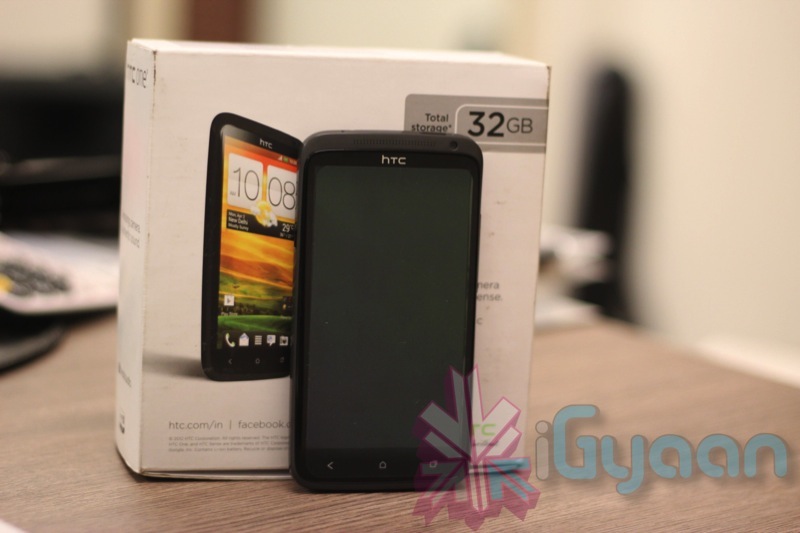
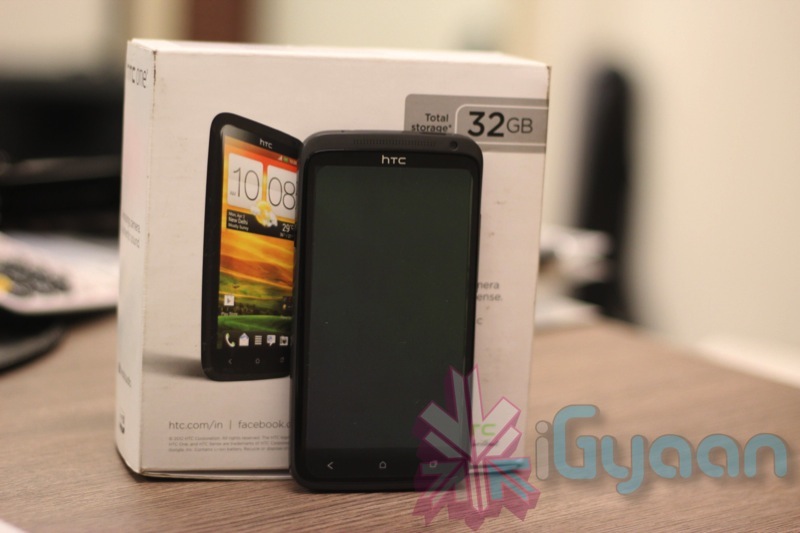
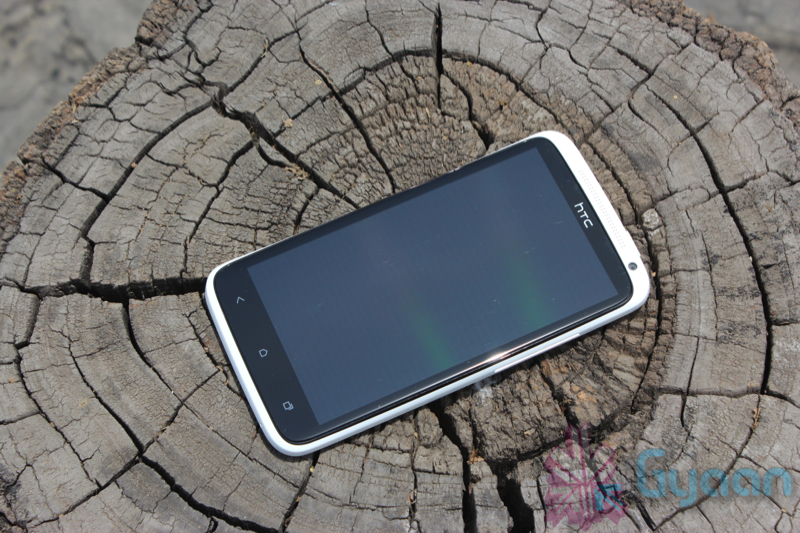
    htc

    HTC is bringing Jelly Bean to its 2012 suite of devices fairly soon. This is known, but the company outlined its plans for these, and earlier devices, today in a FAQ on its support site.

    According to the Taiwanese company, the One X and One S will receive Android 4.1 with Sense 4+ first, likely by the end of this year, with other devices such as the Amaze, Sensation and Raider coming later. Devices with 512MB of RAM, which include the recently-released One V and Desire C, will not be upgraded to Jelly Bean, as they want to ”ensure each of our products has the optimal user experience.” Jelly Bean, with its Project Butter additions, requires more powerful graphics processing abilities than those two devices can offer.

    [quote]We work hard to ensure each of our products has the optimal user experience and therefore some products will remain at their current version of Android. In general, devices with 512MB RAM or less will not be upgraded to Android 4.1. As we identify other devices that will not be upgraded, we’ll provide updated information.[/quote]

    As for which devices will definitely get JB, HTC says they are prioritizing the update for the devices that were launched in 2012, then working their way back. The company has quite the portfolio to work through, and as you most likely already guessed, it could take quite some time before we see updates go live for the Rezound, EVO 3D, and other once-flagship devices. 

    [Droid Life]

  • Samsung Galaxy phones vulnerable to remote wipe attack

    Samsung Galaxy phones vulnerable to remote wipe attack

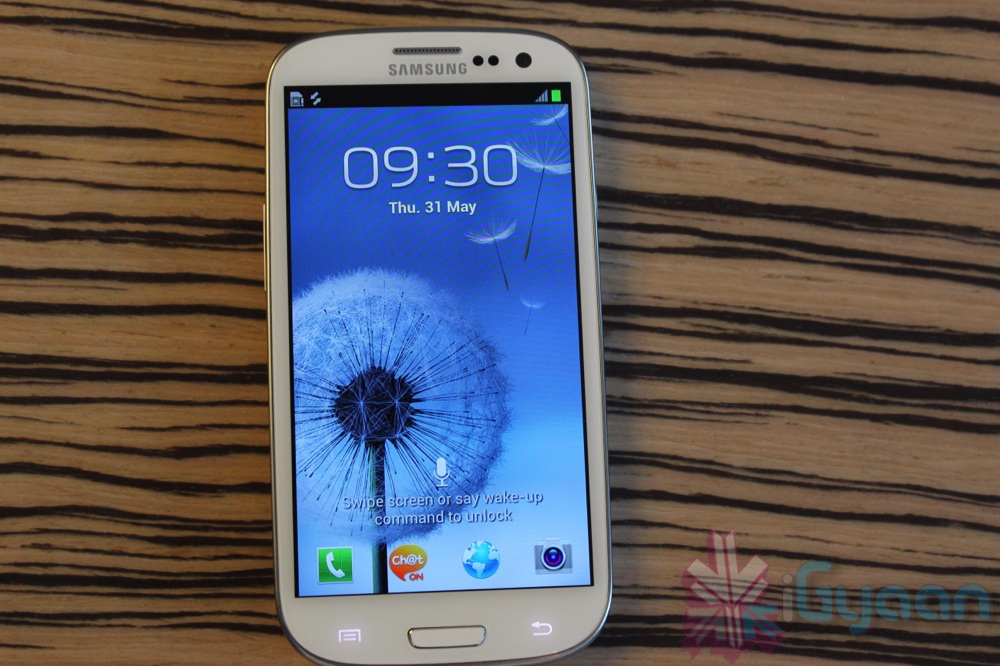
    Malicious hackers can hide a code in a web page that will trigger a full factory reset of Samsung’s best-selling Galaxy S3 smartphone, deleting contacts, photographs, music, apps and other valuable data, security researchers have discovered.

    The code, now circulating freely online and comprising just 11 digits and symbols, was revealed at a computer security conference in Argentina.

    Ravi Borgaonkar showed off the attack at the Ekoparty security conference, reports Slashgear. There he showed how a hacker could direct the user to a webpage where some malicious code could plunge them into a factory reset nightmare.

    Borgaonkar’s talk, Dirty use of USSD Codes in Cellular Network, showed how the Unstructured Supplementary Service Data (USSD) protocol, which is commonly used, can be exploited by attackers.

    Frustratingly, users can see the reset process kicking in but neither hitting back nor any other command will stop it. Apparently the code can also be used to destroy the SIM card too.

    Although there’s no evidence that anyone is using this powerful line of code to mess with people’s Samsung phones (yet), the level of attention in the tech media means that some nefarious types may start.

  • Windows Phone 8 SDK preview opens September 12th

    Windows Phone 8 SDK preview opens September 12th

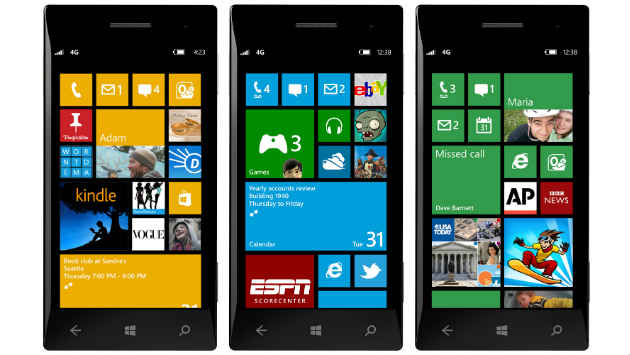
    Microsoft announced that developers will be able to sign-up for inclusion in the Windows Phone 8 SDK (Software Development Kit) programme from September 12th. Microsoft also revealed that the program will be initially limited to a select few at first until the full Windows Phone 8 SDK is publicly available later this year, after Windows Phone 8 has been released. 

    Microsoft won’t be giving access to just anyone, it will give priority to any developers that have already published apps to Windows Phone. In essence, they’ll be favoring the developers that chose to develop for Windows Phone before there was any major buzz for it. How exactly this will help the company garner better app development remains to be seen.

    [quote]”The full Windows Phone 8 SDK will be made publically available later this year when we unveil Windows Phone 8. Until then, we believe this program offers more published developers a way to explore the SDK and get started on the next wave of amazing Windows Phone apps,” said Microsoft in a statement.[/quote]

    One should keep in mind, WP 8 apps are on a whole new development platform. While WP 8 devices will continue to support WP 7.5 apps, these apps will not take advantage of the new hardware capabilities of WP 8 devices. Microsoft officials said they wouldn’t be disclosing the full set of Windows Phone 8 OS features until a later, unspecified date.

  • Google+ Update lets you open iOS links in Chrome, Allows Androids to join Hangouts on Air.

    Google+ Update lets you open iOS links in Chrome, Allows Androids to join Hangouts on Air.

    Google has let out a sly update to their Google+ apps on Android and iOS. The biggest addition is now allowing, Android phones to join Hangouts on Air, a feature we might use as soon as Today.

    For iOS the app, it now allows you to open links in Chrome instead of Safari, making the dreams of a default chrome browser more real than ever.

    What’s in this Android version:

    – Teens can now create and join Hangouts from mobile
    – Join Hangouts on Air from mobile
    – Floating timestamp in photos view
    – Shortcuts for post creation
    – Ability to report abuse in Events

    What’s in this iOS version :

    ? Web links in posts now open in Chrome (if installed)
    ? Teens can now join and create Hangouts 
    ? Instant Upload bug fixes to improve performance

    [App Store] [Google Play]

  • HTC One X Android 4.0.4 update rolling out

    HTC One X Android 4.0.4 update rolling out

    The international version of the HTC One X will be getting its Android 4.0.4 Ice Cream Sandwich update today, the same update that began rolling out for the AT&T version of the device just a short time ago.

    HTC has announced, courtesy of Engadget, that the HTC One X’s Android 4.0.4 update will begin to roll out today and that it will be bringing a number of enhancements along with it.

    Owners of the international HTC One X will now be able to map a menu function to the ‘recent app’ key in the lower right hand corner of the device. This will improve presentation in applications that currently do not support Ice Cream Sandwich. So obviously, this makes the button more useful than it already was.

    The update will also new abilities to the device’s camera including white balance and continuous autofocus, both of which will be welcomed improvements.

    HTC has also included a dedicated tab switching button in the browser to make it easier for owners to switch between tabs in the browser.

    The update for the HTC One X will also bring better overall browsing, more stability to the device, and more. So, it’s a pretty substantial update and one that users will want to take advantage of as soon as they possibly can.

    Of course, the update is not Android 4.1 Jelly Bean, Google’s latest piece of mobile software that is all the rage right now in the Android world.

    HTC has promised Android 4.1 for the HTC One XL, HTC One X, and the HTC One S at some point down the road but first, it needs to take care of some devices that are still limping their way to Android 4.0 Ice Cream Sandwich.

  • Karbonn Smart Tab now comes with Android Jelly Bean

    Karbonn Smart Tab now comes with Android Jelly Bean

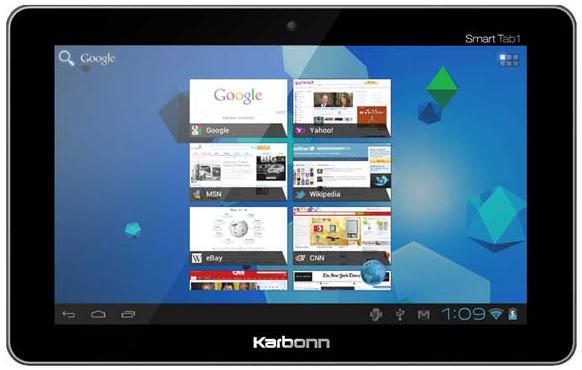
    Karbonn Mobiles has announced that its Smart tablet will now come with Android Jelly Bean on board, making it the first affordable Indian tablet to offer the latest version of Android operating system. 

    The Smart Tab 1 tablet is the second with Android 4.1 after Google’s Nexus 7 was announced in late June. At rupees 6990, the price is lower than that of Nexus 7, which starts at $199.

    The tablet has a 7-inch screen and runs on a single-core MIPS processor at a clock speed of 1.2GHz. It has a 2-megapixel front camera, 3G support through a dongle, and seven hours of battery life while surfing and eight hours of battery on video.

    The Smart Tab 1 is the first Android 4.1 tablet to be available with a processor from MIPS, which two weeks ago said it had accelerated the port of the OS to work with its processors. 

    Karbonn Mobiles said an over-the-air update to Android 4.1 will be delivered to existing Smart Tab 1 customers, but did not specify a timeline. The company hopes to sell 200,000 tablets per month.

    It also has plans to launch 9.7-inch tablet in September, which too will be running on Android Jelly Bean platform.

  • Apple OS X Mountain Lion Quick Overview

    OS X Mountain Lion is here, and there are quite a few new features to learn all about, so we sum it up listing the best out of all of them .

    Notification Center

    Just like on iOS , Notification centre gives you all your  alerts and messages under one bar, instead of all over the place. You can access your notification history by clicking the list icon all the way in the top right corner of the OS X menubar. If you want to edit your notification center settings, you can do so in the Notifications section of System Preferences. You’ll be able to decide what kind of notifications individual apps provide, or turn them off entirely.

    Notes and Reminders

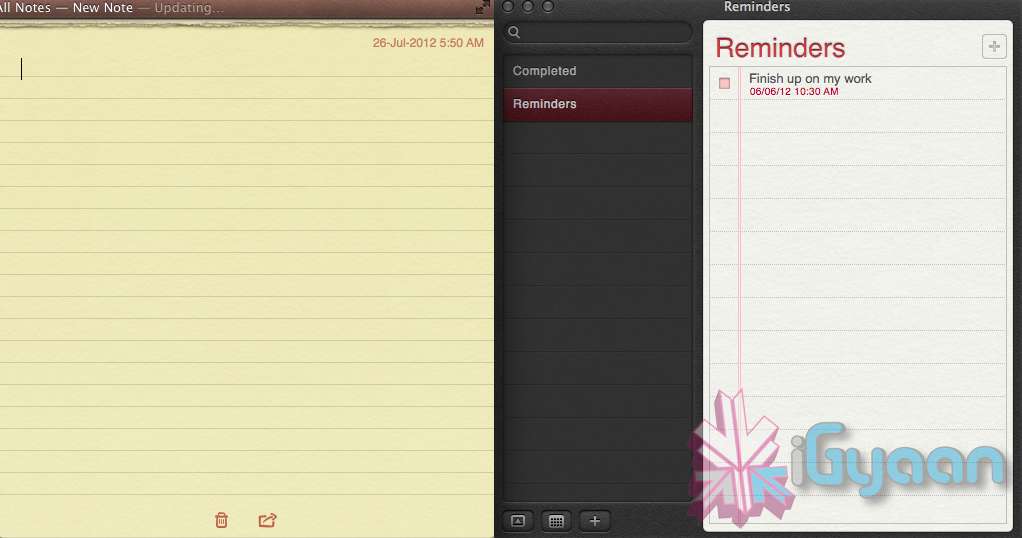
    The Notes app lets you save and organize text and images. Reminders allows you to create reminders so you don’t forget to do things. Again they are just like on iOS and sync well with your iDevices.


    Voice Dictation

    Just like on the iPad and iPhone you get voice dictation on Macs, in Mountain Lion (sadly no Siri).  To start dictating, just press the function (fn) key twice. When you’re done dictating, you can click the “done” button or press the function (fn) key twice again. OS X will take a moment and then provide you with the transcribed text. In addition to just offering words, you can say things like “period” or “comma” for punctuation and “new line” to make a new line.

    This feature works in any App or window that accepts text input via keyboard, also in online websites, like in GMAIL, as long as they are accessed in the new Safari.

    AirPlay Mirroring

    If you have an Apple TV, You can now mirror your display on an Apple TV (2nd or 3rd generation) with AirPlay if you enable it in Displays section of System Preferences. Down at the bottom there’s a checkbox beside “Show mirroring options in the menu bar when available.” Check it and you’ll be able to send your display to any detected Apple TV via the menu item in your menubar.

    Messages

    Messages is the iMessage of OS X. It’s been around in beta since Lion and hasn’t changed much in Mountain Lion. You can add your iCloud account to sync messages with an iPhone, iPad, or iPod touch. You can set up various instant messaging accounts, however, so Messages on the Mac is a little bit more functional than it is on iOS. That’s because it replaces iChat. Messages also now pulls out of Beta, so those of you who were experiencing slow takes may enjoy the new experience. 

    iCloud (Documents in the Cloud)

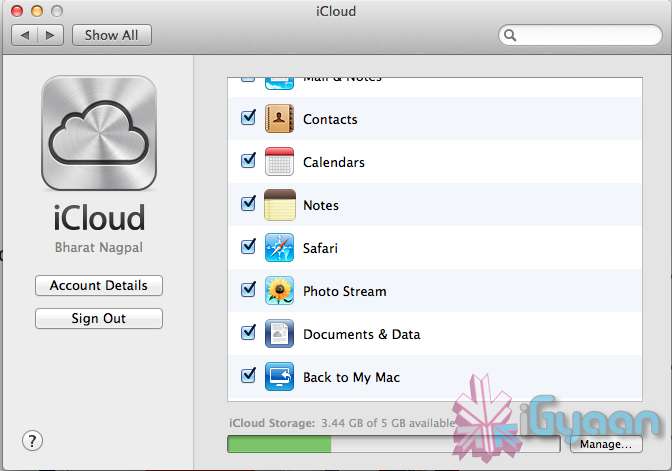
    iCloud has been upgraded significantly in Mountain Lion, you can access it in the same panel in System Preferences. If you turn on “Documents & Data” your documents (including versions of them) will be synced with iCloud, making them available on other iCloud-enabled devices.


    Share

     There is a new button in Mountain Lion, its the Share Button. Not every app has it yet, but many apps will be adding it to allow you to share content easily. In the meantime, Safari is one app that makes sharing sites easy to Messages, Twitter, and Email. If you click an image and then the sharing icon in a window’s toolbar, you’ll be able to share it on Twitter or Flickr. You’ll find other options for other file types as well. If you want to set up sharing accounts, visit the Mail, Contacts, & Calendars section of System Preferences.

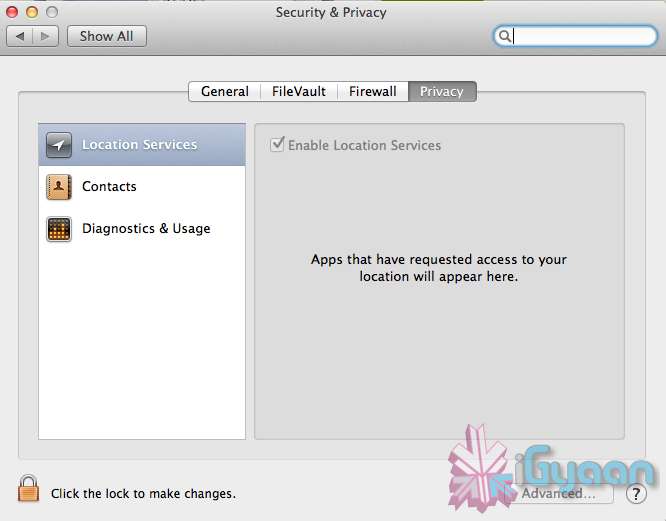
    Security and Privacy

    In this new panel available in the System Preferences panel , a new checkbox “Allow applications downloaded from” , which once checked will give option “Mac App Store and identified developers” . This will prevent apps that aren’t signed through Apple’s developer center or downloaded through the Mac App Store from running

    Under Privacy, you get new privacy settings. This is where you can approve or deny an app’s permission to access certain things like your contacts, location, Twitter account, and more. 

  • Apple unveils Safari 6, Mac Only Version Out Now

    Apple unveils Safari 6, Mac Only Version Out Now

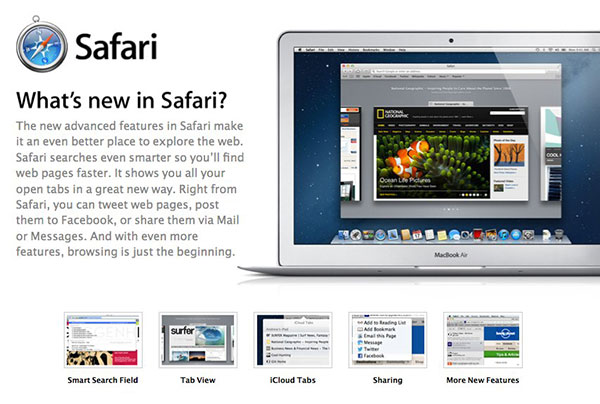
    Apple’s new Operating System, has a key browsing element, the new Safari, version 6, has been launched today alongside the major release Mountain Lion. The new Safari brings about some nice new features including iCloud tabs and a new tab view — both Mountain Lion only.

     There’s also a Do Not Track option to cover your internet tracks, just like the “incognito mode” on Chrome. It also appears that this time around Apple has not released a Windows Version for the software, and all earlier versions of Safari are now removed from Apple’s Servers. 

    [Apple}

  • Apple Mac App Store gets Mountain Lion for Download – US $ 19.99 – 4.05 GB – LION Extinct (PR)

    Apple Mac App Store gets Mountain Lion for Download – US $ 19.99 – 4.05 GB – LION Extinct (PR)

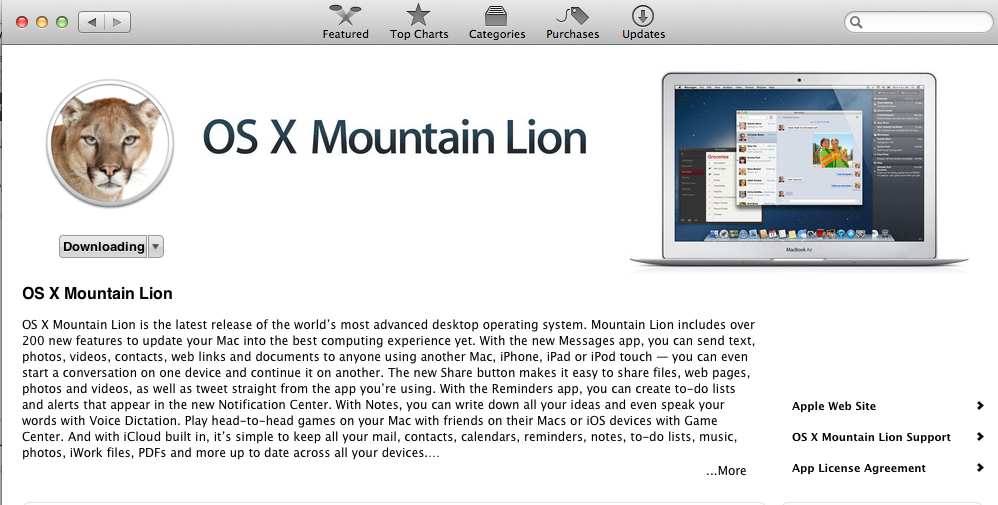
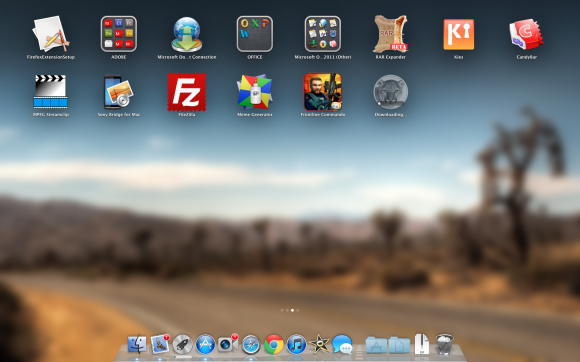
    The Mac App Store gets its own dose of Lion, and you can get it too for a mere US $ 19.99. The new Operating system adds over 200 new features including voice dictation, notification centre, new advanced sharing, ui fixes, customizations to Spotlight, AirPlay Mirroring etc. 


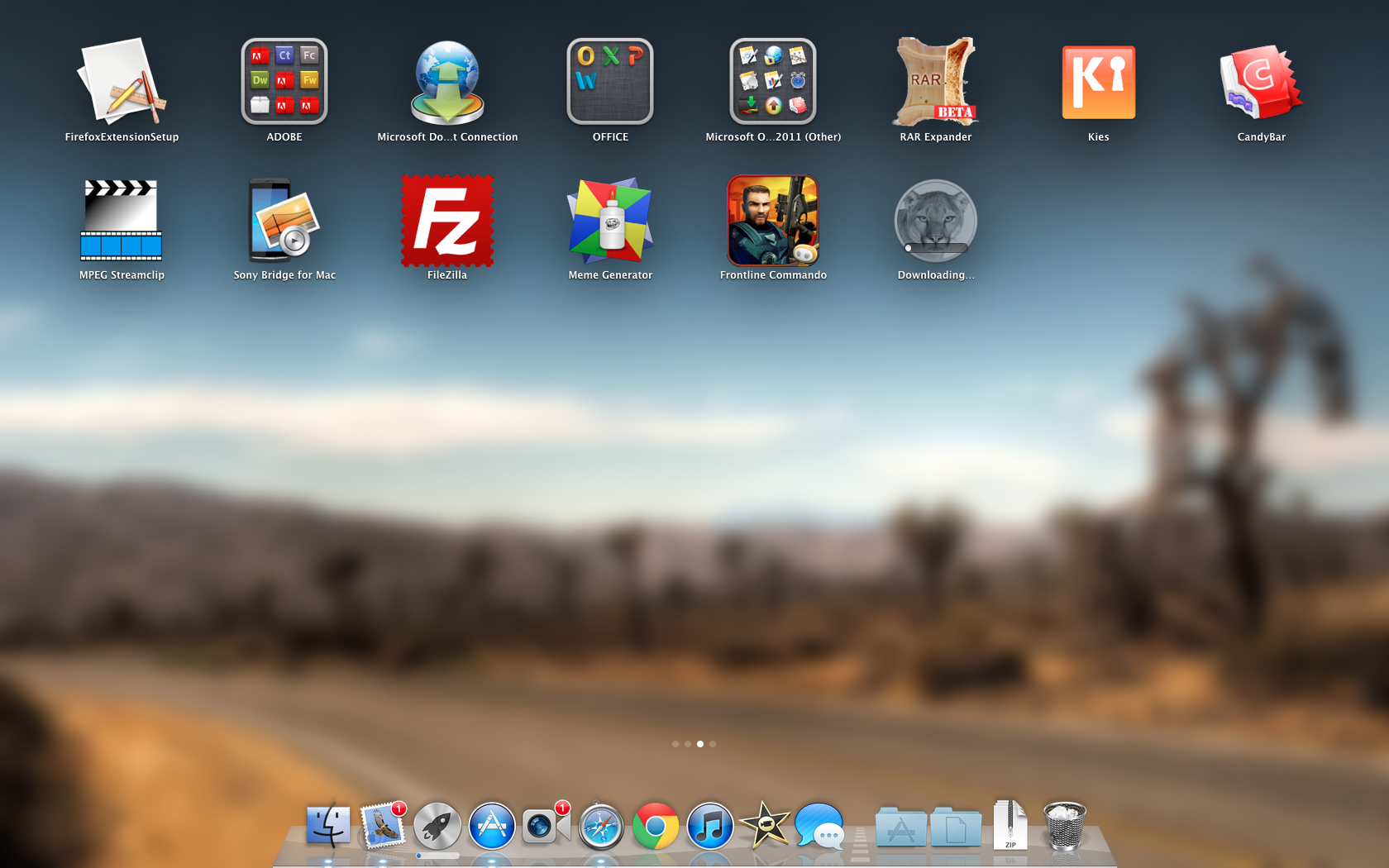
    While we download this 4.05 GB update, and sum it up for you. You can get your own version, at the link below.
     

    [toggle_box title=”Press Release” width=”Width of toggle box”]


    Mountain Lion Available Today From the Mac App Store


    Apple® today announced that OS X® Mountain Lion, the ninth major release of the world’s most advanced desktop operating system, is available as a download from the Mac® App Store?. With more than 200 innovative new features, Mountain Lion includes iCloud® integration, the all new Messages app, Notification Center, system-wide Sharing, Facebook integration*, Dictation, AirPlay® Mirroring and Game Center. Mountain Lion is available as an upgrade from Lion or Snow Leopard for $19.99.


    “With iCloud integration, Mountain Lion is even easier to set up, and your important information stays up to date across all your devices so you can keep editing documents, taking notes, creating reminders, and continue conversations whether you started on a Mac, iPhone or iPad.”


    “People are going to love the new features in Mountain Lion and how easy it is to download and install from the Mac App Store,” said Philip Schiller, Apple’s senior vice president of Worldwide Marketing. “With iCloud integration, Mountain Lion is even easier to set up, and your important information stays up to date across all your devices so you can keep editing documents, taking notes, creating reminders, and continue conversations whether you started on a Mac, iPhone or iPad.”


    With more than 200 innovative new features, Mountain Lion includes:


    iCloud integration, for easy set up of your Mail, Contacts, Calendar, Messages, Reminders and Notes, and keeping everything, including iWork® documents, up to date across all your devices;
    the all new Messages app, which replaces iChat® and brings iMessage™ to the Mac, so you can send messages to anyone with an iPhone®, iPad®, iPod touch® or another Mac;
    Notification Center, which streamlines the presentation of notifications and provides easy access to alerts from Mail, Calendar, Messages, Reminders, system updates and third party apps;
    system-wide Sharing, to make it easy to share links, photos, videos and other files quickly without having to switch to another app, and you just need to sign in once to use third-party services like Facebook, Twitter, Flickr and Vimeo;
    Facebook integration, so you can post photos, links and comments with locations right from your apps, automatically add your Facebook friends to your Contacts, and even update your Facebook status from within Notification Center;
    Dictation, which allows you to dictate text anywhere you can type, whether you’re using an app from Apple or a third party developer;
    AirPlay Mirroring, an easy way to wirelessly send an up-to-1080p secure stream of what’s on your Mac to an HDTV using Apple TV®, or send audio to a receiver or speakers that use AirPlay; and
    Game Center, which brings the popular social gaming network from iOS to the Mac so you can enjoy live, multiplayer games with friends whether they’re on a Mac, iPhone, iPad or iPod touch.


    Additional features in Mountain Lion include the revolutionary new Gatekeeper, which makes downloading software from the Internet safer; Power Nap, which automatically updates your apps and system while your Mac is asleep; and a faster Safari® browser. New features for China include significantly improved text input, a new Chinese Dictionary, easy setup with popular email providers, Baidu search in Safari, and built-in sharing to Sina Weibo and popular video websites Youku and Tudou.


    Pricing & Availability


    OS X Mountain Lion is available from the Mac App Store for $19.99 (US). Mountain Lion requires Lion or Snow Leopard (OS X v10.6.8 or later), 2GB of memory and 8GB of available space. For a complete list of system requirements and compatible systems, please visit: apple.com/osx/specs. OS X Server requires Mountain Lion and is available from the Mac App Store for $19.99 (US). The OS X Mountain Lion Up-to-Date upgrade is available at no additional charge from the Mac App Store to all customers who purchased a qualifying new Mac system from Apple or an Apple Authorized Reseller on or after June 11, 2012.

    [/toggle_box]

    [iTunes]

     

  • Apple OS X Mountain Lion will be out Tomorrow for Download – US $ 19.99

    Apple OS X Mountain Lion will be out Tomorrow for Download – US $ 19.99

    Apple has just confirmed in their Q3 earnings call  that the next version of their OS for computers will be available for download starting tomorrow. The upgrade will be just $19.99 (unless you’ve recently bought a new Mac — in which case it’ll be free) and will be available via download on the Mac App Store in 24 hours or less.

  • Facebook acquires Mac, iOS app developer Acrylic

    Facebook acquires Mac, iOS app developer Acrylic


    Facebook has acquired Acrylic Software, a Vancouver-based developer of Mac and iOS apps.

    The small firm is known for the RSS app Pulp (a personalized newspaper) and the secure database app Wallet (for securely storing passwords, credit-card numbers, etc.).

    The company has decided to cease development of the two apps, which Facebook itself has not acquired. This means that the apps will continue to be available for download and purchase, but will no longer be updated.

    Acrylic has two employees and both are moving to work on the social-networking giant’s design team in San Francisco. Additional details of the acquisition were not disclosed, but this appears to be mainly a talent acquisition; Facebook will not be getting the technology behind the service, or its user data.

    [toggle_box title=”Statement” width=”Width of toggle box”]

    Facebook is an invaluable service that we all use daily, and a company I believe is one of the most innovative and important around today. After visiting late last year, I discovered that we shared many of the same core product design goals and principles, and it soon became obvious that it was a natural fit. Simply put, there’s an opportunity at Facebook to have a big impact in many people’s lives. More importantly, Facebook is full of extremely talented people who will be able to help realize its full potential in the years to come.

    Our products and services have not been acquired by Facebook, and while there are no plans for further development on them, Wallet and Pulp will continue to remain available for download and purchase in their current form. We’ll certainly be the first to let you know of any updates or changes here in the future.

    A special thanks to all of our customers and supporters who have helped us grow and build the best products possible throughout the last four years. We wouldn’t have been able to do it without you.

    Dustin MacDonald
    Acrylic Software

    [/toggle_box]

  • Microsoft Touts Office 2013 Integration With Skype, Yammer, Cloud

    Microsoft Touts Office 2013 Integration With Skype, Yammer, Cloud

    Whoops! Something went wrong!

    At a press event in San Francisco, Microsoft has unveiled the new Office suite, sporting a new look in line with Windows 8 and Windows Phone 8.

    One of the key features of the new Office is cloud integration using SkyDrive. Users will be able to sync key settings across multiple devices after logging in to SkyDrive. You can continue working on the same document using a different device, as well as share it with others.

    Microsoft also showed off how users can collaborate on Office through social network integration. For example, you can see if your Skype contacts are available from any application in the new Office suite and make Skype calls directly from within Outlook. There’s also the ability to collaborate on documents through Microsoft’s Lync application.

    Good news for tablet users: A Microsoft RT version of Office for ARM-based tablets will be included for free on RT devices, including the Surface. 

    The new Office will have touchscreen capabilities, where users can use taps, swipes, and other gestures to create presentations. You can also draw on your presentations using a stylus.

    Meanwhile, the subscription-based Office 365 will now come with three tiers–Office 365 Home Premium, Office 365 Small Business Premium and Office 365 ProPlus–with pricing information to be announced later.

    Microsoft also unveiled a new version of its notetaking app, OneNote, which will have touch, pen and keyboard input.

    Although Office is currently being used by more than one billion people, it faces stiff competition from cheaper alternatives, such as Google’s suite of Web-based office applications.

iGyaan Network
Privacy Overview

This website uses cookies so that we can provide you with the best user experience possible. Cookie information is stored in your browser and performs functions such as recognising you when you return to our website and helping our team to understand which sections of the website you find most interesting and useful.