Tag: operating system

  • Android Distribution Numbers Announced, Oreo The Most Used Version

    Android Distribution Numbers Announced, Oreo The Most Used Version

    Google released the Android operating system for mobile devices back in the year 2008. The latest version of the OS is Android 9 Pie, which is its ninth major release. Before the launch of its successor, dubbed Android 10 Q in the following months, Google has released the Android Distribution list on the software’s official website. The list showcases the statistic of how many devices are running a particular version, and if a new version has been successful or not. The company refreshes the list every six months and this time it revealed Android version 8, named Oreo, is most popular worldwide.

    The Result

    Android Distribution List: Oreo On Top

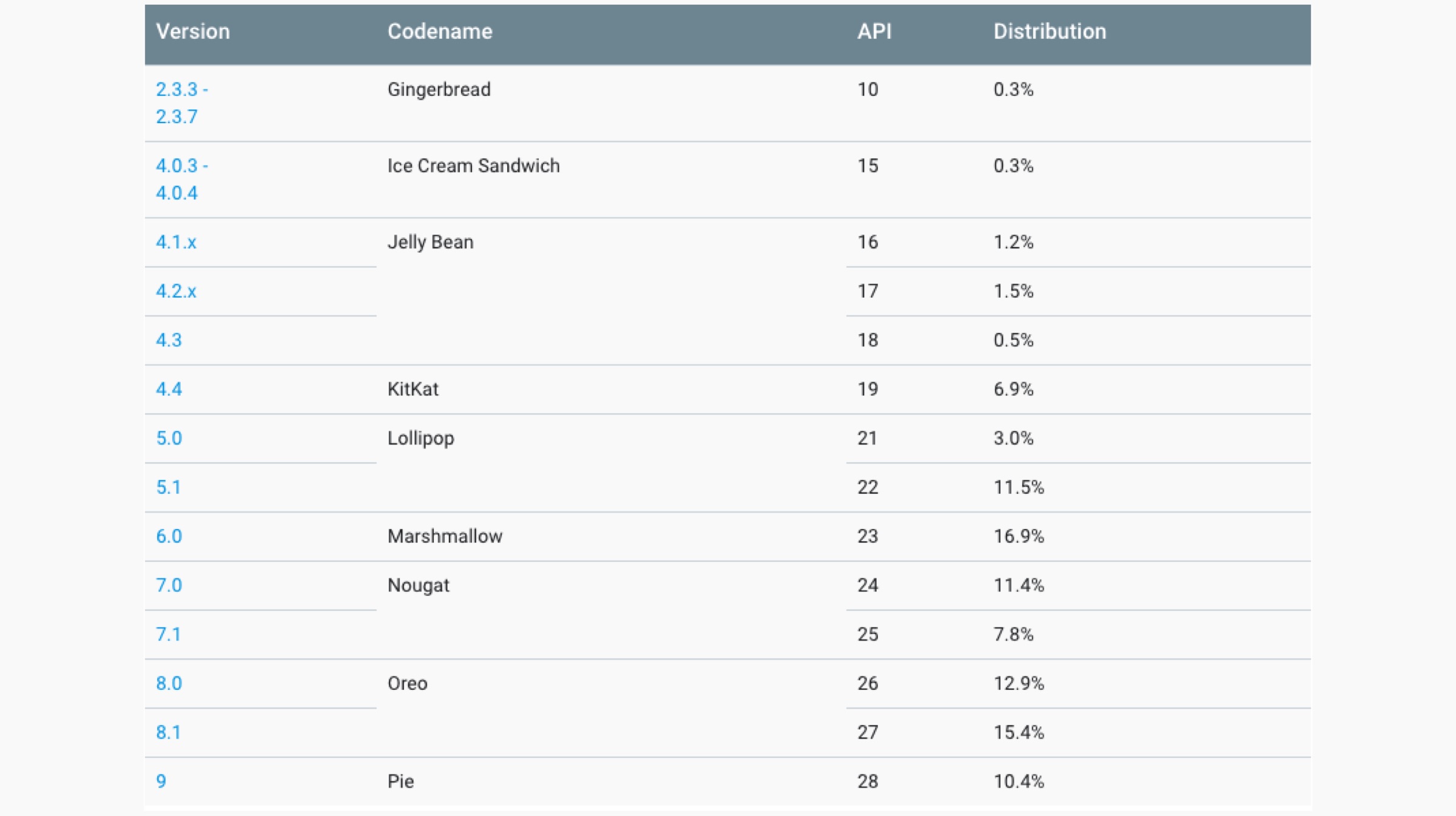
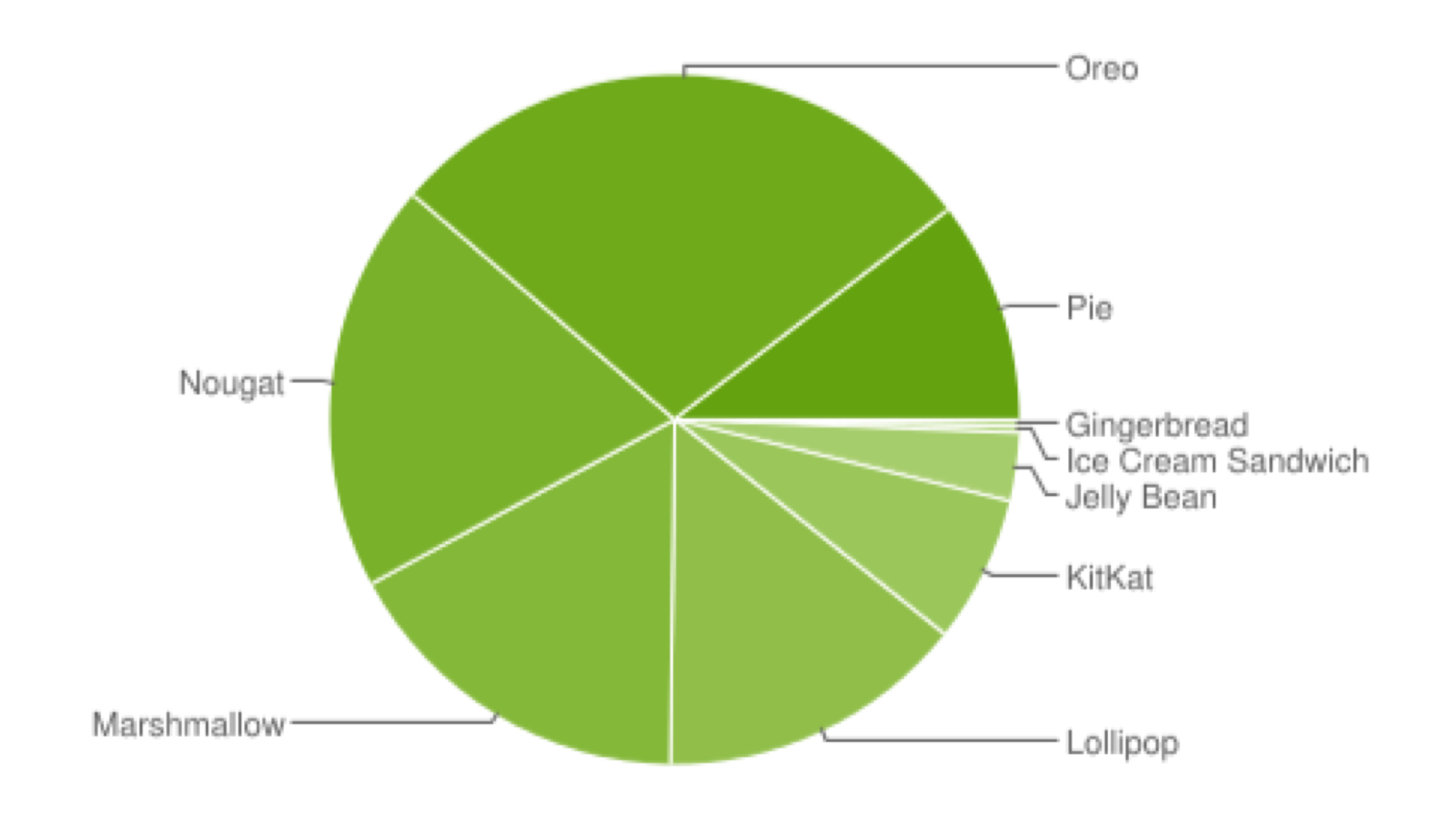
    As mentioned above, Google refreshes the Android Distribution list every six months; with it being updated previously in the month of November last year. The company claims it collected the data over a 7 day period ending May 7, 2019. It also notes the versions with less than 0.1 percent usage were not included in the list. The list reveals the Android versions 8.0 and 8.1, both referred to as the name Oreo, with a combined percentage of 28.3 %, are the most used OS by the company worldwide. It was originally released back in the year 2017. Noteworthy, in the last list that was released by Google, the version 7.0/7.1, named Nougat was the most used at the time.

    Android Distribution Chart

    Also read: EA Announces Apex Legends Will Be Released For Smartphones Later This Year

    The Android Distribution list is followed by version 7 Nougat, released in the year 2016 in the second place with a combined share of 18.4 %. In the third place is the Android 6 Marshmallow released in the year 2015 with a cut of 16.9 %. After version 5 Lollipop with a share of 14.5% in the fifth place, the latest Android 9 Pie makes an appearance with a percentage of 10.4%. The latest statistics from Google showcase the Android Fragmentation problem that has plagued the platform since the beginning. The terms refer to the disparity in the software’s versions running on devices currently in use. The company is expected to release the latest version of the mobile operating system later this year.

  • Google Announces New Features That Will Accompany Android Q

    Google Announces New Features That Will Accompany Android Q

    May 7 was the first day of the much-awaited Google I/O event, and Google introduced a variety of new features and devices, such as the Google Pixel 3a series , the Nest Hub Max Smart Display and the Live Caption feature, which is a part of Android Q. Talking about the aforementioned OS, Google plans to release the full version of Android Q by this fall (somewhere between September and November). However, the latest beta version of the 10th iteration of Android is available on multiple Google devices as of now. The American technology company introduced a host of new features that will accompany Android Q.

    Dark Theme

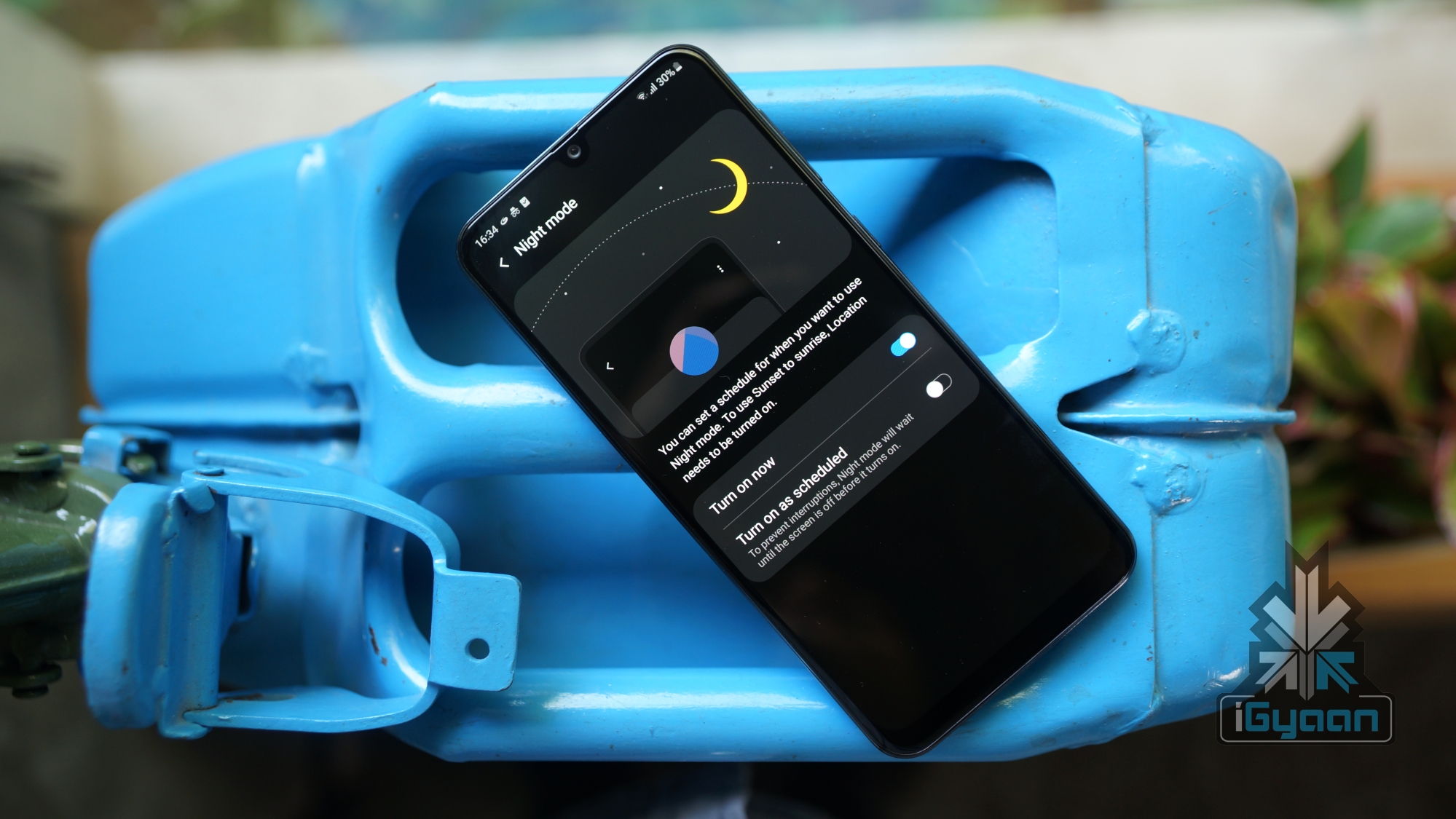
    The dark theme is being adopted by an increasing number of operating systems and applications across various devices. As announced at the event, the dark mode will be activated by simply pulling down the notification bar and choosing the “Dark Theme” option from the Quick Settings menu. The mode can also be activated by turning the battery saver on.

    Google stated that the dark theme will especially help in conserving battery on those devices which feature OLED displays, since only selected pixels on the screen are lit up during the operation of such panels. Further Google adds that all its first party apps will be dark theme compatible. This implies that Google Clock, Google Calendar and Google Photos will be able to take advantage of system-wide dark theme to preserve battery.

    Support For Foldable Devices

    As Google states, multiple OEMs will release foldable smartphones this year, and all of them will run on the latest Android OS. In a demo showcased by the company, the user was seamlessly able to switch from the game running on one screen to the foldable screen by simply unfolding the device. Supporting application continuity over the UI can help app developers work with APIs in a different way, Google says. 

    Gesture Navigation 

    Google is finally shifting away from the navigation bar and adopting a single white bar at the bottom of the screen. Users can swipe up to go to the home screen. To go into multitasking mode, users can swipe up and drag across the screen. If you swipe across the bar quickly, users can directly switch between adjacently running applications. Directly swiping up from the home screen can direct users towards the application drawer. Google further stated that animations across Android Q will be drastically improved in future updates. 

    Security Upgrades

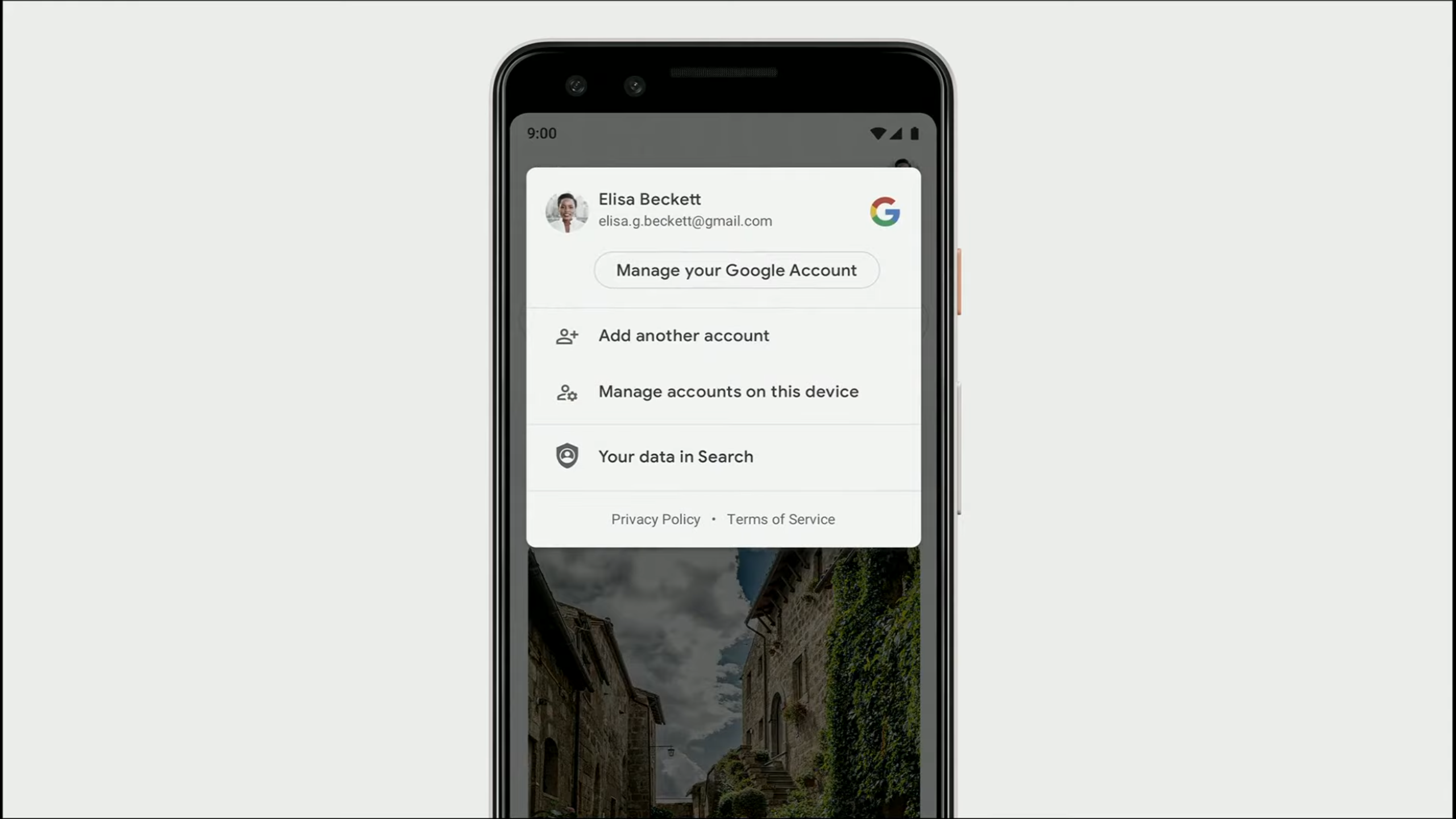
    Google Android Q SecurityGoogle plans to integrate new security features into Android Q. The company will add a new “Privacy Section” under Settings, where users can adjust multiple security settings regarding their smartphones. The company states that users can now choose to share their location data with specific applications as per their requirements. Google will also add a feature to use the Android Q enabled device as a security key for logging into third party applications. The update system overhaul will ensure that users receive all the security patches and updates in the background, which will be installed without having to reboot the smartphone.

    Live Captions

    https://youtu.be/YL-8Xfx6S5o

    Also Read: Samsung Still Cannot Provide A Release Date For The Galaxy Fold

    Live Caption is another interesting feature that was brought to light. When the said feature is enabled, users will be able to see transcribed captions for the respective audio/video on the screen in real time. The feature is not just limited to Google application, instead, multiple media apps like YouTube and Instagram can make use of this feature. Furthermore, the feature also works with live video calling apps like Google Duo and Skype. Noteworthy, an internet connection is not required for Live Captions to function. 

    As mentioned before, Android Q will make its way to supported devices  somewhere between the months of September and November. Note that the beta version 3 of the same is already rolling out to 21 devices from 13 smartphone brands, including the Realme 3 Pro and Nokia 8.1.  

  • BlackBerry Confirms Security Updates for BB 10, New Android Device for 2016

    BlackBerry Confirms Security Updates for BB 10, New Android Device for 2016

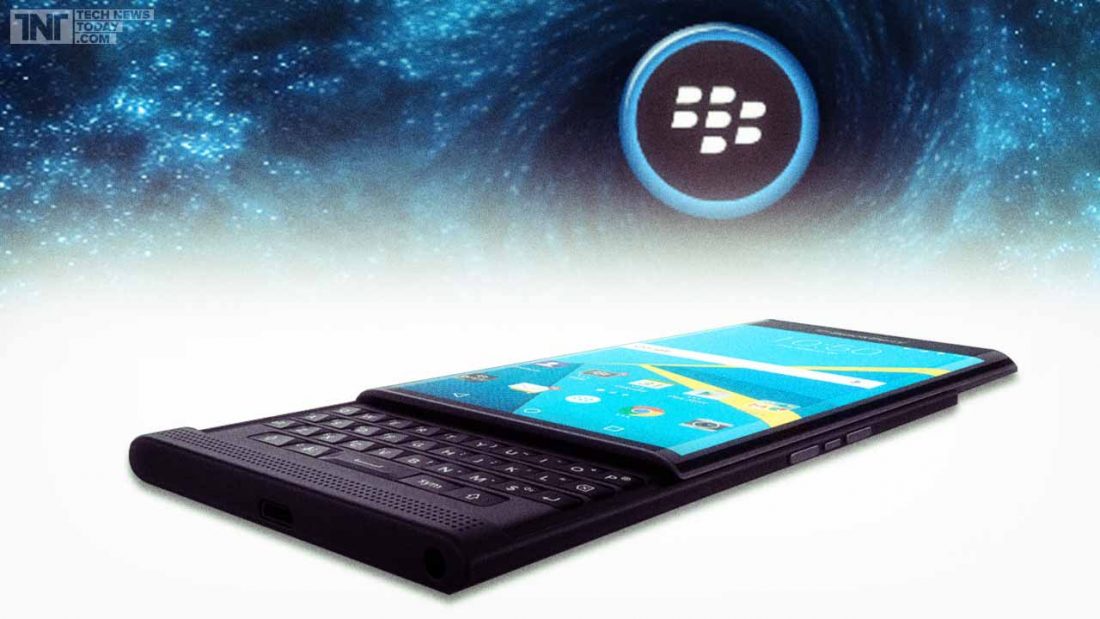
    BlackBerry has seen a lot of ups and downs in the past couple of months. From being one of the most popular mobile brands at one time with its innovative BlackBerry Messenger to becoming a company struggling to keep itself on its feet -it has seen it all.Blackberry Priv

    We recently heard rumours about how BlackBerry might be letting go of its operating system BB 10. However, these rumours have been proven false by a post on the official BlackBerry blog. John Chen, the company’s CEO revealed that the operating system is “far from” dead and that BlackBerry devices like Passport, Classic and other phones by the company running on BB 10 would receive updates for the operating system soon.

    There will be security and privacy updates for BB 10 this year, along with an enhanced 10.3.4 version of the OS slated to arrive later this year with more security and privacy related features.

    Additionally, BlackBerry which is all set to bring out more of its own Android devices in the future also confirmed that 2016 will see the launch of only one such device. Would you be willing to put your trust in BlackBerry’s Android devices?

    Source

  • Roadmap Shows Upcoming Marshmallow Update for Samsung Devices

    Roadmap Shows Upcoming Marshmallow Update for Samsung Devices

    It’s been a couple of months to the launch of the latest version of Android 6.0 Marshmallow, and yet the the OS has only been installed on about 0.3% of Android devices so far. The job of rolling out the latest update lies on the OEMs. Today, there’s finally some good news for eager Samsung users.

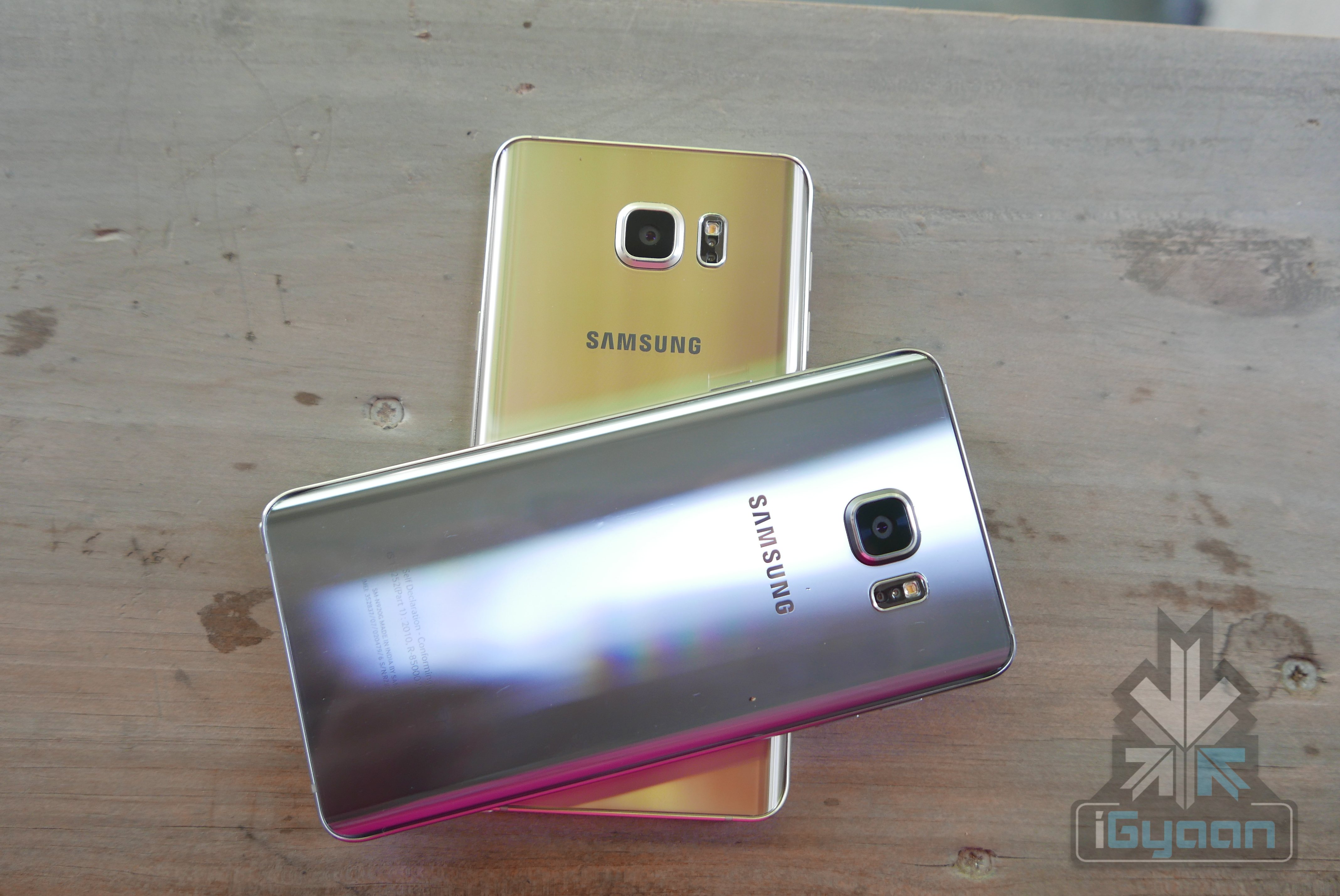
    Samsung Galaxy Note 5
    Samsung Galaxy Note 5

    For those who own Samsung devices, a leaked document reveals possible dates for the Marshmallow update. The updates will take place in three phases. Samsung Note 5 and Galaxy S6 Edge+ users will likely receive the update in December, though the exact date is not revealed. The Galaxy S6 and S6 Edge will receive the Android update in January 2016. Meanwhile, older models like the Galaxy Note 4 and Note Edge are expected to receive their’s in February.

    There’s no word yet on when the Galaxy S5, Alpha and the Galaxy A and E-series will receive the update since it’s still pending approval.

  • Microsoft Reveals the Much-Anticipated Windows 10 Pricing

    It’s official. After much speculation and anticipation, the prices of the new and improved Windows 10 has been revealed, as of yesterday. While we all knew that the Windows upgrade was going to be free, the pricing for people who did not have the OS or the licensed version of it, was unclear.

    [pullquote_left] The upgrade from a Windows 10 Home pack to a Pro Pack will just cost $99 [/pullquote_left]

    However, Microsoft, through Neowin, finally announced the prices and the date of release. The cost of Windows 10 Home will be $109 while Windows Pro will cost $199. Incidentally, there was been no hike in price since the Windows 8.1 version came out, which is a pleasant surprise. The upgrade from a Windows 10 Home pack to a Pro Pack will just cost $99. The system will be ready for upgrade on the 29th of July.

    While there was a lot of speculation over the weekend with Newegg reporting a price leak, it has been confirmed that the prices put up by the website, initially, were incorrect.

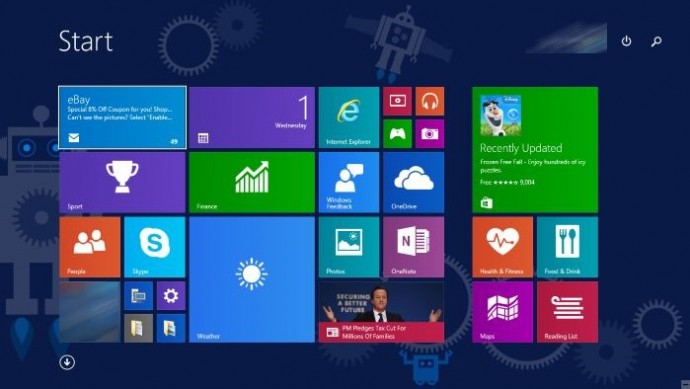
    Start-screen-in-Windows-10

    Now that we know the price and date, It is important to know a few more things about the Windows 10 upgrade:

    • The upgrade is available for free, for a year, after which all Windows 7 and 8.1 users, will have to purchase the upgrade. So do avail of this offer, soon.
    • You can either download the OS on your Windows 7 and 8.1 versions or buy the new PC.
    • All updates and fixes will come at no additional cost once you’ve downloaded it.
    • They have a ‘reservation link option’ which means you can preload the software and it will install, as soon as it’s ready.
    • All non-genuine Windows users will not get a free upgrade and people using Windows OEM (Other Equipment Manufacturers) will be offered attractive discounts, as per the company’s statement.

    With the revelation of prices, the Redmond-based beast hopes to secure its fortunes in what can be the largest sales of PCs and upgrades that will be witnessed. As per Neowin, the company expects users to avail of the free upgrade that is available for one year and hence is targeting 1 billion installs of Windows 10, in the next 2-3 years. While the task seems daunting at the moment, it’s definitely not an impossible feat.

  • Now Ubuntu Based Phones Attempt to Take on Android Devices

    Now Ubuntu Based Phones Attempt to Take on Android Devices

    Android is the undoubted top dog of the smartphone operating system. Its closest adversary, the iOS lags behind in terms of market numbers. There is no third party challenger to its dominance either; major operating systems like Windows, Blackberry, Firefox, etc. are still struggling to create a space for themselves. In this situation, some companies are looking at Ubuntu as an alternative to the behemoth called Android.

    Ubuntu is one of the most popular Linux-based operating systems in the world. It is a light operating system that is developed by UK-based Canonical Ltd. and is offered free of cost. Canonical had previously announced the smartphone version of Ubuntu back in 2013 and tried unsuccessfully to fund it through crowdfunding. The company later partnered with mobile makers BQ and Meizu and the operating system is now finally seeing the light of day.

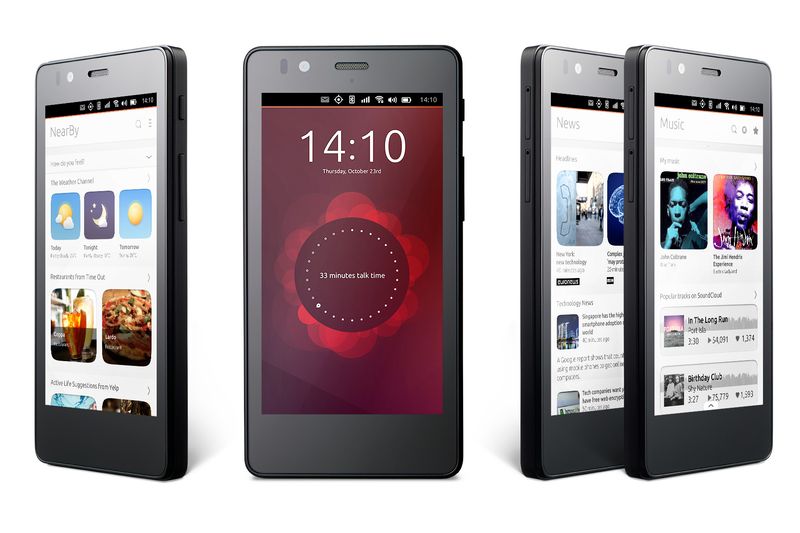
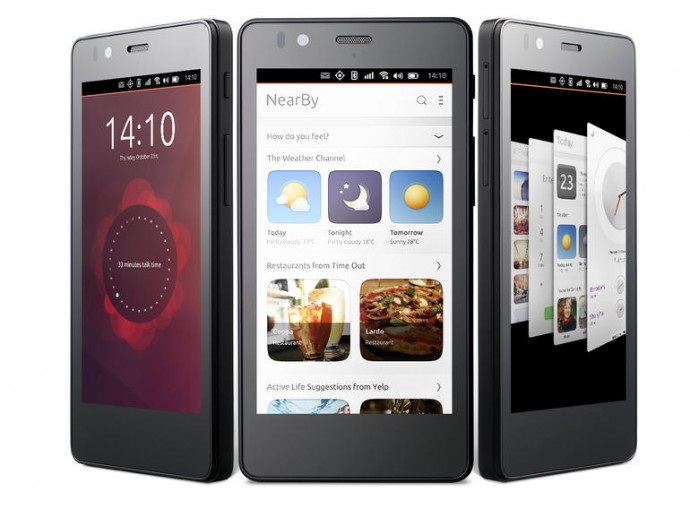
    BQ's Aquaris e4.5 Ubuntu Edition
    BQ’s Aquaris e4.5 Ubuntu Edition

    At the MWC 2015, BQ and Meizu showcased their Ubuntu based devices. BQ had already unveiled its Ubuntu device earlier, and it is called the Aquaris E4.5 Ubuntu Edition. It comes with a 4.5-inch qHD display along with a 8MP camera and is powered by a 1.3 GHz quad-core MediaTek processor. This will be an affordable device and will be priced at $195 (Approx. Rs. 12,000).

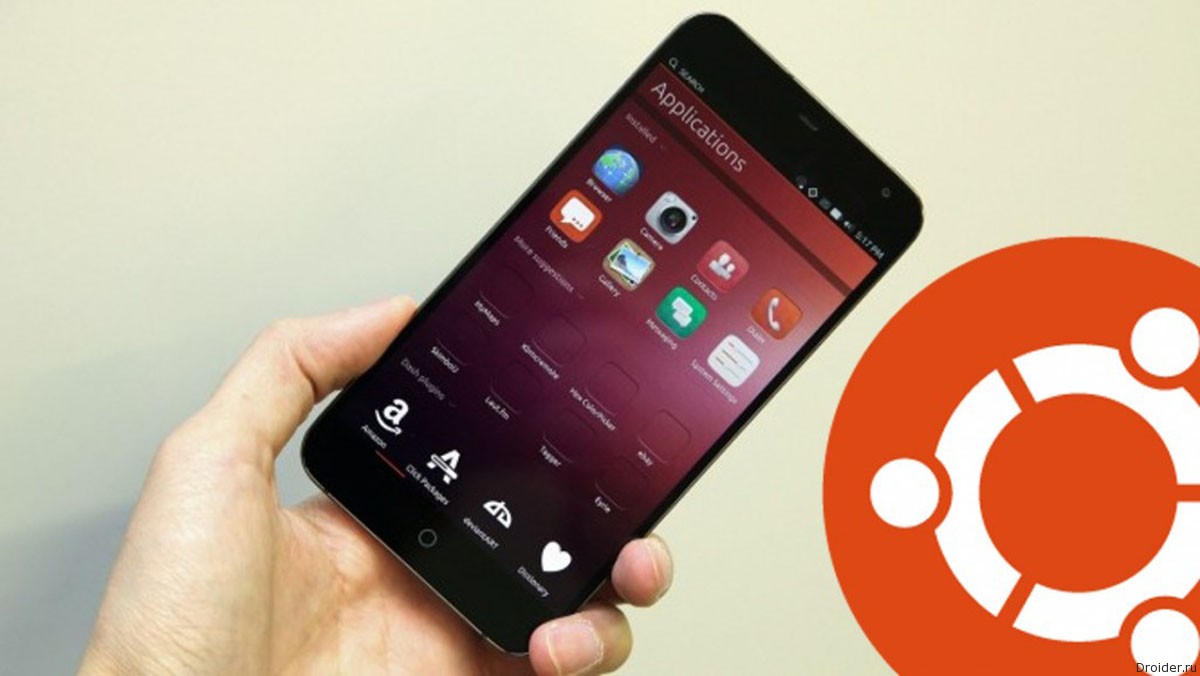
    Meizu’s phone, on the other hand, is based on its MX4 handset. It flaunts a 5.36-inch 1920 x 1152 display with a 20-megapixel camera and is powered by an eight-core MediaTek 6595 processor. This phone will have a better appeal in the market in comparison to the offering by BQ.

    Meizu's MX4 Ubuntu has better features and design amongst the two devices.
    Meizu’s MX4 Ubuntu has better features and design amongst the two devices.

    The Ubuntu OS is fairly new and would lack the apps that would attract the consumers. To make it easy for developers to easily create apps for the ecosystem, the OS offers categorized home screens called ‘Scopes.’ This scopes can be used to plug in content from apps like Instagram, Grooveshark, Soundcloud, etc. The company says that by using these specific Scopes, developers wouldn’t have to go through the lengthy process of coding apps to optimize them for Ubuntu.

    Canonical also has long term plan for the ecosystem, and it intends to bring seamless interconnectivity between the various Ubuntu devices. But it is still unsure as to how this operating system would challenge the dominance of Android and attract consumers to a new user experience. We’ll only know for sure about he prospects of the Ubuntu OS when the devices finally come to the market.

  • Windows 9 Will be a Free Upgrade for Windows 8 Users

    Windows 9 Will be a Free Upgrade for Windows 8 Users

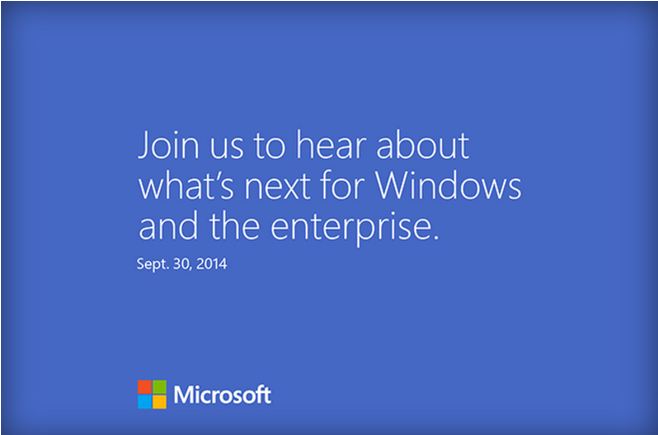
    Microsoft is all set to launch its new upgrade of the Windows operating system, the Windows 9. The company has already sent out invites for tomorrow’s event. They promise to reveal “What’s next for Windows and the enterprise.” It is certain that it will be the Windows 9, and most likely  it will be the release of a early developer version known as the ‘Technical Preview’.

    windows invite

    Earlier rumors have pointed out that the new update may come at a price. However, it was also said that it will be cheap, not more than $20. A report from Indonesian online publication Detik said earlier this week that President of Microsoft Indonesia Andreas Diantoro has confirmed this particular Windows 9 feature.

    According to Diantoro, the Windows 9 upgrade will be available free of charge to all existing Windows 8 users once it’s released. It is said that users will be able to easily install the Windows 9 update after downloading it from Microsoft website, which is how Apple’s OS X updates have been rolled out on Macs for a few years now. To make it more easy, some of the recent Windows 9 leaks did say that Microsoft already has a tool in place that will allow users to easily get software updates.

    878094801785562403

    It’s not clear whether other Windows users who are on older versions of the OS will get any other special offers. Even the actual price of Windows 9 has not yet been revealed. It is also said that Windows 7 users may have to pay a bit more than the others.

    The company is expected to roll out the “Windows Technical Preview” at the event or soon after, so that developers and enterprise customers can test the number of changes the company has made. The recent rumors and leaks have suggested the addition of a new Start Menu, a virtual desktop feature, and a Notification Center.

    Microsoft is also expected to fine-tune its desktop user interface to improve and flatten the traditional icons along with some changes in the taskbar for Cortana integration and the virtual desktop. Other changes are expected to come on a regular basis. The Windows Technical Preview will be available until the operating system is complete and ready for release next year.

  • China to Bring Out its Own Operating System and Take On US-Based Systems

    China to Bring Out its Own Operating System and Take On US-Based Systems

    The Chinese, can be called the shop floor for all of the world’s smartphone needs. If it’s an electronic product, at least one bit of it is produced in China. The communist nation has seen phenomenal economic growth ever since the technocrats running the country transformed the country into a manufacturing giant. Inspired by the boom that the Chinese economy has seen, the Indian government urged the world to manufacture in India.

    The Chinese are now trying to stake a claim in one more important arena in the international business, the Operating System. China is proactively developing an operating system that will help it decrease its reliance of US-made OS like the ones from Windows, Apple and Google. In fact, China wants to take on the OS giants with their version.

    The new OS will be based on Android. It is being developed by a team which is headed by the co-founder of Lenevo, Guangnan Ni. It will be released this October. The OS will be available for the Chinese government offices as well as fr consumer use.

    Spying concerns have been cited a reason for China opting for its own OS
    Spying concerns have been cited a reason for China opting for its own OS

    China, in recent years, has tried to create an alternative to the US based OS’s. The Chinese Academy of Sciences released the China Operating System (COS), in January of this year, but it wasn’t appreciated as much. This new OS will be first released for desktop and later a mobile version will also be released.

    The recent revelation of software backdoors that can be used by agencies like NSA to spy on users was cited as one of the major reasons for the development of the OS. China had recently banned all Windows 8 systems in its government offices after terming Microsoft a monopolistic company.

    The country has intense information restrictions and prefers to use systems developed within the country. Getting an OS made at home will also add to the nationalistic pride in the communist nation.

    In India, the Rs. 1,13,000 Crore Digital India Project will work towards constructing a informational highway that connects the whole of India. The project will also encourage software systems to be programmed in India for the use of the nation. Clearly the goal of the government of India too is to reduce the dependency on foreign based products. This is a valid thought and if the government puts its money where its mouth is, it will be able to encourage a generation of tech entrepreneurs who are presently working to make foreign enterprises profitable. These entrepreneurs will help create a powerful economy for the future India.

    The Dragon has made its mark on the world and is standing as a formidable adversary. It’s for us to see if the Tiger can ever catch up.

  • Has Apple Ended it for Paid Operating Systems with OS X Mavericks

    Has Apple Ended it for Paid Operating Systems with OS X Mavericks

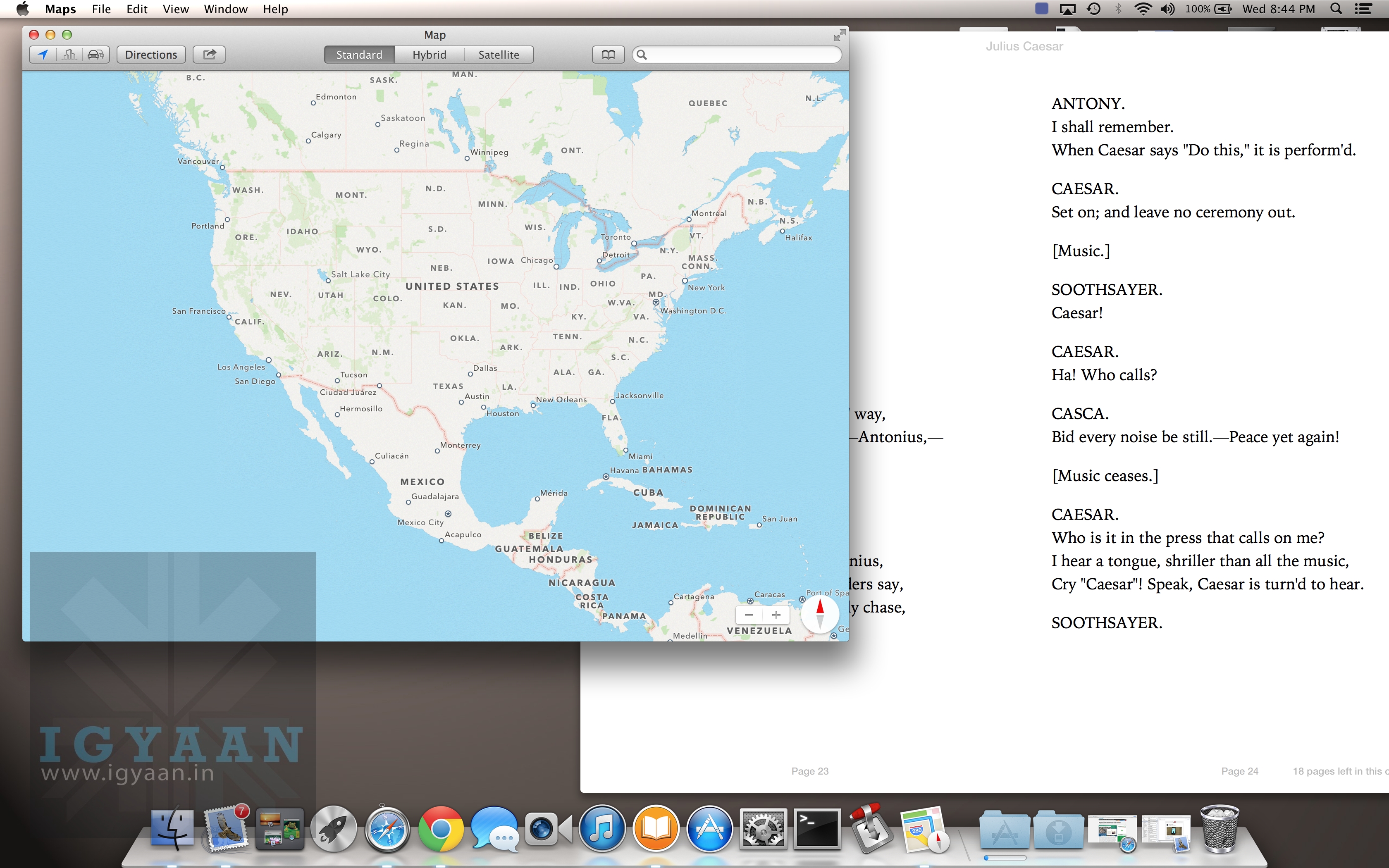
    Apple yesterday announced a flurry of new products from the new iPad Air to the iPad Mini with Retina Display, brand new Mac Pro and a revamped Macbook Pro with retina display. Possibly the most subtle and less talked about are the software launches. Apple launched the new Mac OS X 10.9 Mavericks and 7 new applications including a revamp of popular iMovie, iPhoto and Garage Band which made the iLife suite and work based Pages, Numbers and Keynote which made the iWork suite. The best part being the fact that all of the above comes free to Mac owners. 

    Logically all these Apps and Operating System updates are meant for consumption on Apple products, and by making these crucial applications and a major Operating System update free, Apple may have stirred the industry and the likes of Microsoft who basically survive by selling their operating systems and apps.

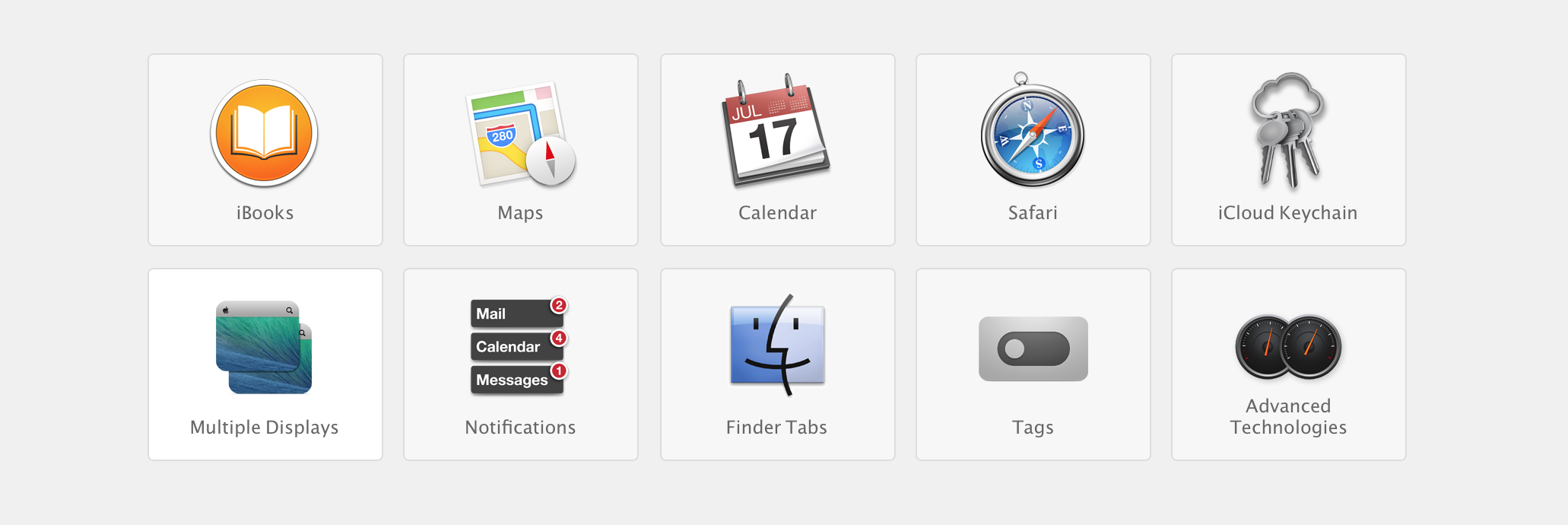
    Highlights
    Highlights

    Prices of Apple’s Mac OS X have dropped in cost considerably over the years. Apple charged users US $129 for four main OS updates, then Apple dropped the operating system’s upgrade price to $29 with 2009’s OS X 10.6 Snow Leopard, and then to $19 with last year’s OS X 10.8 Mountain Lion. 

    Microsoft was forced to lower the price of its expensive Windows 8 to a mere US $ 29 to compete with Apple last year, where the Redmond company offered its previous OS owners a cheaper upgrade to the new Operating System. However post a golden period the price was returned to a whopping US $ 199 which the company charges for their PRO variant of Windows 8. Microsoft this year however offered Windows 8.1 as a free upgrade to Windows 8 owners, and while many may call it an incremental upgrade, Microsoft continues to claim that Windows 8.1 is a major software overhaul which is “worthy of a price tag”.

    Back in the 80’s software was a part of commuters as a vertically integrated product. Apple with OS X Mavericks has suddenly sprung that era into present day. Since Apple is the only company that manufactures hardware for their software or vice versa, it makes sense for the company to gain profit from hardware sales and make the software free. In essence the user sees it as a freebie especially since it had a price tag prior to it being free. 

    Apple has also ensured that anyone with a Mac computer upto 4 years ago can update to the new Mac OS X Mavericks, which will make old owners of Apple computers happy, since they won’t need to spend money for new operating systems each year. 

    What’s more, Apple has also enabled users to get Apple own apps like the iLIfe suite and iWork suite free of cost, making it a boon for students and daily users. Apple used to drive huge profits from selling applications and operating system upgrades. Most people don’t upgrade their Operating Systems till they buy a new computer, Apple however has sort of changed that, or has tried to change it. Just like software updates on the iPhone that drove more than 80% iPhone owners to upgrade to iOS 7, it is expected that a whole chunk of Mac owners have probably already upgraded to Mac OS X 10.9 Mavericks, or plan to over the weekend. 

    Installer
    Installer

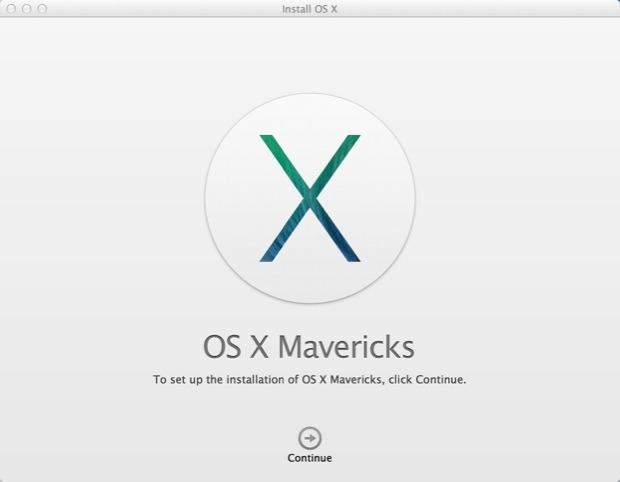
    The upgrade process is simple, hit the Mac App Store download the Mavericks installer, run the installer and about 20 minutes later you are upgraded. As Steve Jobs would say “It just Works!”,  exactly how upgrading a modern operating system should feel like. It gets done with the minimal of fuss and fanfare, and then the operating system steps aside and lets the user get back to work. 

    For Apple owners this may not seem as a big deal, however the folks over at Microsoft are probably festering out new plans as we speak to keep their investors happy. Do you think OS should be free? Let us know below!

  • HTC Building Its Own Mobile OS

    HTC Building Its Own Mobile OS

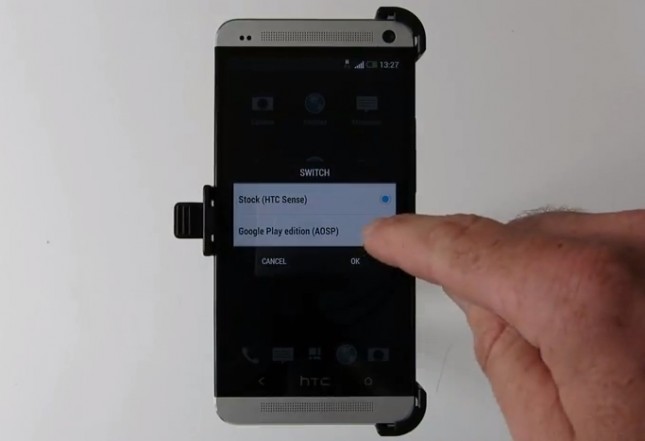
    Rumours of HTC creating their own operating system has been floating around for a couple years. Back in September of 2011, HTC Co-founder and chairman Cher Wang, stated “We can use any OS we want. We are able to make things different from our rivals on the second or third layer of a platform. Our strength lies in understanding an OS, but it does not mean that we have to produce an OS.”

    HTC currently relies heavily on the Android OS, plus puts its unique spin with its Sense UI, but this dependance an US-based Google is rumoured to slow. According to a report in the Wall Street Journal, HTC, with the assistance from the Chinese government, will forge ahead and produce their own mobile operating system that’s ‘specifically for Chinese consumers.’ Apparently this initiative is part of a bigger play by the government “to encourage the development of a unique local software ecosystem to reduce reliance on Western companies.”

    The WSJ report says it isn’t clear whether the mobile OS will be entirely proprietary or built on top of Android — as just like Acer, HTC is part of Google’s Open Handset Alliance, and that means it needs to abide by certain rules laid down by Google.

    Acer last year built a phone for China’s Alibaba but it was squelched at the last minute due Google’s intervention. Google even suggested that Acer wouldn’t be allowed to build future Android phones if it moved forward with the Alibaba phone launch. Given that HTC’s smartphone focus is built on Android — it only makes a few Windows Phone devices — the company isn’t in a position to anger Google.

    The ambitious reported move by HTC comes as it has been struggling financially. CEO Peter Chou said in the company’s recent second-quarter earnings call that HTC is expecting Q3 revenue to decline as much as 29.3 percent from the amount of revenue it posted in Q2.

    [Via]

  • The New Xbox One will run 3 Operating Systems including trimmed down windows

    The New Xbox One will run 3 Operating Systems including trimmed down windows

    While the Microsoft Xbox One has just been announced, the next-generation Xbox will run three operating systems simultaneously. A new revision of the Microsoft Windows 8 /RT designed for tablets, has been re-engineered for the main UI of the Console. This version will be used to run apps like Skype and other non-game titles downloaded from the Xbox storefront. A new virtualization technology similar to Microsoft’s Hyper-V will be used to allocate the bulk of system resources to a second, dedicated “Xbox OS” when the user loads up a game. The Final OS is a sort of mediator between the two operating systems. 

    The triple OS technology will allow the console to have layers on the screen, allowing users to Skype , play games and watch TV simultaneously. These  visual “panes,” which are full 1080p layers generated independently and displayed one on top of the other. 

    Whats more coders will be able to convert their apps to work on this Windows variant opening up a whole new marketplace (one of the biggest) for the developers.

  • Apple OS X Mountain Lion Quick Overview

    OS X Mountain Lion is here, and there are quite a few new features to learn all about, so we sum it up listing the best out of all of them .

    Notification Center

    Just like on iOS , Notification centre gives you all your  alerts and messages under one bar, instead of all over the place. You can access your notification history by clicking the list icon all the way in the top right corner of the OS X menubar. If you want to edit your notification center settings, you can do so in the Notifications section of System Preferences. You’ll be able to decide what kind of notifications individual apps provide, or turn them off entirely.

    Notes and Reminders

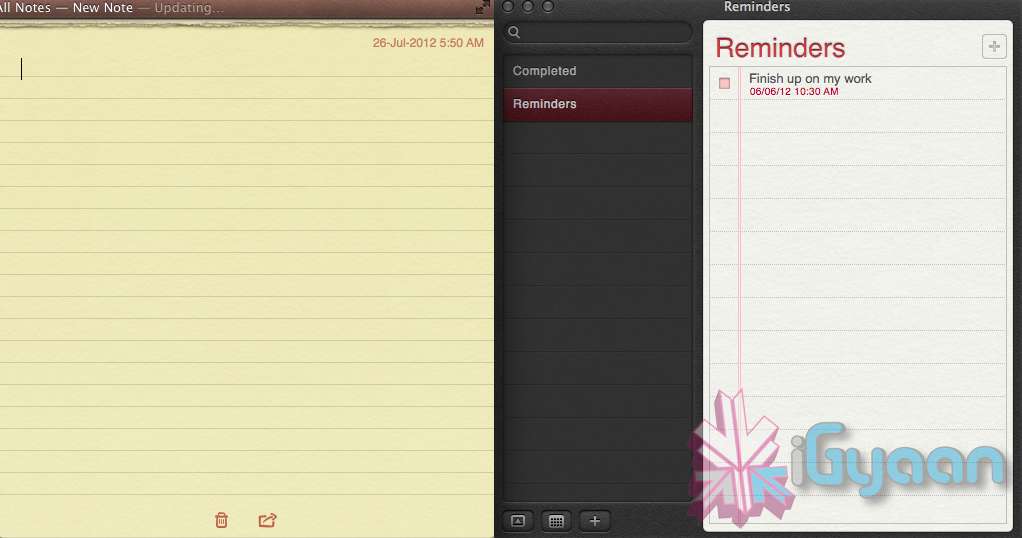
    The Notes app lets you save and organize text and images. Reminders allows you to create reminders so you don’t forget to do things. Again they are just like on iOS and sync well with your iDevices.


    Voice Dictation

    Just like on the iPad and iPhone you get voice dictation on Macs, in Mountain Lion (sadly no Siri).  To start dictating, just press the function (fn) key twice. When you’re done dictating, you can click the “done” button or press the function (fn) key twice again. OS X will take a moment and then provide you with the transcribed text. In addition to just offering words, you can say things like “period” or “comma” for punctuation and “new line” to make a new line.

    This feature works in any App or window that accepts text input via keyboard, also in online websites, like in GMAIL, as long as they are accessed in the new Safari.

    AirPlay Mirroring

    If you have an Apple TV, You can now mirror your display on an Apple TV (2nd or 3rd generation) with AirPlay if you enable it in Displays section of System Preferences. Down at the bottom there’s a checkbox beside “Show mirroring options in the menu bar when available.” Check it and you’ll be able to send your display to any detected Apple TV via the menu item in your menubar.

    Messages

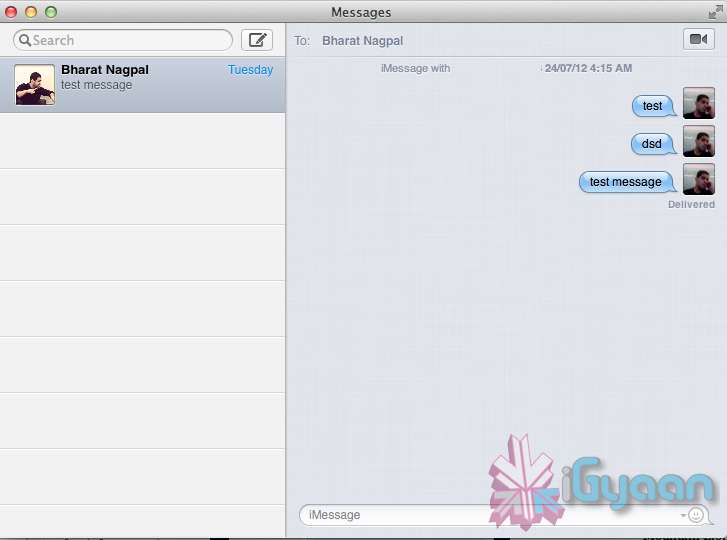
    Messages is the iMessage of OS X. It’s been around in beta since Lion and hasn’t changed much in Mountain Lion. You can add your iCloud account to sync messages with an iPhone, iPad, or iPod touch. You can set up various instant messaging accounts, however, so Messages on the Mac is a little bit more functional than it is on iOS. That’s because it replaces iChat. Messages also now pulls out of Beta, so those of you who were experiencing slow takes may enjoy the new experience. 

    iCloud (Documents in the Cloud)

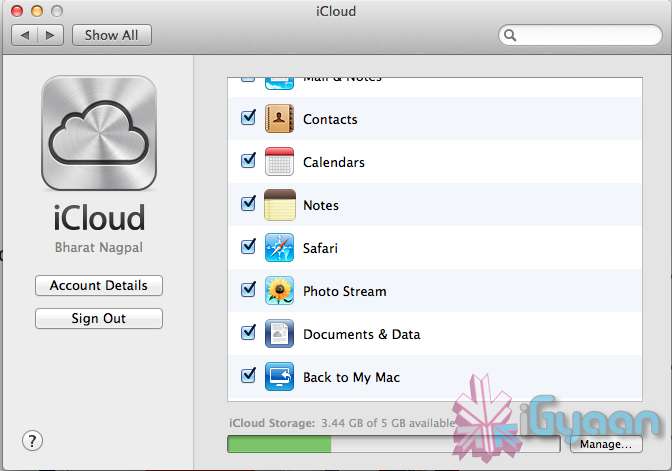
    iCloud has been upgraded significantly in Mountain Lion, you can access it in the same panel in System Preferences. If you turn on “Documents & Data” your documents (including versions of them) will be synced with iCloud, making them available on other iCloud-enabled devices.


    Share

     There is a new button in Mountain Lion, its the Share Button. Not every app has it yet, but many apps will be adding it to allow you to share content easily. In the meantime, Safari is one app that makes sharing sites easy to Messages, Twitter, and Email. If you click an image and then the sharing icon in a window’s toolbar, you’ll be able to share it on Twitter or Flickr. You’ll find other options for other file types as well. If you want to set up sharing accounts, visit the Mail, Contacts, & Calendars section of System Preferences.

    Security and Privacy

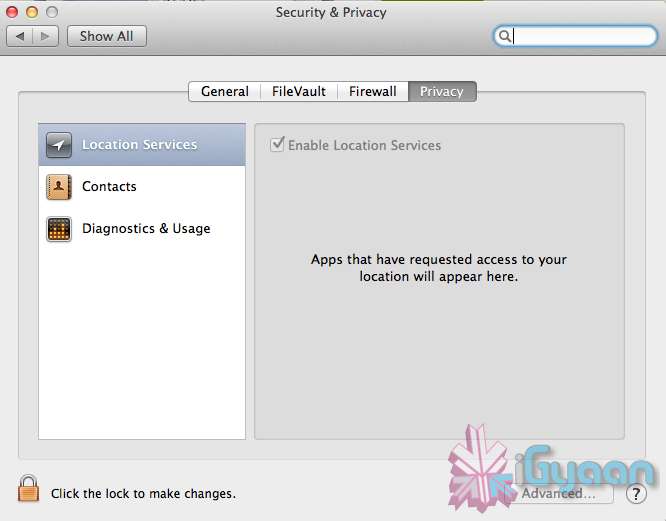
    In this new panel available in the System Preferences panel , a new checkbox “Allow applications downloaded from” , which once checked will give option “Mac App Store and identified developers” . This will prevent apps that aren’t signed through Apple’s developer center or downloaded through the Mac App Store from running

    Under Privacy, you get new privacy settings. This is where you can approve or deny an app’s permission to access certain things like your contacts, location, Twitter account, and more. 

  • Apple Mac App Store gets Mountain Lion for Download – US $ 19.99 – 4.05 GB – LION Extinct (PR)

    Apple Mac App Store gets Mountain Lion for Download – US $ 19.99 – 4.05 GB – LION Extinct (PR)

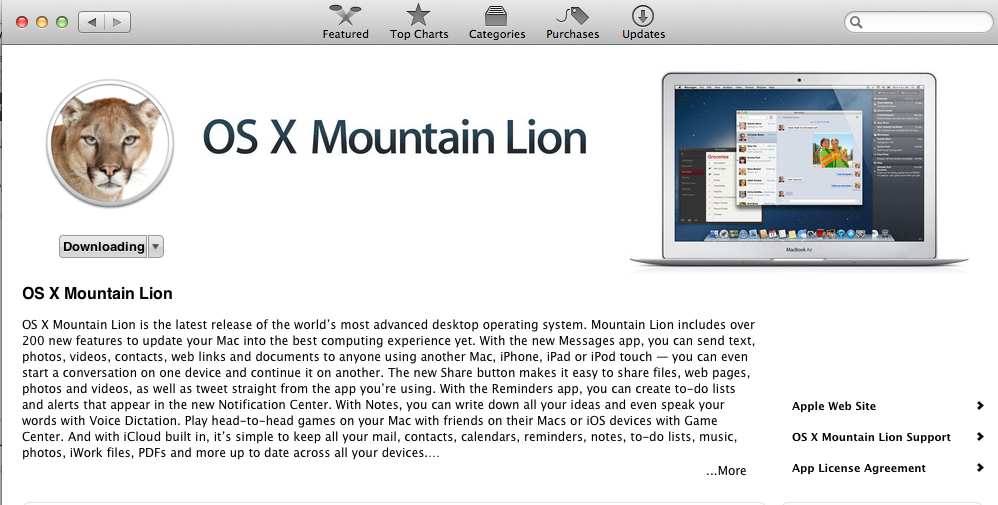
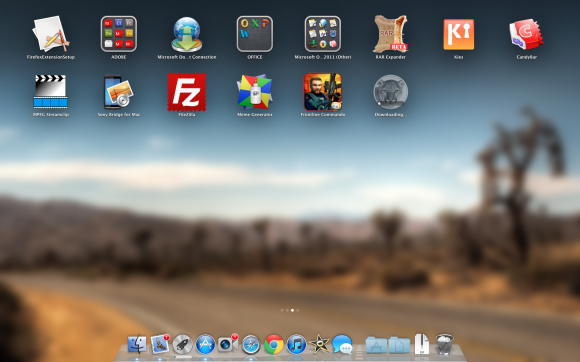
    The Mac App Store gets its own dose of Lion, and you can get it too for a mere US $ 19.99. The new Operating system adds over 200 new features including voice dictation, notification centre, new advanced sharing, ui fixes, customizations to Spotlight, AirPlay Mirroring etc. 


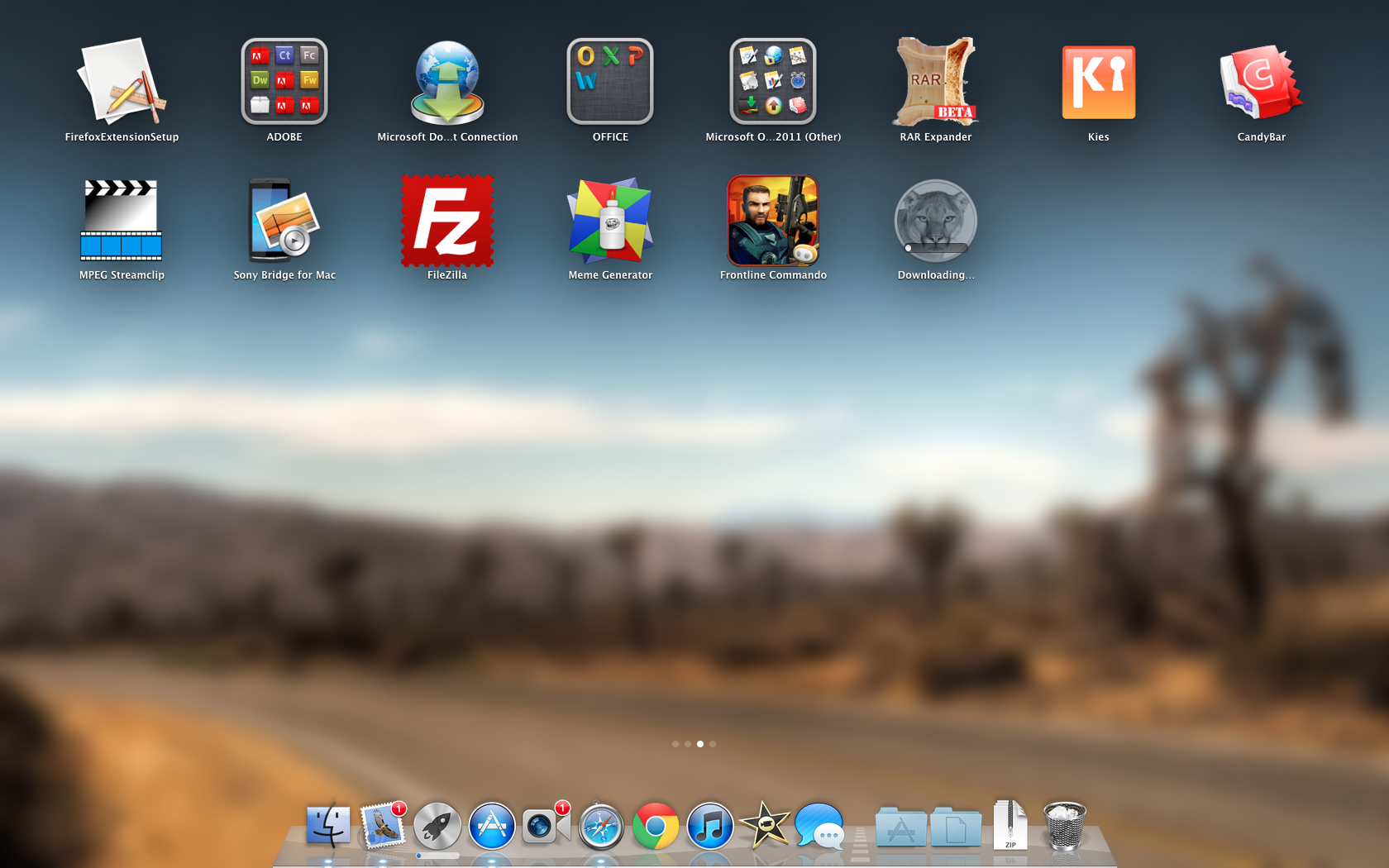
    While we download this 4.05 GB update, and sum it up for you. You can get your own version, at the link below.
     

    [toggle_box title=”Press Release” width=”Width of toggle box”]


    Mountain Lion Available Today From the Mac App Store


    Apple® today announced that OS X® Mountain Lion, the ninth major release of the world’s most advanced desktop operating system, is available as a download from the Mac® App Store?. With more than 200 innovative new features, Mountain Lion includes iCloud® integration, the all new Messages app, Notification Center, system-wide Sharing, Facebook integration*, Dictation, AirPlay® Mirroring and Game Center. Mountain Lion is available as an upgrade from Lion or Snow Leopard for $19.99.


    “With iCloud integration, Mountain Lion is even easier to set up, and your important information stays up to date across all your devices so you can keep editing documents, taking notes, creating reminders, and continue conversations whether you started on a Mac, iPhone or iPad.”


    “People are going to love the new features in Mountain Lion and how easy it is to download and install from the Mac App Store,” said Philip Schiller, Apple’s senior vice president of Worldwide Marketing. “With iCloud integration, Mountain Lion is even easier to set up, and your important information stays up to date across all your devices so you can keep editing documents, taking notes, creating reminders, and continue conversations whether you started on a Mac, iPhone or iPad.”


    With more than 200 innovative new features, Mountain Lion includes:


    iCloud integration, for easy set up of your Mail, Contacts, Calendar, Messages, Reminders and Notes, and keeping everything, including iWork® documents, up to date across all your devices;
    the all new Messages app, which replaces iChat® and brings iMessage™ to the Mac, so you can send messages to anyone with an iPhone®, iPad®, iPod touch® or another Mac;
    Notification Center, which streamlines the presentation of notifications and provides easy access to alerts from Mail, Calendar, Messages, Reminders, system updates and third party apps;
    system-wide Sharing, to make it easy to share links, photos, videos and other files quickly without having to switch to another app, and you just need to sign in once to use third-party services like Facebook, Twitter, Flickr and Vimeo;
    Facebook integration, so you can post photos, links and comments with locations right from your apps, automatically add your Facebook friends to your Contacts, and even update your Facebook status from within Notification Center;
    Dictation, which allows you to dictate text anywhere you can type, whether you’re using an app from Apple or a third party developer;
    AirPlay Mirroring, an easy way to wirelessly send an up-to-1080p secure stream of what’s on your Mac to an HDTV using Apple TV®, or send audio to a receiver or speakers that use AirPlay; and
    Game Center, which brings the popular social gaming network from iOS to the Mac so you can enjoy live, multiplayer games with friends whether they’re on a Mac, iPhone, iPad or iPod touch.


    Additional features in Mountain Lion include the revolutionary new Gatekeeper, which makes downloading software from the Internet safer; Power Nap, which automatically updates your apps and system while your Mac is asleep; and a faster Safari® browser. New features for China include significantly improved text input, a new Chinese Dictionary, easy setup with popular email providers, Baidu search in Safari, and built-in sharing to Sina Weibo and popular video websites Youku and Tudou.


    Pricing & Availability


    OS X Mountain Lion is available from the Mac App Store for $19.99 (US). Mountain Lion requires Lion or Snow Leopard (OS X v10.6.8 or later), 2GB of memory and 8GB of available space. For a complete list of system requirements and compatible systems, please visit: apple.com/osx/specs. OS X Server requires Mountain Lion and is available from the Mac App Store for $19.99 (US). The OS X Mountain Lion Up-to-Date upgrade is available at no additional charge from the Mac App Store to all customers who purchased a qualifying new Mac system from Apple or an Apple Authorized Reseller on or after June 11, 2012.

    [/toggle_box]

    [iTunes]
     

  • Apple OS X Mountain Lion will be out Tomorrow for Download – US $ 19.99

    Apple OS X Mountain Lion will be out Tomorrow for Download – US $ 19.99

    Apple has just confirmed in their Q3 earnings call  that the next version of their OS for computers will be available for download starting tomorrow. The upgrade will be just $19.99 (unless you’ve recently bought a new Mac — in which case it’ll be free) and will be available via download on the Mac App Store in 24 hours or less.

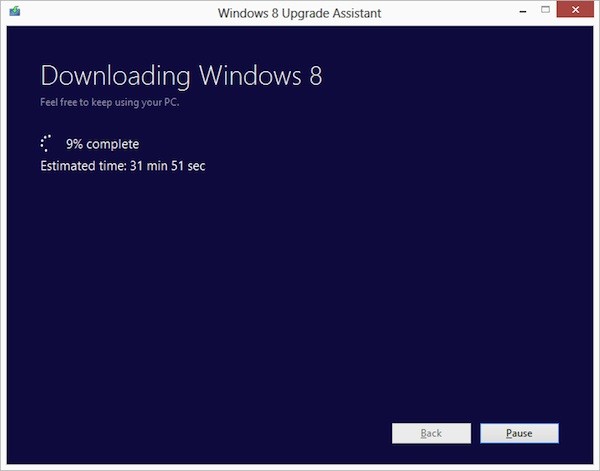
  • Microsoft announces $39.99 Windows 8 Pro upgrade offer for existing Windows users

    Microsoft announces $39.99 Windows 8 Pro upgrade offer for existing Windows users

    Ready to jump to Windows 8 ? Microsoft is following in Apple’s footsteps by making the upgrade to Win 8 more pocket friendly. If you have an existing installation of Windows XP, Windows Vista, or Windows 7 will able to download a Windows 8 Pro upgrade for just $39.99 (IN Rs. 2200/-). 

    That’s a big drop from the company’s earlier upgrade prices, which were as high as US $ 99 (In Rs. 5500-7500) . If you want the DVD you can purchase it for a price of US $ 69.99. According to Microsoft the prices will increase when the promotion ends on January 31st 2013. 

    Each OS will have a different upgrade option, some bringing only personal files and some only files and settings to Windows 8. In most cases legacy apps will not be ported.

    [The Windows Blog]

iGyaan Network
Privacy Overview

This website uses cookies so that we can provide you with the best user experience possible. Cookie information is stored in your browser and performs functions such as recognising you when you return to our website and helping our team to understand which sections of the website you find most interesting and useful.