Tag: iphone 4

  • iOS 7 Download is Live, Get Links here !

    Apple iOS 7 download is now live for a vast variety of iDevices including iPad’s, iPhone’s and iPod’s . As always, the new iOS is available as an over-the-air update (go to the Settings menu on your iPhone (4, 4S, 5), iPad (iPad 2 and newer), and iPod touch (fifth-generation only) and navigate to General > Software Update) or a direct download from iTunes.

    Also since the whole world is probably busy updating their devices, the links below may help those who are unable to download directly from Apple. 


    [youtube id=”S5-KmW1QhcE” width=”100%” height=”300px”]


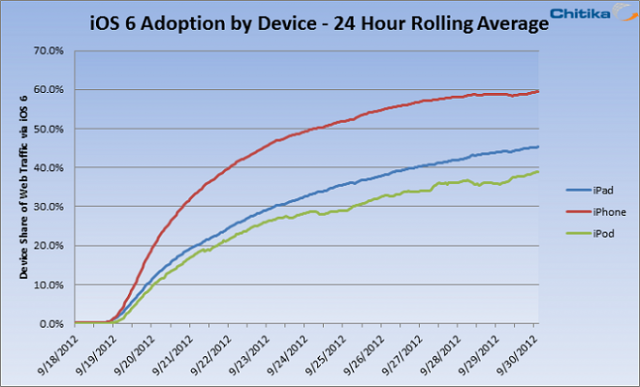
  • 60% Of iPhone Users Running iOS 6

    60% Of iPhone Users Running iOS 6

    A new study says most iPhone users have updated to iOS 6, Apple’s latest operating system, despite a number of flaws that have plagued its launch.

    After only two weeks on the market, iOS 6 is running on over 60% of iPhones, 15% more than on iPads.  Chitika, an ad network and analytics firm, put together the study.

    Apple is known for having fast adoption rates for its operating systems, but it wouldn’t have been surprising if iOS 6 bucked that trend after suffering from a plethora of problems that have embarrassed the Cupertino tech company since its launched.

    iPhone users are adopting iOS 6 faster than iPad or iPod Touch users, likely because most iPhones support the upgrade, whereas the iPad 1 and iPod Touches before the 4th generation won’t be updated past iOS 4 or iOS 5.

    In particular, the iPad 1, due to its limited 256MB of RAM, was not able to update past iOS 5.1, leaving many owners angry that their first-generation product is now obsolete. While most apps will still run fine for another generation or so on iOS 5, many developers will begin enforcing iOS 6 in the coming months.

  • iOS 6 to hit iPhones in a couple of hours – Jailbreaker/s and Unlocker/s should stay Wary!

    iOS 6 to hit iPhones in a couple of hours – Jailbreaker/s and Unlocker/s should stay Wary!

    iOS 6 is going to hit your iPhones at about 10:30 PM IST (GMT +5:30) today. If you have a phone that relies on software unlocks to work, of if you are someone who simply enjoys the freedom Jailbreak offers, then you might wanna hold on to your horses. iOS 6 brings about lots of new changes to existing iPhone users, and extra ones to iPhone 4s users (like flyover and Panorama) while the new iPad owners get Siri!

    If you are ready to make the shift, then keep your bandwidth ready, because considering the amount of iOS devices out there (despite Apple’s massive CDN) this might be a slow download.

  • Apple Confirms iPhone Event on Sep 12, 10:30 PM IST

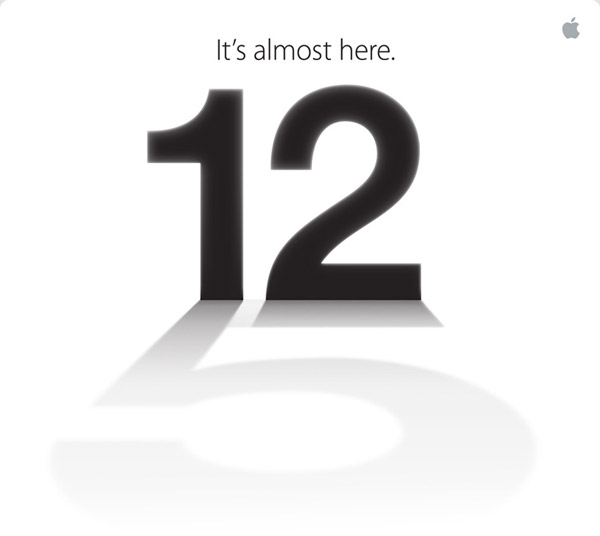
    Apple Confirms iPhone Event on Sep 12, 10:30 PM IST

    Apple has invited members of the Press and media to attend, what is supposedly going to be the next iPhone Launch, at San Francisco. Several rumors and leaks despite the lock downs by Apple, seem to have shaken the world of technology. Apple products have by far been the best kept secret, but this time around it just seems everyone knows what to expect. Although rumours of a separate iPad -Mini event seem to be doing rounds, we are still skeptical of any such announcement. 

    The event starts at 10:30:00 PM IST on 12 September 2012 , we will bring you all the dirt and coverage as we can.

  • Motorola files biggest complaint against Apple for iOS devices

    Motorola files biggest complaint against Apple for iOS devices

    Motorola’s biggest ever complaint against Apple involves 7 technologies that are now owned by Motorola, such as syncing messages between devices and bookmarking media playback on one device to resume on another. Although Apple has been using these technologies since 2005 in podcasts and Movies from iTunes, Motorola’s complaint only targets the newer iPad, iPhone 4s and other devices in the bottom line of Apple’s retail chain. 

    The complaint may take 6 months to over a year to resolve. By then Apple’s new lineup of technologies should be out. But, the question on everyone’s mind remains whether Apple, with their billions of dollars of corp warfare funds, will let this go easy. 

  • Edit : Why I Use An iPhone

    Edit : Why I Use An iPhone

    Ok, so before I begin with this article, let me clarify that I haven’t been paid by Apple to write this, I don’t hate Android phones, and I most certainly am not a “fanboy”. Also, I am not Bharat Nagpal (I know most of you came here expecting Bharat to finally reveal why he uses an iPhone). 

    The question is simple yet one of the most debatable one this side of the century, “Why do you use an iPhone?” 

    Some background details first

    [pullquote_right]working at iGyaan has its perks![/pullquote_right]I currently use a 16GB iPhone 4s, my first iPhone, which I’ve been using since January, 2012. Before this I had a Nokia 5230 “Express Music”, a Samsung Corby, a Samsung Metro, a Motorola flip phone (don’t remember its name now) and a Nokia 1100 (which I had to crush with a brick and then drown in a bucket full of water to make sure it was dead). Oh, and a couple of Android devices here and there (working at iGyaan has its perks!). 

    iPhone

    Now the Crux

    So, it took me only 1 day to realize that I had a phone in my hand that is perfect for me. Why so? Easy, because it’s is simple and uncomplicated!  I work around technology on a daily basis, but that doesn’t mean I want my products and services to be unnecessarily complex.  In fact, I tend to go the opposite way – I spend a lot of time working with wireless devices, dealing with random issues, playing with settings, and the likes.  In my time off, I’ll always migrate to the solution that’s the easiest.

    I want a device that works the same way every single time.  When I open an app, I expect it to take the same amount of time to open each and every time, when it doesn’t, it aggravates me. [pullquote_left]Having a sluggish phone with a 1.5 GHz dual-core is like having a Pulsar that moves like a Rajdhoot.[/pullquote_left] The iPhone is consistent, fast and ridiculously smooth! While you’ll never have a device that’s 100 percent fail-free, I’ve yet to find another device that performs as fluidly as the iPhone 4S. 

    One of the primary reasons I love the iPhone is the large selection of high quality apps. Even though more apps come to Android every day, I still prefer to buy (cough!) most of my apps and games on the iPhone.

    Not only do most of these apps look better, but i don’t have the same buyer’s (cough again!) remorse as I do with many Android apps I purchase. When given the choice between the same app on Android and on iPhone, I choose the iPhone app. I can’t recall looking at an Android app and complimenting its looks in comparison to its iOS and Windows Phone counterparts. 

    Daily Usage

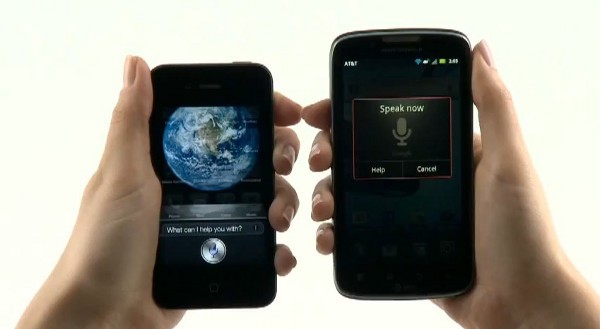
    iPhoneTyping is a breeze with the auto-correct (though i have suffered some more than embarrassing moments due to it). The phone literally learns as you use it. Overtime Siri picked up on my “Indian Accent”and autocorrect started suggesting Hinglish words. I use dictation on the iPhone 4S to write entire articles with enough accuracy that only minimal editing needed. In fact, I am writing this article through the WordPress app on my phone! The new Voice Actions in Android 4.0 include many of the same features and work just as well as Siri and Dictation on the iPhone, but it is less polished. There is no use of relationships and Voice Actions doesn’t prompt for the message, requiring taps on-screen instead.

    Through iCloud, I have all my emails, contacts, data backed up effortlessly and accessible from anywhere. I don’t have to worry about subscription renewal or periodic updates. All I had to do was create an iCloud account and I was good to go!

    Camera and portability

    iPhoneThe camera is definitely the best I’ve seen on a mobile phone (do not mention the PureView!). It has eliminated the need to carry a separate camera while on a vacation. I am more than satisfied with it!

    One of the biggest feature of a phone for me is the screen, and the iPhone delivers in that aspect! The Retina display is a treat to use! Bright, vivid colours, great viewing angles, outdoor visibility and no pixilation at all! Texts are as crisp as they can be and even though the screen may not be the biggest, it definitely is the best for my needs.


    Jailbreak

    [pullquote_right]For all the things that Apple didn’t include in the iOS, there’s JailBreak![/pullquote_right] You can do anything, literally, once you’ve jailbroken your phone! Be it applying a custom theme (I am using the Windows 8 theme currently), add toggles to the homescreen and download unlimited apps for free!

    Out of all of the smartphones I’ve used, battery life continues to shine on the iPhone 4S in comparison to Android and Windows Phone equivalents.  It has taken a hit for sure with iOS 5 and the 4S’ dual-core processor, but it still outperforms other smartphones I’ve used. It charges ridiculously fast!

    Conclusion (The Only Answer)

    So basically, the iPhone has a smooth and fluid OS (I cannot emphasize this enough!), adequately powerful hardware, and tons of great features! Not to mention it looks great and I don’t have to deal with “minor bug fixes” now and then! So why should I switch to some other phone just because it has ridiculously speedy quad-core processor and an awfully powerful GPU when at the end of the day I have a phone which does what I need perfectly!

    Is it the best phone ever? Nope.  Would I go around recommending it to everyone?  Nope.  I can go off on a tirade of things I don’t like about it.  Email management has been especially bugging me. There’s a ton of features on the Android that I wish I had access to on my iPhone, and there’s no doubt that Android will continue to develop over time, but right now, I just want a phone that pretty much manages itself, so I can enjoy it, without having to worry about if I need to update permissions on my phone.  But for today, it’s the device that allows me to check off the most number of features on my list, so it stays!

  • iOS 6 and How : Top 6 Features of iOS 6

    iOS 6 and How : Top 6 Features of iOS 6

    Apple has just announced the new iOS 6 for their iOS Devices, and incase you have any doubts we have a compiled list of what device gets what features from iOS 6: here. The new iOS 6 has 200 new features. Some are minor, like Mail VIP inbox, and some are intense and exciting, like a brand new Maps app complete with 3D rendering. Now, Apple only showed off ten of the new features and we are taking about the top 6 of those features.

    1.Phone

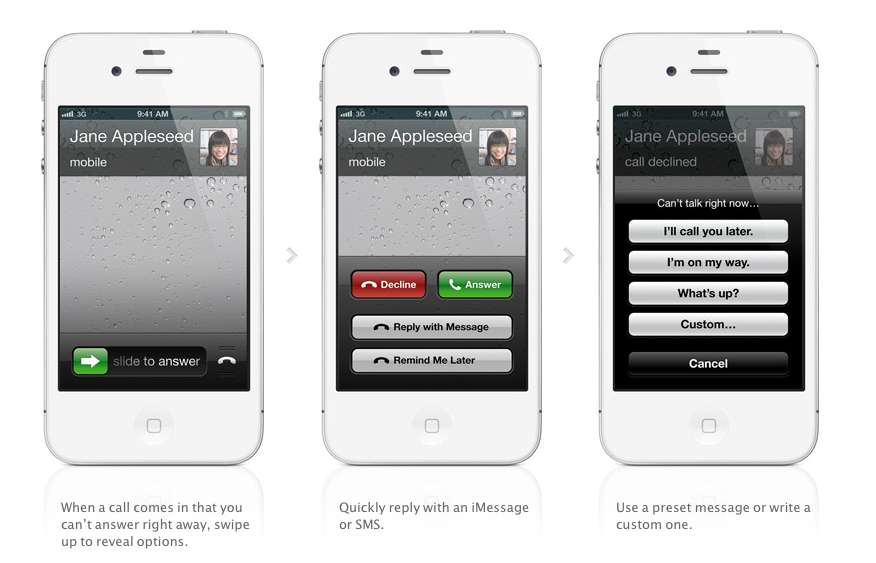
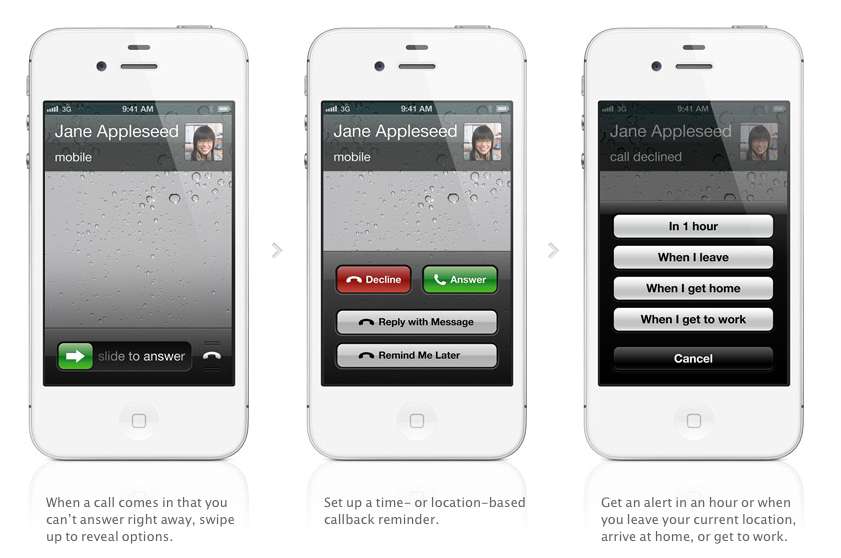
    The biggest new improvement to the iOS has to be the Phone app, if you swipe up during an incoming call (much like the Camera shortcut), two small banners will appear at the bottom of the screen right above the Answer and Ignore buttons. These banners will allow you to either remind yourself to call said person back, or text message them.

    With options for reminders like, when i leave (current location) or when i reach home, etc. Making the phone a completely different device all together. There are also text replies, which Nokia devices have had forever now, there are a couple quick replies like “I’ll call you later” or “What’s up?” which can be sent with the press of a button.

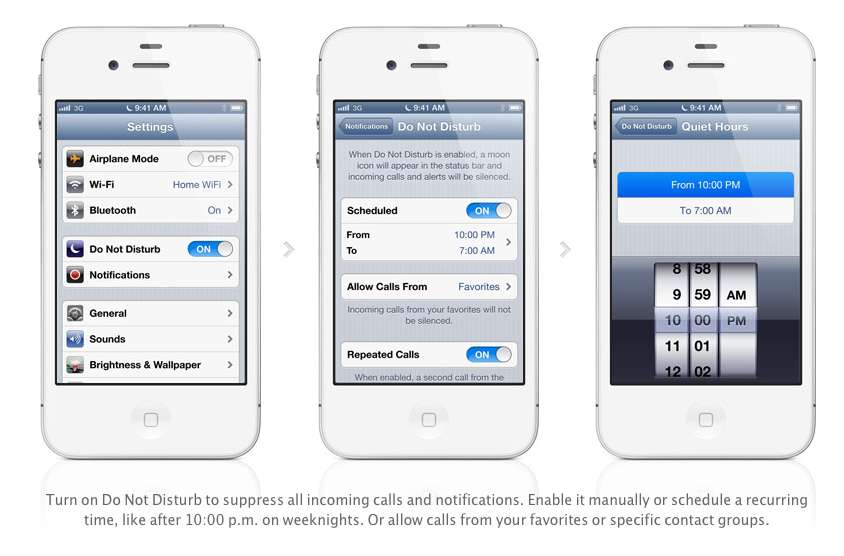
    Apple has also added a Do Not Disturb mode, Users will be able to block out all incoming calls and messages. The messages and notifications will come but the screen will not light up. Also banners, alerts, noises, flashing LED lights will not be a bother. ‘

    2. Maps

    After acquiring three mapping companies over the past few years, Apple has finally released their own Mapping solution for their iOS devices, and bid Google a fair goodbye. This couldn’t have happened sooner, considering the non-reliable Google Maps especially in countries like India.

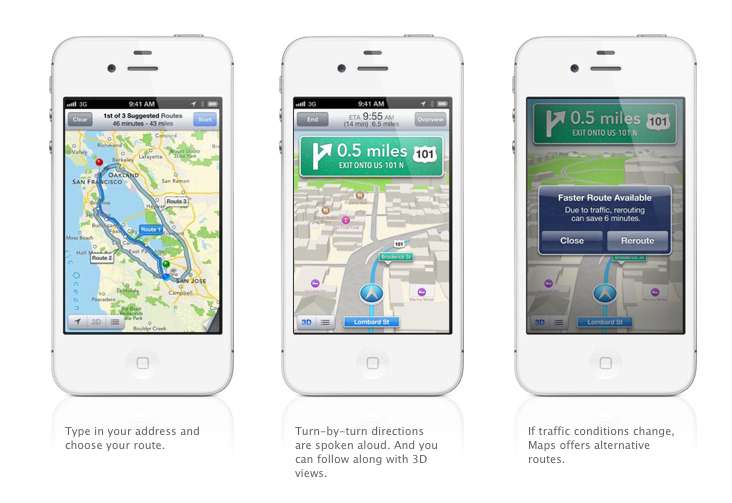
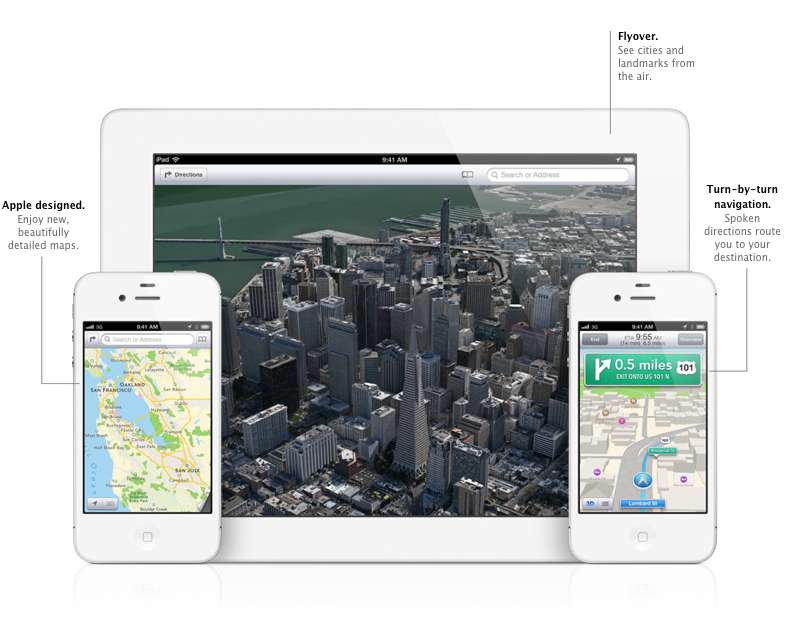
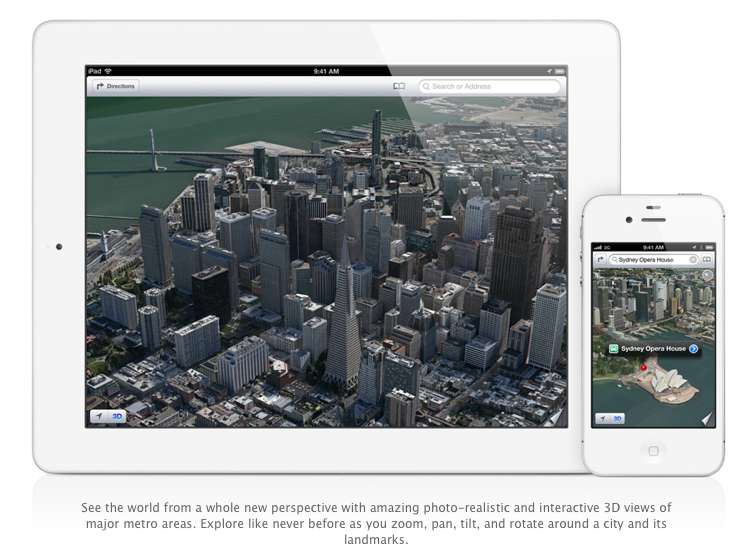
    Apple designed the whole system themselves, including the cartography, which is why you may notice a differently colored icon for Maps come iOS 6 update time. The app will offer turn-by-turn navigation and, most notably, a 3D “Flyover”, You’ll be able to pan, tilt, zoom, and rotate inside Flyover mode.

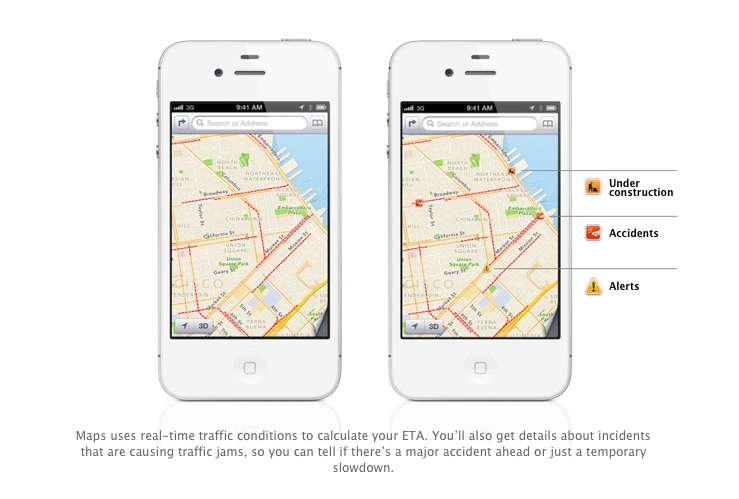
    Turn by Turn directions are said to be made available globally, hopefully in India as-well. They a spoken aloud in the familiar voice of Siri, the maps will be available to be viewed in 3D mode, and will offer different routes should traffic conditions change up the ETA. Traffic conditions will be monitored by crowd sourced updates, (it is known that these updates are powered by Waze, Getchee, Localeze, Urban Mapping, DMTI, MapData Sciences and, of course, TomTom.) 

    The Maps will be available full-fledged for the whole world and according to Apple have listings for over 100 million small businesses, with Yelp listings integrated.


    3. Facebook Integration

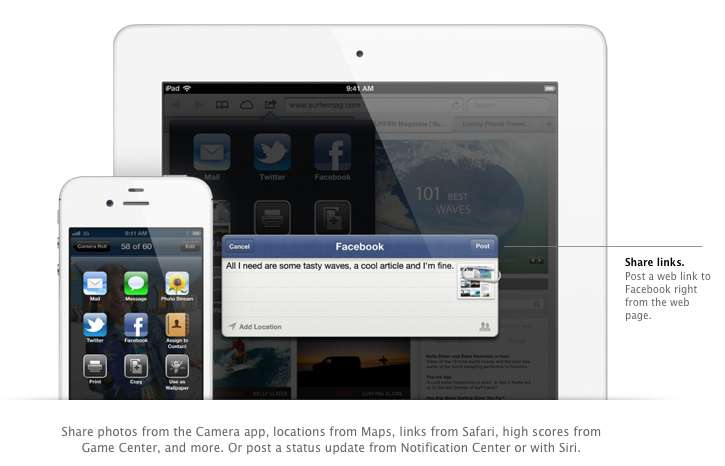
    Although it was already known that Apple was going to implement this add-on in iOS, but the sheer method and deep integration has left us in awe of the OS. After signing in once with your username and password, you’ll be able to post instantly to Facebook from anywhere in the new mobile operating system. In fact, if your hands are busy , Siri can do it for you.

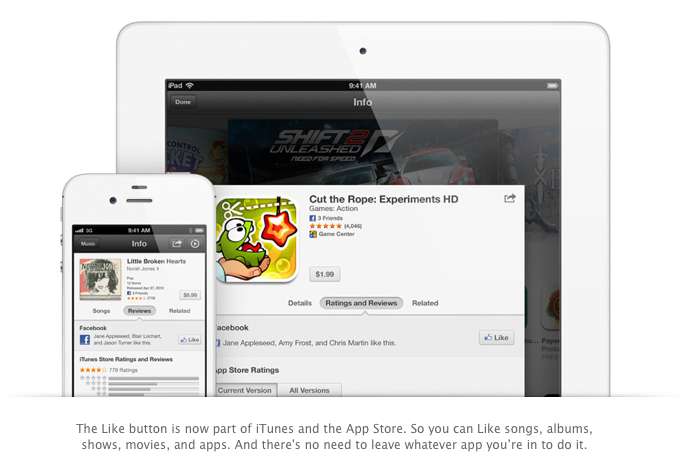
    Photos, links, locations, Game Center content, “and more” can all be posted straight to the Social Network, and you are now able to “Like” different apps and songs in iTunes and App Store. Apple also opened up a public Facebook iOS 6 API, for developers to include integration in their apps.

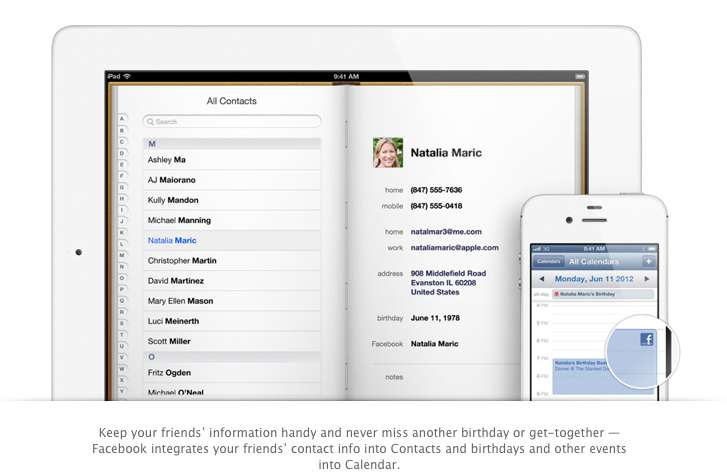
    All your event and Birthdays from your Facebook are seamlessly synchronized with the calendar app to give you updates and reminders in real time on your personal iOS device.

    4. Passbook

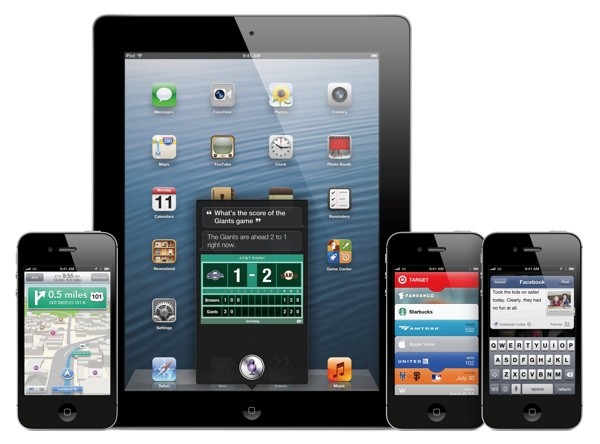
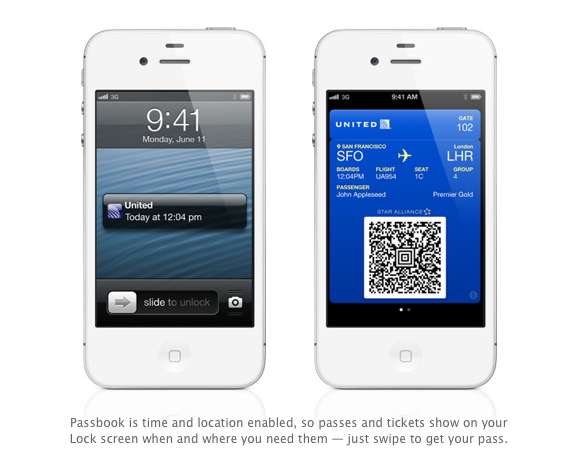
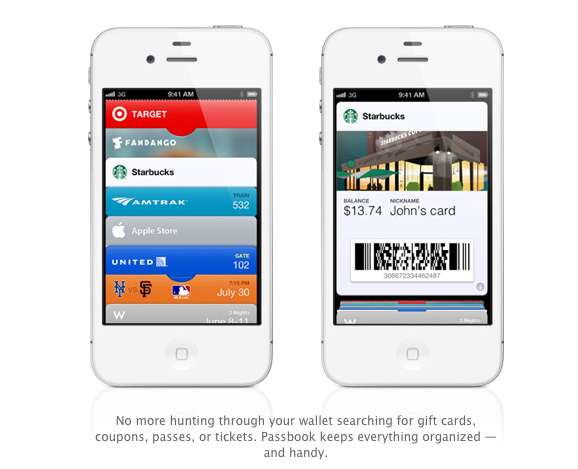
    Imagine a world where you didn’t have a huge stack of promotional membership cards, discount cards, access cards, tickets etc, Just one simple consolidated pass. That may actually come true with Passbook, Apples new app that allows you to store movie tickets, boarding passes, coupons, and retail loyalty cards in one place. You can scan your iPhone to check in for a flight, get in to a movie, or redeem a coupon.

    The App also has geolocations, so the minute you walk into your favorite coffee shop, (example used Starbucks) the card will pop up as a notification, it will display the balance and can be scanned to be redeemed while ordering. Similarly, you arrive at the airport, your boarding pass will appear as a notification on the home screen for easy access.

    The Passbook app can even check to see if your flight is delayed or if your gate has changed, and alerts you immediately. If the Gate number is changed it automatically updates on your Passbook. 

    This service will kick off in the US , but we are pretty sure globally it will become a hit, especially with retailers looking to cut costs. Starbucks, Fandango, Target, Amtrak, United, the Apple Store, MLB.com, and W Hotels are already on board, but none of those are a part of the Indian Businesses list. 

    We are Hopeful that passbook catches on really fast in India. So all your movie tickets show up in your iOS device.


    5. Siri

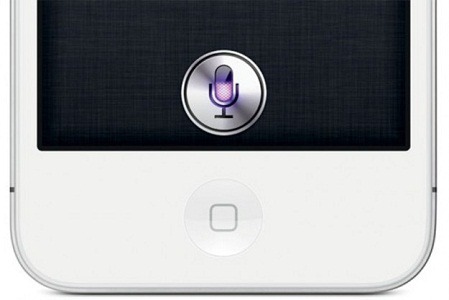
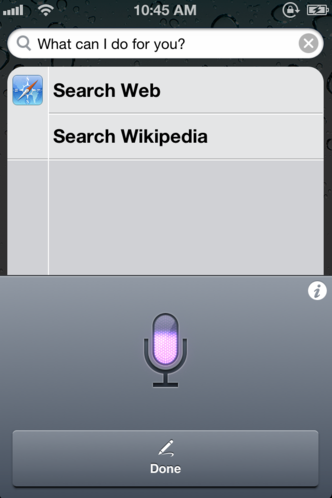
    Siri comes to the world fully, with local searches and total availability. But, thats not the big news. The big news according to Apple is that Siri can now open apps, so if you are like us and have a ton of Apps on the iOS device. Then you will constantly find yourself searching for the App in spotlight, iOS 6 eliminates that by allowing Siri to open these Apps. Now all you need to do is say ” open Temple Run” and the game starts playing. But , do we really need that?

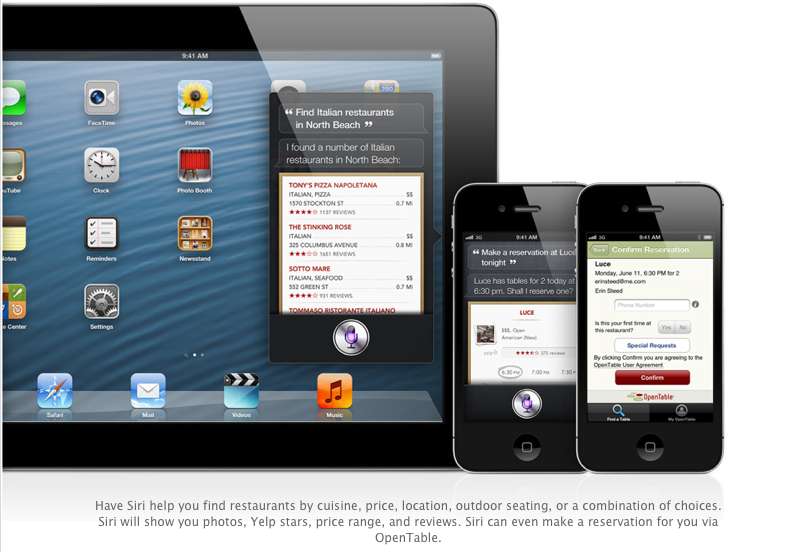
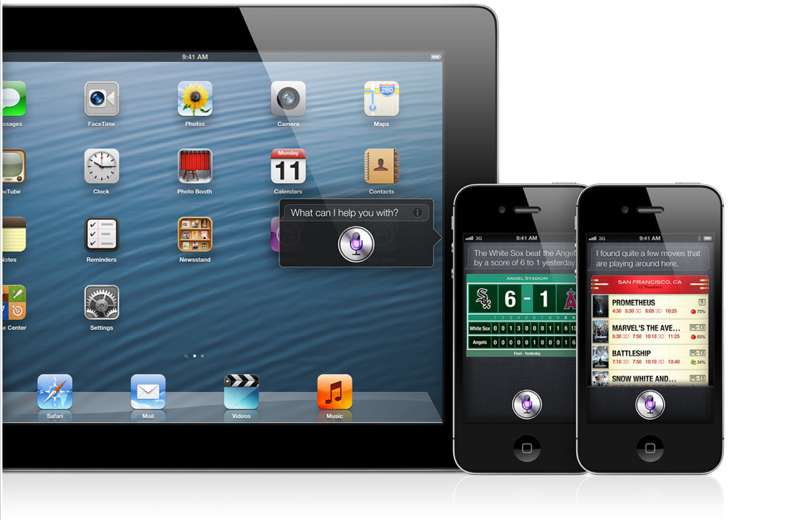
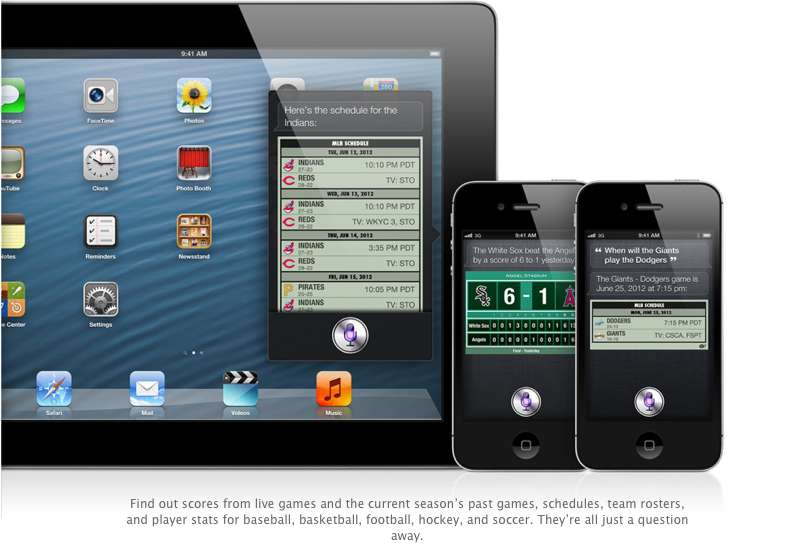
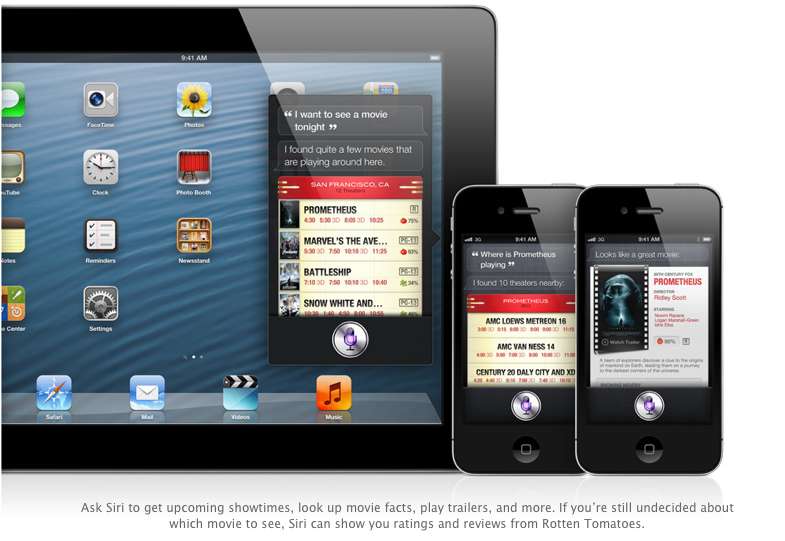
    Siri advancements include access to sports, restaurant, and movie information, with the ability to look up Yelp reviews, ratings and prices along with making reservation on Open Table. Now again most of these features remain US centric, but hopefully they come our side soon. You could then probably look Up IPL rankings by just asking Siri.

    The most interesting reveal was possibly the “Eyes Free” link. This will allow car manufacturers to integrate Siri into their Cars system, by a simple button on the cars steering wheel, which would call up Siri but not light up the display of the phone. Then you can make calls send messages all without taking your eyes off of the road, or hands off of the wheel.

    The other important fact is that Siri will come to the newest gen iPad (launched this year).

    6. Safari

    The major chunk of the mobile internet access comes from iOS devices every year, it was only fair that Apple upgrade their browser, to become even better. iCloud Tabs keeps track of which pages you have open on your devices, so you can start browsing on one device and pick up right where you left off on whatever device is handy.

     Safari now saves web pages, not just links, in your Reading List, so you can catch up on your reading even when you can’t connect to the Internet. The best addition according to us is the ability for the browser to upload images from the photo gallery, when you want to create a listing on Ebay etc, or wanna share a photo on Facebook from the browser.

    You can take photos and video, or choose from your Camera Roll, without leaving Safari. When you really want to see the whole picture, turn your iPhone or iPod touch to landscape and tap the full-screen icon to view web pages without distractions.

    iOS 6 was released as a beta yesterday, but the final version will ship “This Fall”. iOS 6 will also allow FaceTime calls over cellular (Read – 3G – 4G) and new accessibility features, that will allow you to lo

    What is your favorite feature of the new iOS?
  • Which iOS device will get what features of iOS 6 : Here is the roundup

    Which iOS device will get what features of iOS 6 : Here is the roundup

    Do you own an iOS Device? Are you eagerly waiting for the iOS 6 update? 
    If the answer is yes, you will be surprised to know that not all features will come to all iOS devices for iOS 6.  Apple has gone to the trouble of alerting would-be upgraders just what features they’ll get when they check for the update this fall.

    Only if you own an iPhone 4S will you be able to enjoy all the features of the iOS 6 else the most compatible device will be iPAD 3rd Gen. Check out the full list of upgrade features below also see what your device gets.


        iPhone 3GS

    iPod touch

    iPhone 4 iPhone 4S iPad 2  iPad (2012)
    Chinese service integration   X X X X X X  
    Facebook integration   X X X X X X  
    FaceTime over 3G/4G   X X  
    Flyover and turn-by-turn GPS   X X X  
    Guided Access   X X X X X X  
    Made for iPhone hearing aids   X  
    New content stores   X X X X X X  
    Offline Reading List   ? X X X X  
    Passbook   X X X X  
    Phone replies and reminders   X X X  
    Safari tab syncing   X X X X X X  
    Shared Photo Streams   ? X X X X  
    Siri   X X  
    VIP list, flagged/VIP mailboxes   ? X X X X
  • Newest version of ultrasn0w 1.2.7 out, unlocks all iPhone 3Gs and 4 on iOS 5.1.1

    Newest version of ultrasn0w 1.2.7 out, unlocks all iPhone 3Gs and 4 on iOS 5.1.1

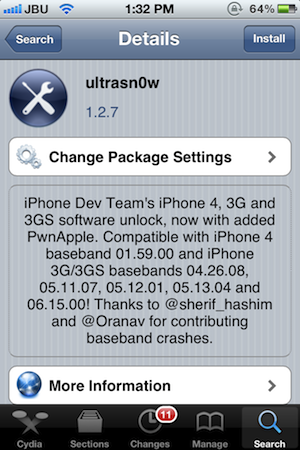
    Still own an iPhone 4 or a 3Gs, and need an unlock for your device? You are in luck! The dev-team has just released the latest version of Ultrasn0w i.e. 1.2.7 which will unlock all iPhone 4s  on baseband 01.59.00, while the older 3G / 3GS units on 04.26.08, 05.11.07, 05.12.01, 05.13.04 or 06.15.00. Also a new version of RedSn0w (0.9.12b1) for both Windows and Mac, was released.

    [Dev-Team Blog]

  • iOS 5.1 gets untethered Jailbreak, even on the new iPad – Release Unknown

    iOS 5.1 gets untethered Jailbreak, even on the new iPad – Release Unknown

    iOS Hacker pod2g has released a video of an untethered jailbreak for all Apple iOS  devices including the new iPad. The video shows a jailbroken iPad 3 that manages to stay that way even after a reboot. pod2g has yet to announce a public release of this crack, or even if he intends to. Check out the video, but don’t hold your breath for too long.

    [@pod2g (Twitter)]

  • iGyaan Holiday Guide : Extreme Phones 21,000 and UP

    iGyaan Holiday Guide : Extreme Phones 21,000 and UP

    The end of the year is upon us, and what better  way than to look at the amazing phones of 2011, the top list, or the commercial giants. Here is a list of Smartphones which we think make sense in the Bracket from 21-40 thousand. Of course we only list our favorites. 

    Missed the Other Guides ? Check them Out:

    Best Phones in Rs. 20,000/-

    Best Phones in Rs. 15,000/-

    Best Phones in Rs. 10,000/-


    Android 

    Possibly the largest category in this guide we have literally more than 15 phones that can fit in this price range, so we take out what we think is the best of the lot.


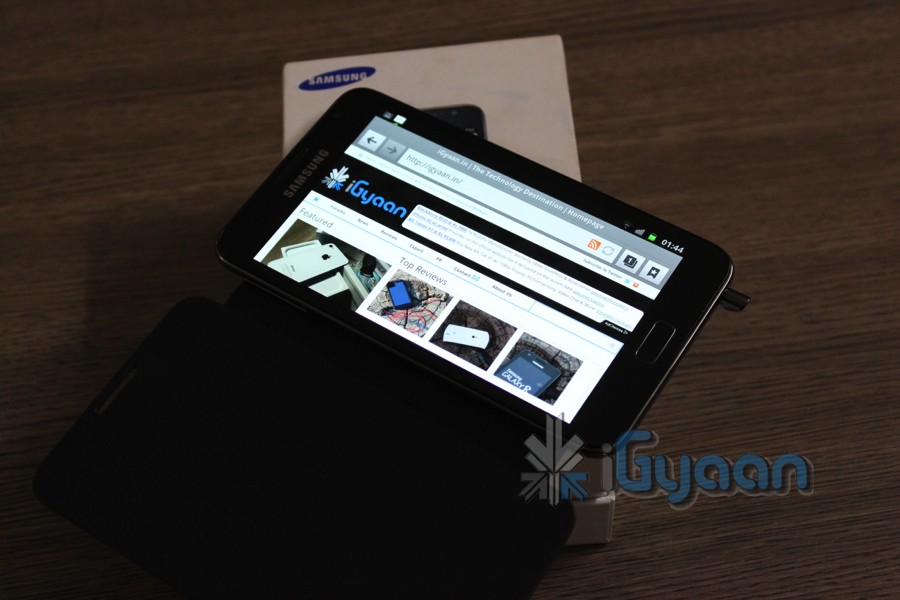
    Samsung Galaxy Note (Rs. 32000) : Phone? Tablet? Relax its a Galaxy Note! The best Android device money can buy today in India. The Note features a massive 5.3 inch screen with an awesome Super Amoled Display ( beautiful), it also has a S-Pen which is a capacitive pen with more features than a stylus ever had before : Detailed here. The Note also has a fast 1.4GHz processor, 16 GB storage, Android 2.3 with confirmed ICS. 8MP camera + front camera with Video calls. Check out our Unboxing and Hands On : Review is out Shortly!


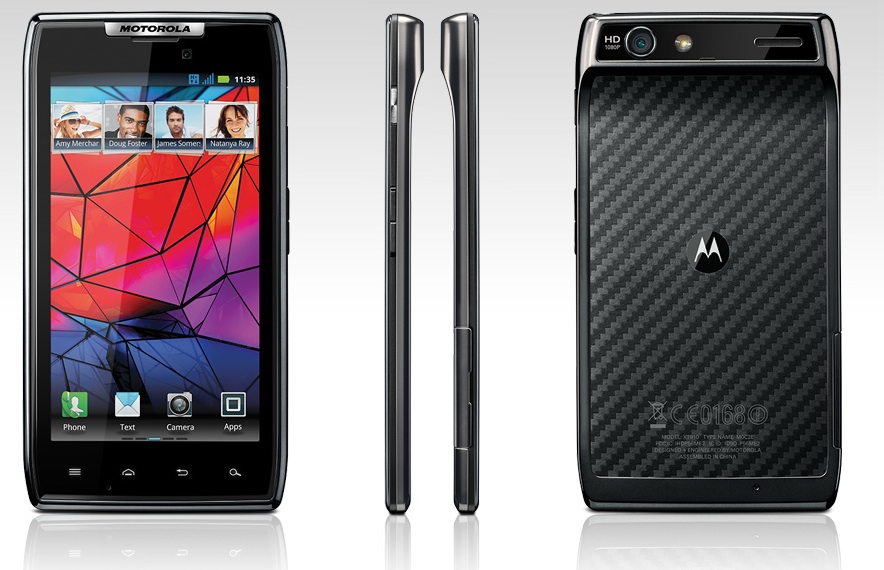
    Motorola Razr XT910 ( Rs. 33990) : The slimmest phone in the Android Series, Motorola has revived the Razr brand, with just a 7.1mm thickness for a smartphone. The device is powered with a 1.2 GHz dual core ARM Cortex A9 processor, the RAZR also packs in 1 GB of RAM and a PowerVR SGX540 GPU. A 4.3 inch super AMOLED advanced display make for the best viewing with a qHD resolution. 8MP camera allows great pictures and Full HD video recording 1080p. Our Review Out Shortly!


    HTC Sensation XE ( Rs. 32000) and XL ( Rs. 37000) :  While we really recommend HTC phones simply because of brilliant build qualities, we feel that they are overpriced and thus they share the third spot in the Android Lineup. The XE packs Beats audio and iBeats , 1.4 GHz processor a great 4.3inch qHD screen and Sense UI on top of Android 2.3.4. Our Review covers it in-depth. The XL is just a bigger version of XE with a much bigger price tag. The specs are strange, a 480x800px resolution, a 1.5GHz processor and Android 2.3. Its a way to express that you love HTC phones and thats it. Need we say our review is out shortly!


    HTC Evo 3D (Rs. 35000) : Want to jump on the 3D bandwagon? this is the device to choose. The LG Optimus 3D is a cheaper alternative, but we feel that the HTC is a better device. Specs include 1.2 GHz dual core processor, an Adreno 220 GPU based on a MSM 8660 chipset and 1 GB of RAM. An auto-stereo-scopic Display makes 3D viewing without 3D glasses possible. The 4.3inch display has a qHD resolution and the device has HTC Sense on Android 2.3 – to be upgraded to ICS and newer Sense in 2012. Our unboxing and Video Review cover the Evo 3D extensively.


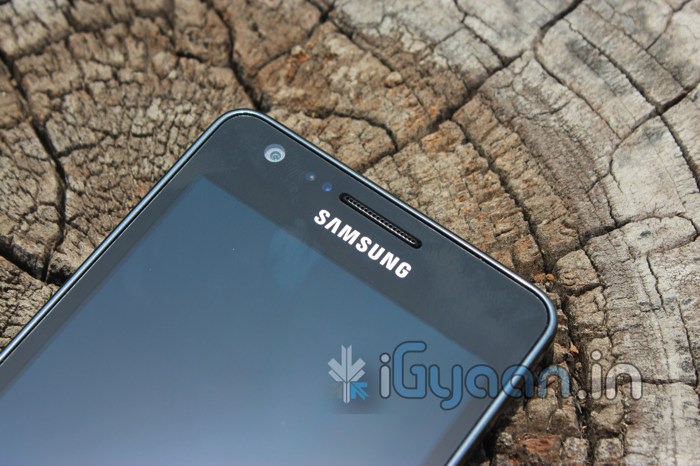
    Samsung Galaxy S2 (Rs. 28,000) : The best selling Android Premium smartphone in 2011, the Samsung Galaxy S2 is truly an amazing device. An upgrade to the Galaxy S, the S2 brought a lot of firsts for Samsung. An 8 MP camera with stunning pictures and full HD video, a beautiful Super AMOLED Plus display which hosts Android 2.3 with Touchwiz –  flick and  tap. A large in-built memory of 16 GB and is expandable up to 32 GB, good battery life and a gorilla display. This device truly answered all questions that buyers had in 2011. Check out our Full Review.

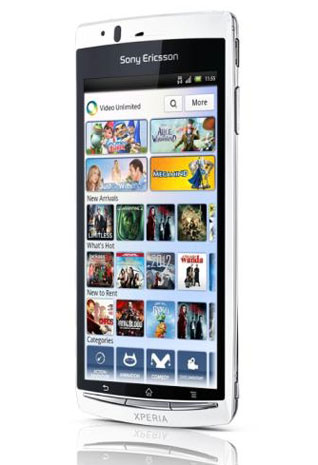
    Sony Ericsson Arc S ( Rs. 28000) : No its not the best phone for the money thats why it falls under the S2, The SE ARC S is the only SONY entrant in our list, because of the beautiful Timescape UI and the stunning Bravia Engine on the display. Powered by a poor old 1.4 GHz Qualcomm Scorpion processor and Adreno 205 GPU, no this does not make this device incapable. The UI is stable and the performance is excellent from the device. 


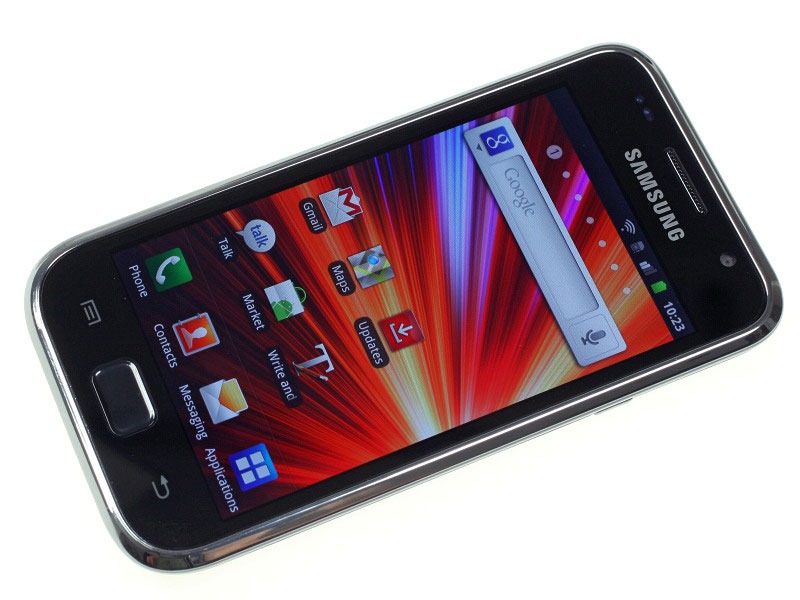
    Samsung Galaxy S Plus ( Rs. 21000) : The Lowest range handset in our list, powered by the same processor as the ARC S , 1.4GHz Scorpion, The S Plus is exactly what the name says, a plus to the Galaxy S.  8GB memory and 512MB RAM, a Super Amoled Display. The funny thing is you get better specs on a cheaper device the Galaxy R ( Rs. 18800) .


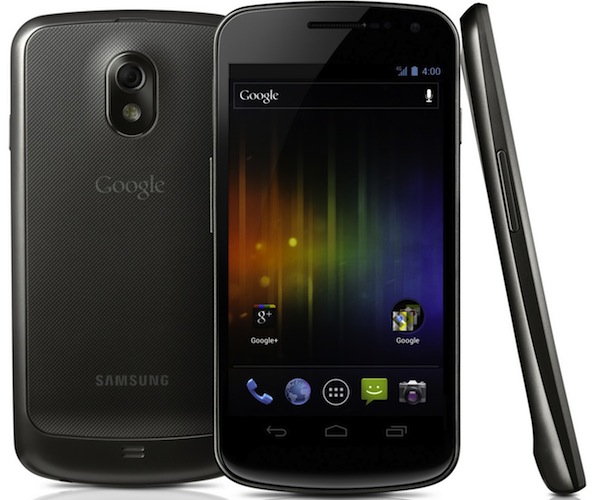
    The Galaxy Nexus didn’t make our list because its not officially available in India, Yes it should be at the top of the list, considering ICS is already on board and a 720 x 1280 px, 4.65 inch Super Amoled Capacitive touchscreen, a Dual-core 1.2 GHz Cortex-A9, 16GB internal storage – Optional 32GB . The phone also has a 5MP camera with full HD video and a front camera for native 3G video calls. A lot more specs than we can list here. The phone enters India end January 2012, you can get it from ebay ranging 35-45k. Best of luck!


    Apple

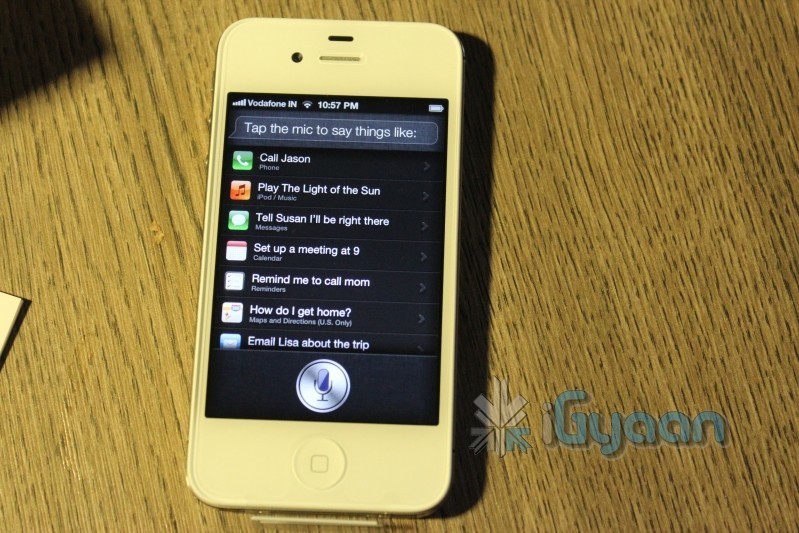
    iPhone 4S (Rs. 44900) : The Apple of everyone’s eye, the Apple iPhone 4S is the flagship phone from Apple this year. With millions sold within weeks its also one of the most sold handset in 2011 (considering iPhone 4). The new iPhone 4S brings the A5 chipset with dual core capabilities, best in class 8MP camera with full HD video and Image stabilization ( 5 Lens system). The highest resolution Retina Display. But the most popular thing of 2011 is Siri, the voice activated Assistant that follows your every command. Check out our Unboxing : Review Shortly 

    iPhone 4 ( Rs. 32,000) : Yes two Apple devices made our list, the iPhone 4 is the taster for those unwilling to shell out big buck for the bigger brother. Still you get iOS5, iCloud and Siri after jailbreak of course. The iPhone 4 has a 5 MP rear illuminated camera, the same Retina display, Front facing camera for FaceTime calls and Millions of Apps from the iOS AppStore. The iPhone 4 is a perfect device for those with the budget and the urge to jump over to iOS while Apple unveils the next-gen iPhone sometime in 2012 for big buck. Of course we reviewed it back in the day.

    Blackberry

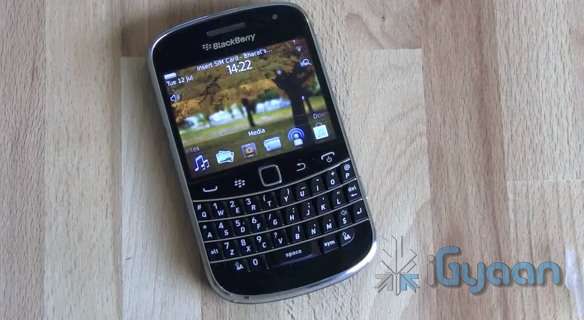
    Bold 9900 ( Rs. 31000) : The Bold 9900 is the flagship Bold from RIM. The same keyboard layout from the original bold 9000, with a new capacitive touchscreen, a super slim profile and BB OS 7 . The only disappointment is the poor fixed focus 5MP camera. The 9900 is a businessman’s powerhouse, especially if you are a previous BB user. The device has excellent mail capabilities and of course has BBM. The new OS 7 also supports a lot more new age apps and games. The phone features a 1.2 GHz processor , 768 MB of RAM, 2.8-inch capacitive LCD and 8GB storage. Our Video Here

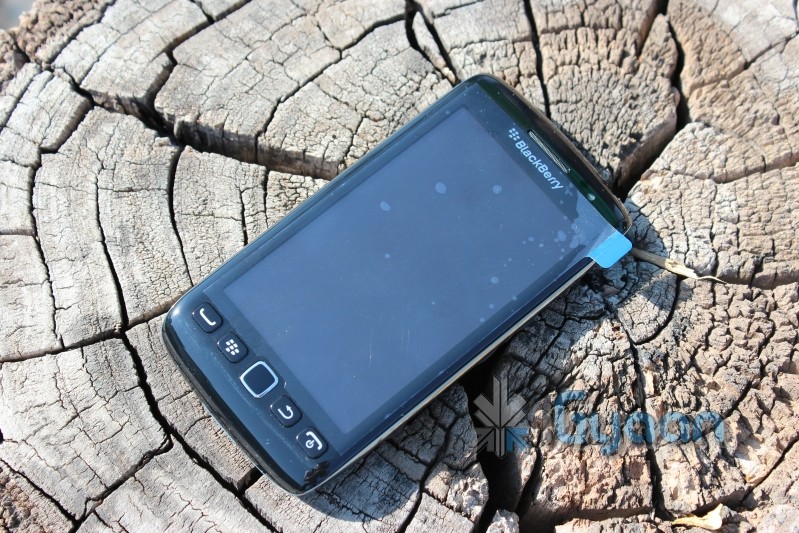
    Torch 3 / 9860 ( Rs. 28000) : Our Second BB recommendation, the beautiful screen and the full touch display make the device feel really nice in the hands. Liquid graphics on a 3.7-inch TFT capacitive touchscreen. 4GB internal storage and 768MB ram. BB OS 7 and new age emailing and messaging, excellent media capabilities and an excellent form factor. A great Blackberry for those looking for a BB – iPhone Hybrid (minus iOS) . Our Video Here 


    Windows Phone

    HTC Radar (Rs. 23000) : Our first recommendation simply because of Price vs Features. The Radar has a beautiful build quality with WP7.5 Mango running on top of a 1 GHz Qualcomm Scorpion processor. The 3.8-inch Super LCD screen has a resolution of 480 x 800 pixels and look great. The device has a 5MP camera and a 0.3 MP front camera no 3G video calls though. Check out our full review. If you don’t really rely on Build quality, a better and cheaper alternative is the Omnia W for 18,990

    NOKIA Lumia 800 ( Rs 28900) : The Amazing Everyday, no not yet ! Yes this is Nokia’s Answer to Android, but is it the right answer? The device runs WP7.5 Mango with proprietary Nokia Apps ( not really since we ported them to HTC)  but the device has a 1.4 GHz Qualcomm Scorpion processor, 512 MB of RAM and 16GB of onboard storage. Lumia 800 has a 8MP camera with full HD recording, but wait! where is the second camera? Our Review and Comparison with Omnia W comes out shortly.

  • Spire Installer brings Siri to any Jailbroken iOS device legally, Requires a Proxy iPhone 4S

    Spire Installer brings Siri to any Jailbroken iOS device legally, Requires a Proxy iPhone 4S

    While Apple has limited Siri usage to just the iPhone 4S, iOS hackers Grant Paul (aka chpwn), Steven Troughton-Smith and Ryan Petrich have initiated a download of Siri using Spire Installer on any Jailbroken iPads, iPhone 4, iPod touches and the iPhone 3GS considering that the device runs on iOS 5 (Interesting since an untethered jailbreak for iOS 5.0.1 just came out). The Installer legally downloads a 100MB Siri installation directly from Apple and this is all legal mind you.

    The Siri port to run however requires a proxy iPhone 4S with instructions available on the link below. The team reports that once iPhone 4S is jailbroken the need for a proxy device may be eliminated altogether.

    [chpwn blog]

  • Airtight brings Airplay features Google TV

    Airtight brings Airplay features Google TV

    Have an iOS device but miss the Airplay feature because you didn’t get the Apple TV ? Well Airtight is the answer, considering you got Google TV instead. A simple app that costs only 99 cents allows you to use any Airplay enabled device like an iPad or iPhone to share with a Google TV on the same network. It currently works with only sharing of Non-DRM Movies, and Music and direct mirroring is not yet supported. So a US $ 99 Apple TV seems like a better option if you still haven’t invested in a Google TV.

    [Airtight]

  • Bring Siri dictation to your favorite iDevice – Jailbreak and Siri0us required

    Bring Siri dictation to your favorite iDevice – Jailbreak and Siri0us required

    A new package for jailbreak friendly iDevices has been released that enables Siri dictation on the iPhone 4 / 3GS and all those that run a Jailbroken iOS 5. The package is available to be downloaded from a repo that uses Siri Api (without permission) to connect to the servers that the speech recognition company hosts for apps instead. This method will allow only dictation on the iPhone and not Siri itself. We have a feeling that the package might be removed soon so get it before it goes.

    Check out the demo video below. 

  • Apple iOS 5.0.1 is live, fixes battery woes and problems with sync

    Apple iOS 5.0.1 is live, fixes battery woes and problems with sync

    Ready for the first OTA iOS update ever? The iOS 5.0.1 as promised by Apple is already being pushed out. The new update fixes the battery life problems as seen in the existing version of iOS aka iOS 5. This update will also enable app swatting gestures on the iPad which were earlier available only to developers. The best part about it is that you can now get a OTA of just 44.7 MB instead of opting for a 700+MB download on iTunes.

iGyaan Network
Privacy Overview

This website uses cookies so that we can provide you with the best user experience possible. Cookie information is stored in your browser and performs functions such as recognising you when you return to our website and helping our team to understand which sections of the website you find most interesting and useful.