Tag: Google I/O

  • Google I/O 2019 Dates And Venue Announced

    Google I/O 2019 Dates And Venue Announced

    Every year, Google shows their software prowess and their hardware capability with the Google I/O. Last year, it was the human like AI calling project called Google Duplex that took everyone’s attention. Google also announced the release of Android P beta to phone from different manufacturers other than Google, which was a big step.

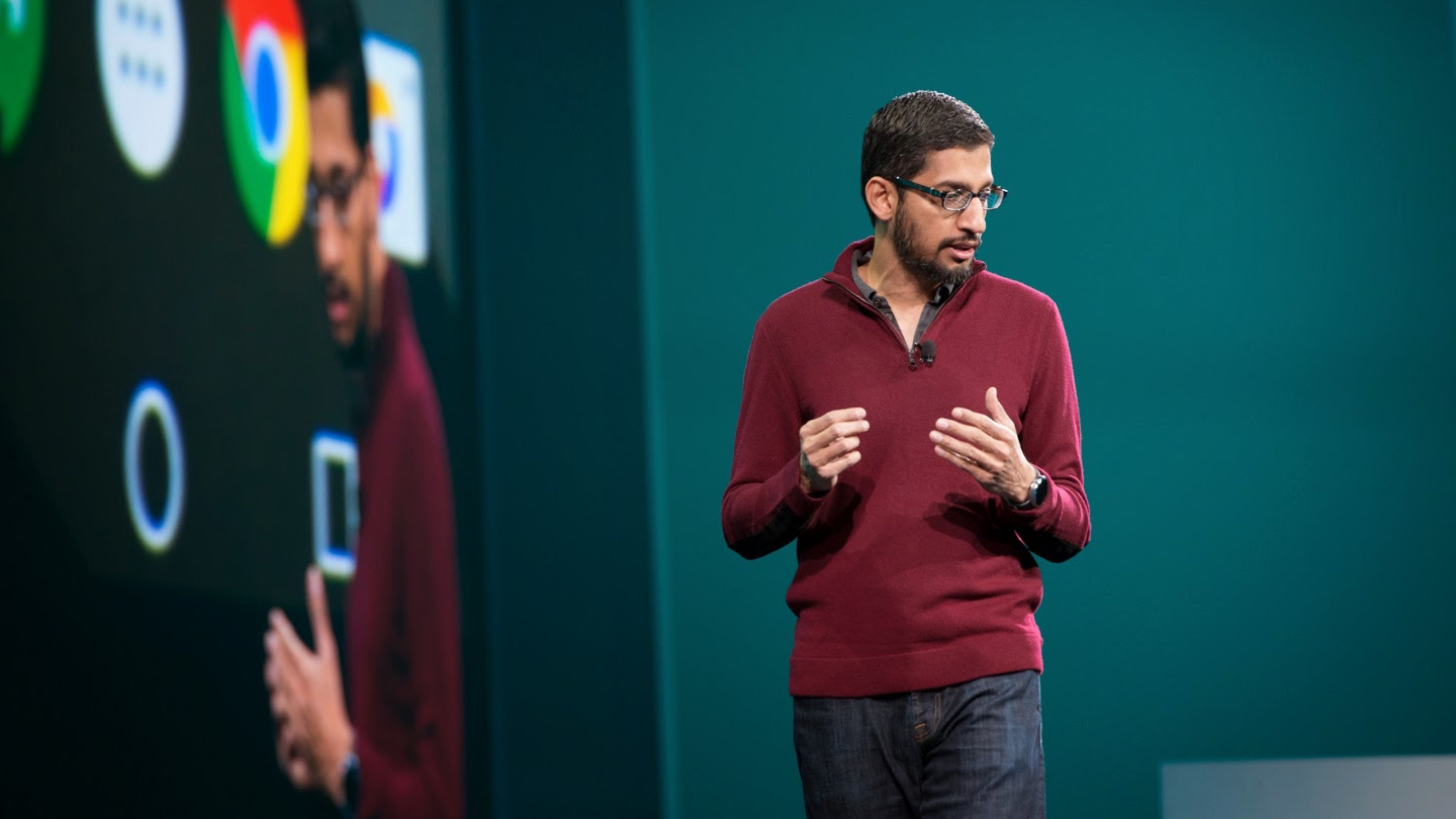
    So because of all this, its no surprise people are eager and excited to know what Google has in store for us this year. And it seems like you don’t have to wait much longer. Google CEO Sundar Pichai has finally announced the dates and the venue for Google I/O 2019.


    Talking on Twitter, Pichai shared an image and announced that the annual event will take place from May 7 to May 9 in the Shoreline Amphitheatre. The venue and dates are not surprising though, as Google has always chosen similar dates for the event. The venue too, will be familiar for most regulars as its not the first time Google is hosting the I/O there.

    What to expect from Google I/O 2019?

    Google I/O has mostly been about the developing technologies at Google and this year will be no different. It is expected that Google will enrol more Smartphone brands in the Android Q beta, to take the next step in eliminating Android fragmentation. New exciting features in Android Q are also expected to be announced. Google may also show new developments to their Assistant, with  things like AI coming more into the picture.

     Also Read: Apple Will Now Pay The Winners Of Its “Shot On iPhone” Photo Contest

    One thing that Google is expected to do differently is launch new hardware this time around. Recent leaks showed that Google is working on devices like the mysterious Google Coral and the Pixel 3 Lite. If its any indication, there is strong possibility that these devices will launch at this year’s Google I/O.

    From all of the leaked stuff  about the Pixel 3 lite and the mystery that is the Google Coral and considering Google’s past year’s records, it seems like Google I/O 2019 will be the one to look forward to.

  • Android 9 P: Google I/O 2018 New Features

    Android 9 P: Google I/O 2018 New Features

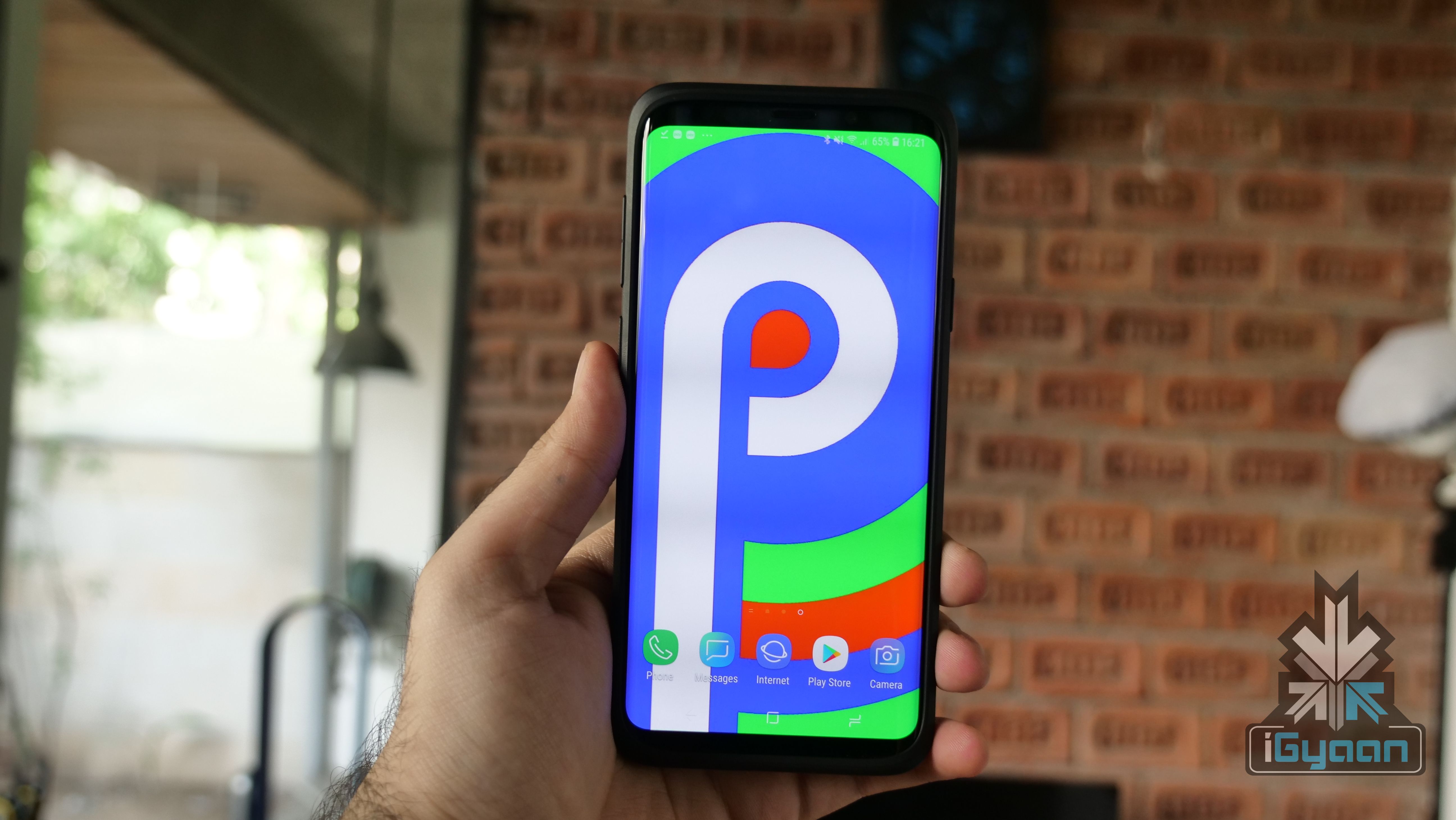
    The Google I/O 2018 conference has concluded and hands down, the biggest unveiling was Android P. The new iteration of the largest mobile OS in the world, Android 9 P will be made available to all Android smartphones later in the year but, Google gave us a glimpse of what’s in store for Android users around the globe.

    The new Android Developer Preview version is now out for a lot of smartphones other than just the Google Pixel devices. Owners of Sony Xperia XZ2, Xiaomi Mi Mix 2S, Nokia 7 Plus, Oppo R15 Pro, Vivo X21, OnePlus 6, and Essential PH1 can enroll for the Android Beta program here.

    With Android P, Google is doing a lot to address the global conversation about distractions caused by smartphones. Android P will have a lot of features built around this theme, that Google is calling “Digital Well Being.” However, Google has claimed that this was not a contingency plan and that the company has been working on curbing this growing issue for years now.

    Wind Down is one of the features as part of Google’s efforts to reduce the use-time of smartphones. It is essentially an automatic Do Not Disturb mode that switches on Night Light when it gets dark. If a user has set their bedtime, the smartphone will turn all the colours on the screen to grayscale, once the clock hits the specified time. This should make using the phone a lot more boring, in turn making the user use their smartphone a lot less.

    Another feature called Shush was unveiled at the conference as well. It is a new gesture that lets users turn their smartphone screen-down and automatically enable the “Do Not Disturb” mode. As is with the Do Not Disturb mode, users can still choose certain contacts to continue to get messages and notifications from.

    There is no longer the circular home button and the square multitasking button is gone as well. What started out with the iPhone X has now been adopted by Google as well (sort of). With Android P, Google is changing the way users interact with the OS. The home button is replaced by this little pill sort of button that has a few functions. One little swipe up will open all the recent apps. What is interesting here is that the apps are live, which means that if you’re in WhatsApp and want to copy a phone number from the call log, you don’t have to open the specific app. By swiping up and opening the recent apps window, you can simply navigate to the Phone app and copy a number from the window itself, without opening the particular app. This feature will come in handy for serious multi-taskers. When on the home screen, a second swipe up will open the apps tray which will have all your installed apps laid out. You can also slide the pill button in the recent apps window to navigate through different apps which looks very cool and simple to use.

    The back button makes a return when you’re within an app and goes away once you’re no longer in an app, simple as. This use of gestures is very different from iOS’s. There is still a navigation bar at the bottom which means you’re still losing a bit of screen real estate. However, this change will be difficult for Android users than it was for iOS users. iOS has traditionally had a few gestures within the UI, while Android, so far, has solely relied on three buttons to navigate from anywhere within the UI.

    More changes are expected to be added to Android P before its final release later this year. The new changes are definitely eye-catching and we will be investigating the new Beta build in detail to find out all that is new with Android P. Google appears to have a lot of answers for questions raised against the growing overuse of smartphones. The only mystery that remains unanswered after the Google I/O 2018 conference is what does the “P” stand for? Maybe Google Assistant can tell us.

  • Google I/O 2018 : Google Assistant Gets New Conversational Skills

    Google I/O 2018 : Google Assistant Gets New Conversational Skills

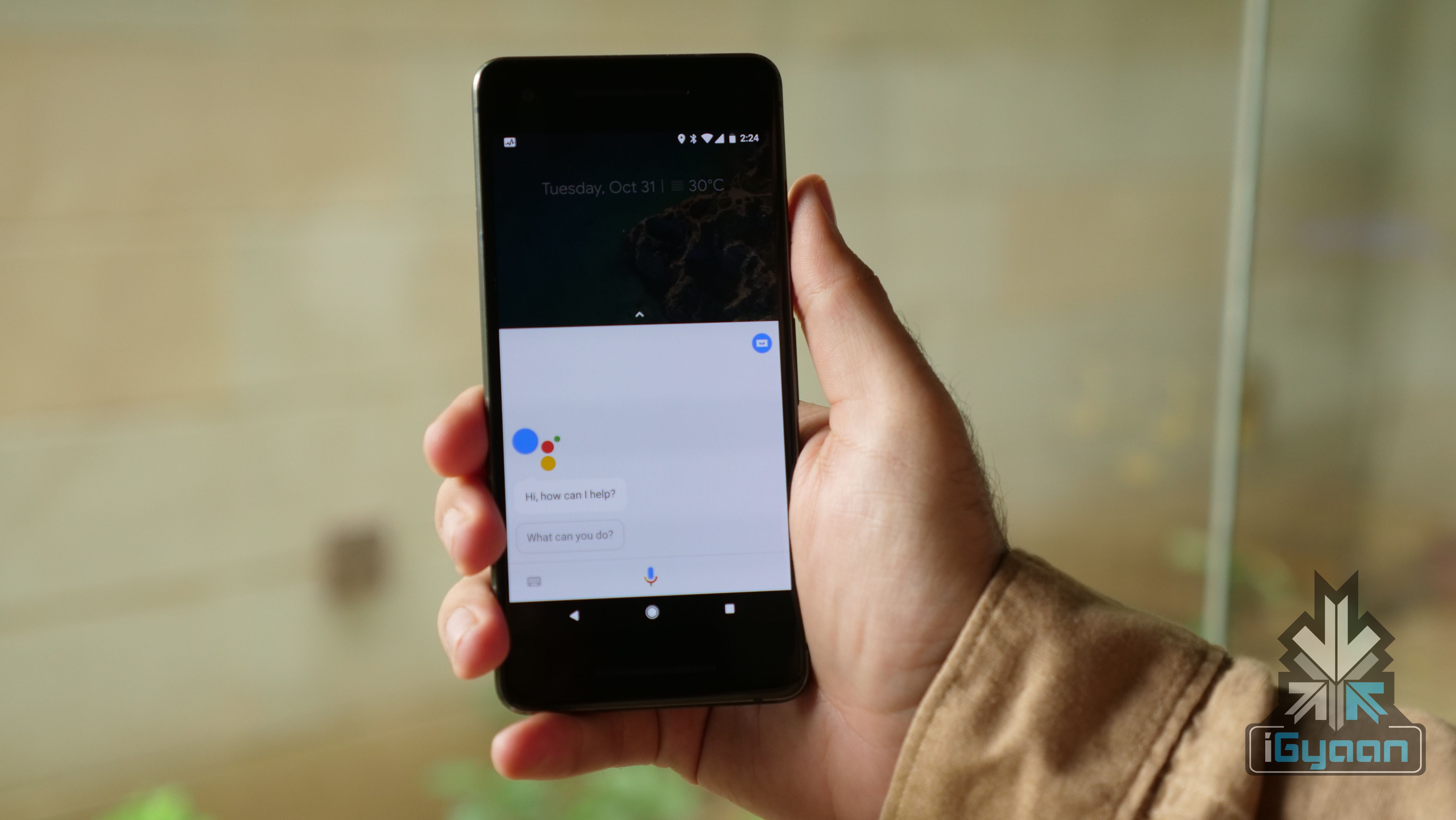
    Artificial Intelligence is a general theme at the 2018 Google I/O conference. Ever since the Google Pixel 2 devices were launched, the company has talked up AI a lot and its Google Assistant is about to become much smarter than it already is. At the conference, Google demonstrated the Google Assistant’s ability to have a human-like conversation with other humans in a non-controlled environment and it was nothing short of impressive. The technology is called Google Duplex and the company has been working on it for years.

    Sundar Pichai came on stage and talked a bit about Google Assistant’s integration with many services. He then mentioned that Google Assistant can now set up appointments and make restaurant reservations. The catch here is that it can do this even if a certain outlet is not listed on a restaurant booking app. Sundar Pichai said:

    We’ve been working on this technology for many years. We’re still developing this technology, and we want to work hard to get this technology and the expectations right.

    He then demonstrated a real conversation between the Google Assistant and a salon rep for a “women’s haircut appointment.” The conversation did not sound staged and that is what made it even more impressive. The Google Assistant was able to recognise where the conversation was headed and gave absolutely normal responses, never once making the “human” feel like they are talking to an AI assistant and not a person.

    The blog post from the company reads:

    The technology is directed towards completing specific tasks, such as scheduling certain types of appointments. For such tasks, the system makes the conversational experience as natural as possible, allowing people to speak normally, like they would to another person, without having to adapt to a machine.

    Fair to say that, going by the demos, the company appears to have got the tech absolutely right. It will be interesting to see how Google localises this technology for other countries. It will be great to see Google Assistant have the same abilities and be integrated with Indian services and maintain the Indian accent as well.

  • Smart Compose For Gmail Will Help Users Write Better Emails

    Smart Compose For Gmail Will Help Users Write Better Emails

    Google has been trying really hard to make Gmail, the world’s largest email service better, for both mobile and web. At the Google I/O conference 2018, Sundar Pichai, CEO of Google announced a new Smart Compose feature for Gmail. The new feature, as expected, depends a lot on AI and machine learning and will essentially help users write better emails.

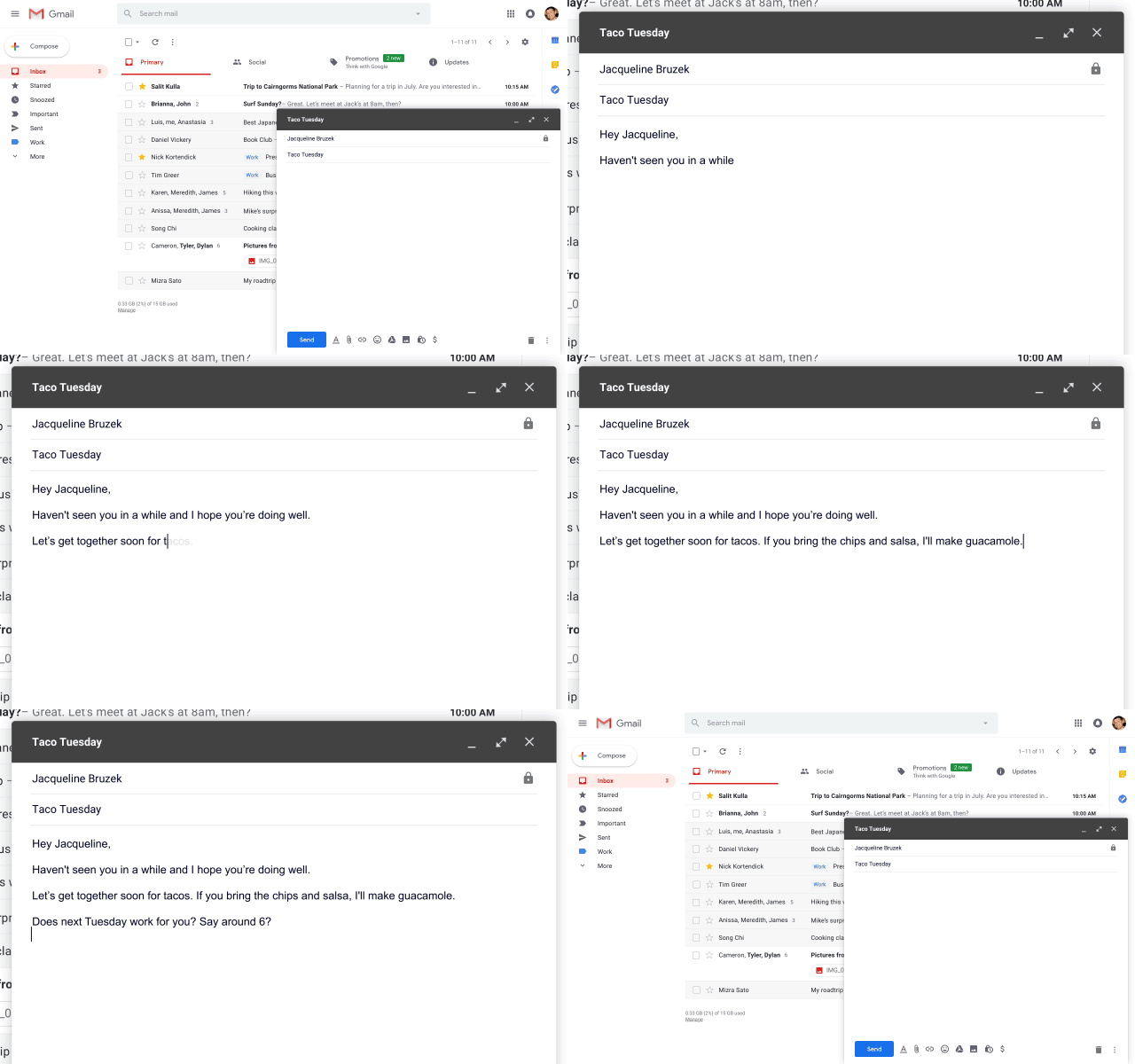
    The Smart Compose feature, from the looks of it, appears to be similar to the Auto Complete feature that Google uses for online searches. Smart Compose will use AI to suggest words and phrases as a user is typing an email to make the email look and sound better. To use a suggested word, users can simply hit the “Tab” button and the word will autofill.

    Google claims that not only will this help save time when writing emails, it will help reduce the chance of users sending an email with a grammatical error. In the world of smartphones and autocorrect, this could be a lifesaver for people who predominantly use Gmail on their computers. Nobody is immune to a grammatical error and AI appears to be ready to help us out. Although, Grammarly might feel hard done here if Gmail becomes self-sufficient in this area.

    Interestingly, Smart Compose will also understand context. For example, if a user is talking about tacos in an email, the feature will understand the conversation and suggest the word, “Guacamole.” The company has said the feature will roll out to users within the next few weeks and will be integrated for G Suite customers within the next few months. For the Smart Compose feature to work, users will have to be updated to the Gmail for Web that was introduced a few weeks ago.

    The Google I/O conference 2018 has kicked off and Smart Compose appears to be a very nifty feature. With autocorrect taking over many people’s typing habits, it was about time something like this was made available for PC users as well.

  • Google I/O: Google Home and Assistant Launched

    Google I/O: Google Home and Assistant Launched

    Google at Google I/O started today has launched the Google Assistant, merging many Google technologies, including “Okay Google”.

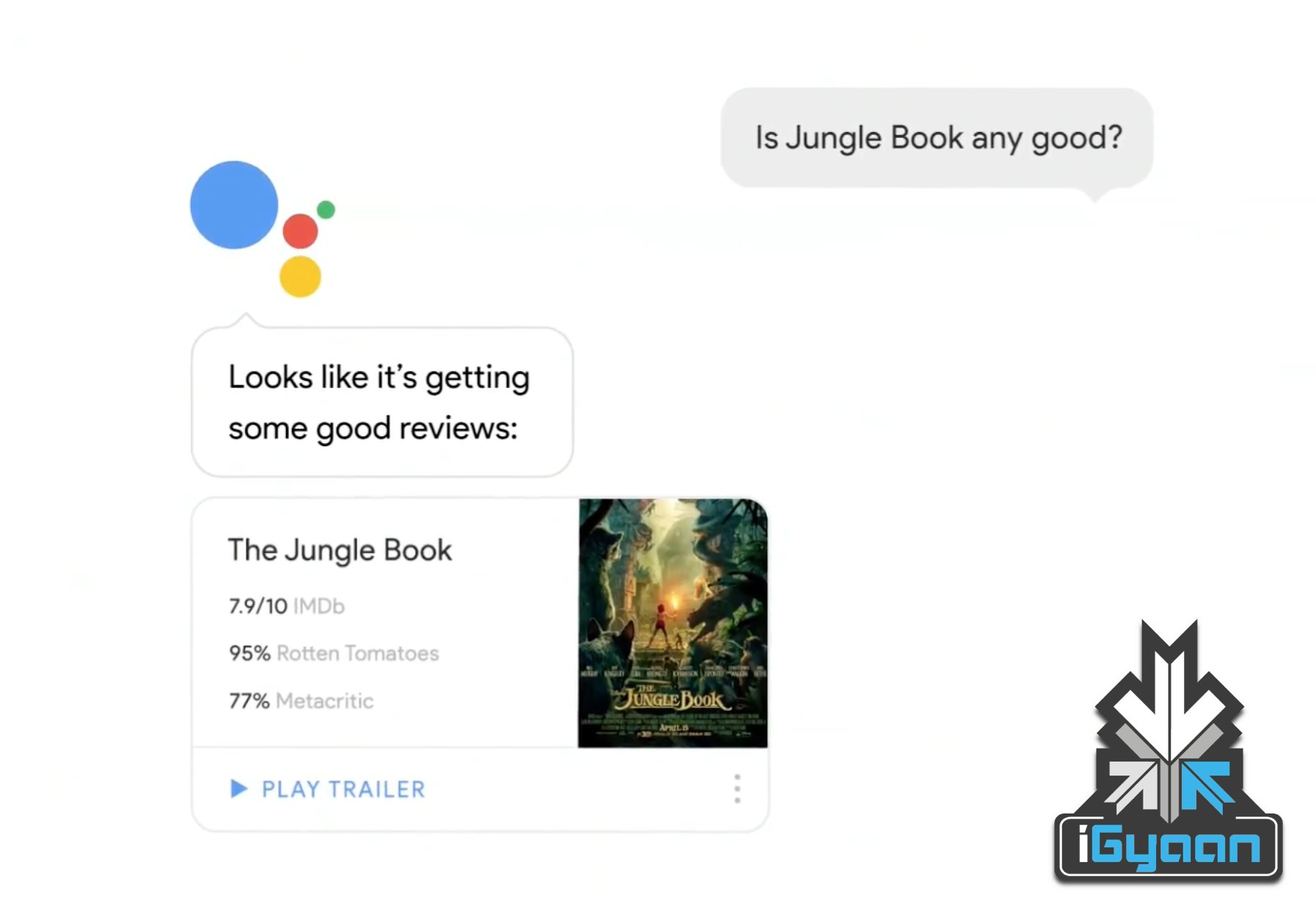
    Sundar Pichai showed off the assistant at the Google I/O, with real-time results and a conversationalist response system. The idea is to help in follow up question and to do tasks that you have wanted your virtual assistants to do.

    google home 4

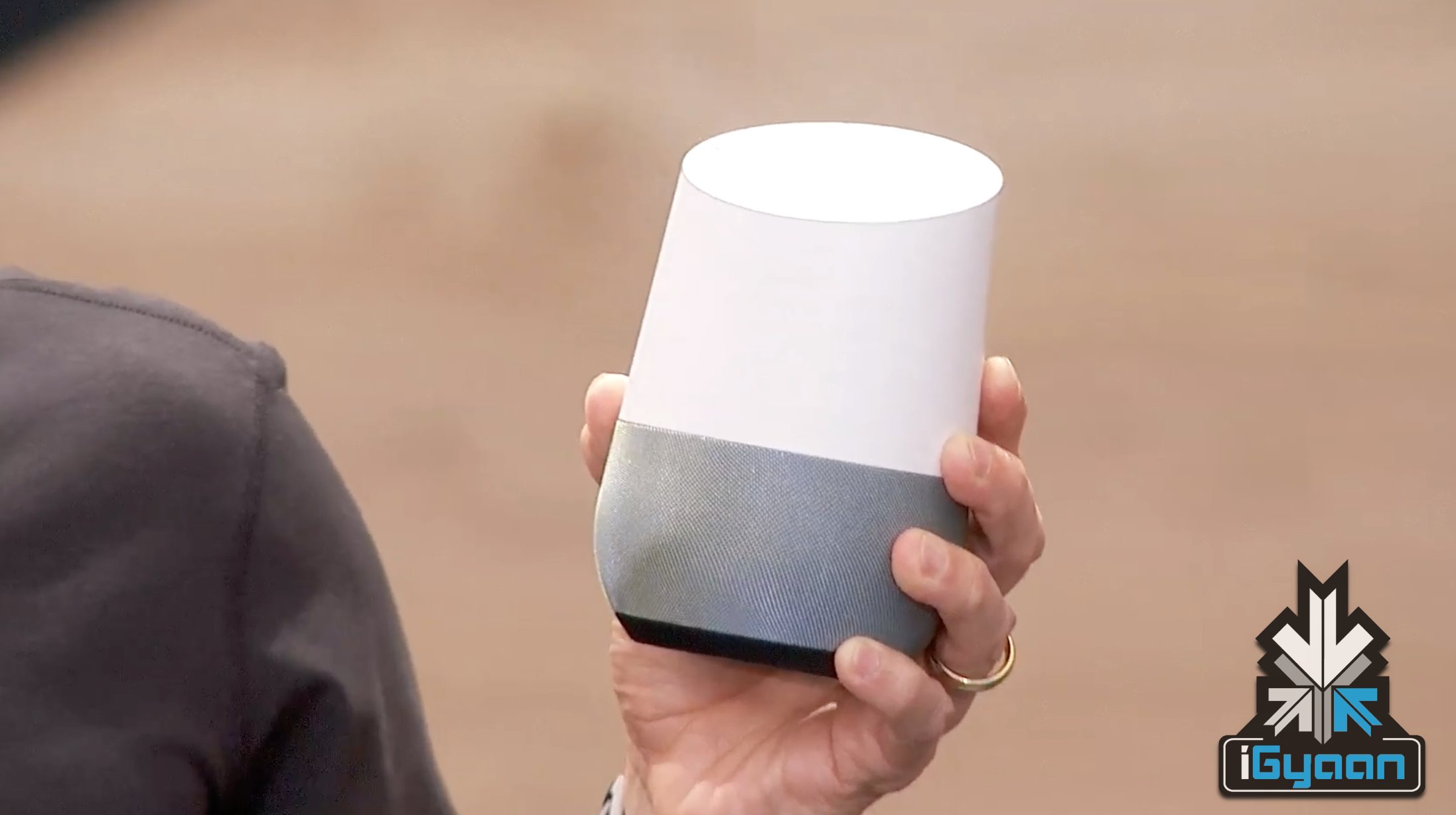
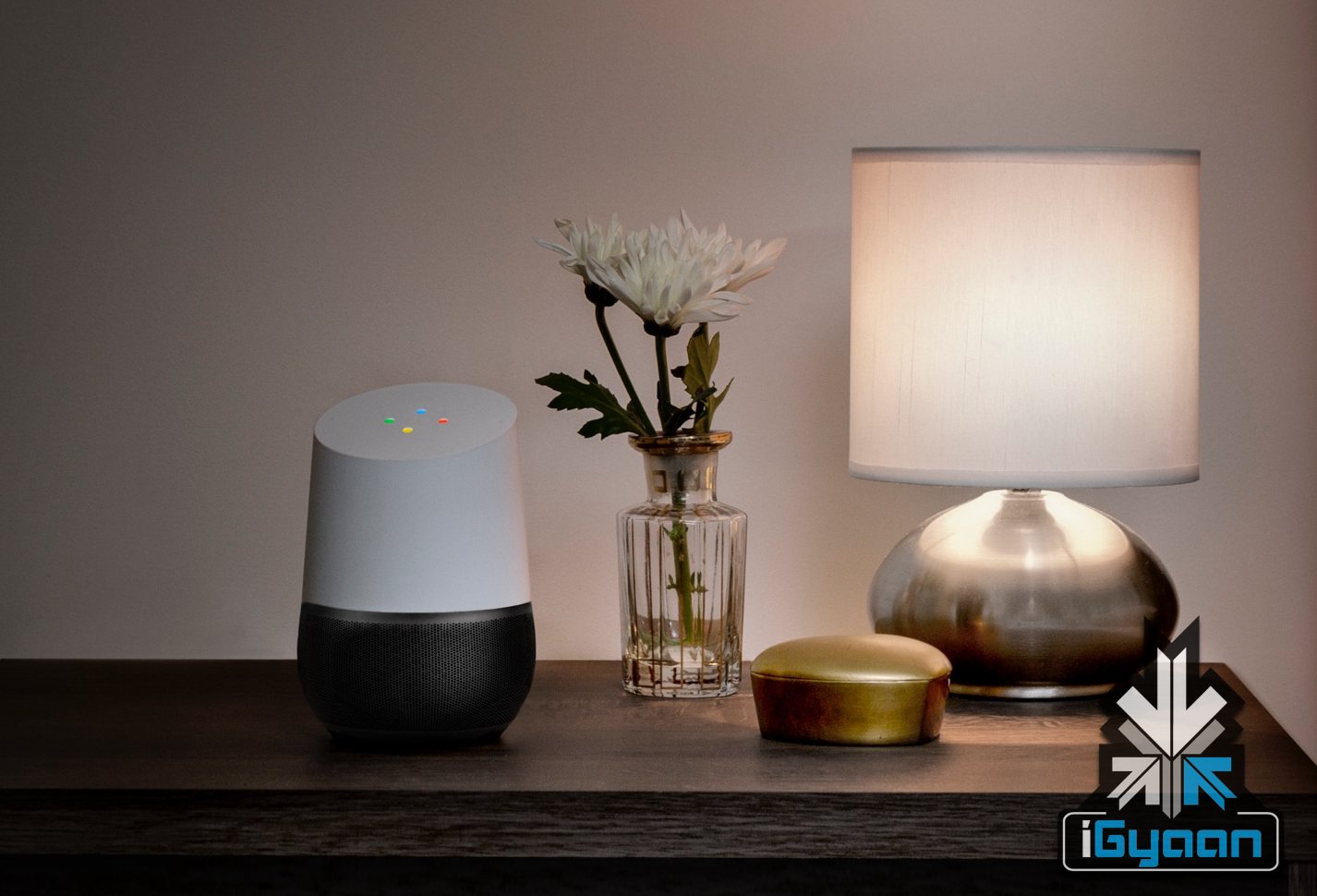
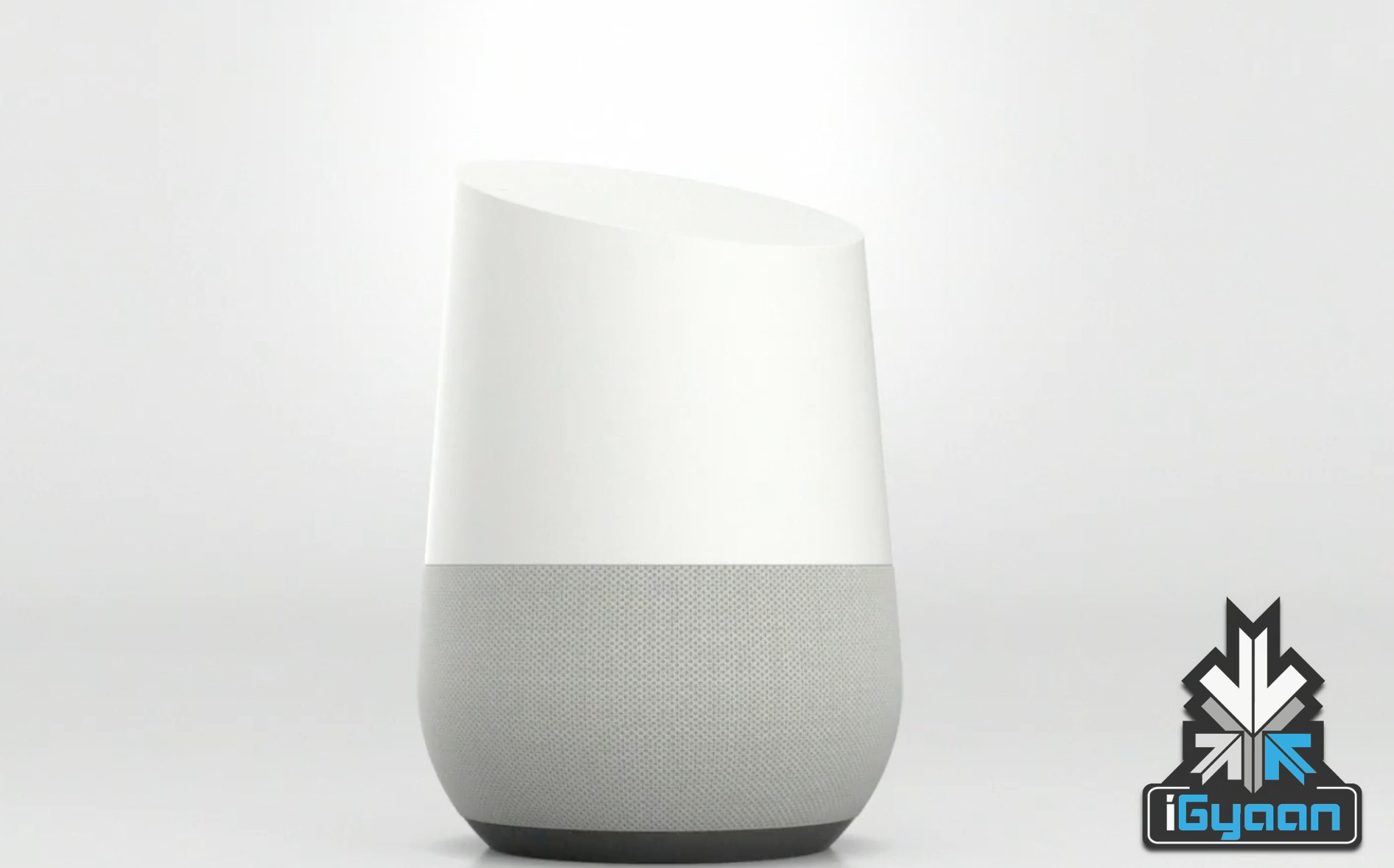
    The assistant will work across devices and Google strengths, at home, at work or in the car. A device called Google Home will work as a home management system. The unit will be launched later this year with the customizable bottom. It has a wireless speaker, but it does a lot more than that, as it contains the Google Assistant inbuilt.

    It will do basics, like set alarms, make lists and reminders, but will also control various home network devices, like Nest Equipment, lights etc.

    google home 3

    Later on you will be able to order groceries or flowers, or even have the living room ready before you reach home, with the right music, lighting, and temprature along with your home delivery food order.

    Mixed up with the Google Assistant, serches will allow follow up questions and a single one line conversation with a more natural reply. “Skynet” Anyone?

    google home 2

  • Top 5 Android Marshmallow Features

    Top 5 Android Marshmallow Features

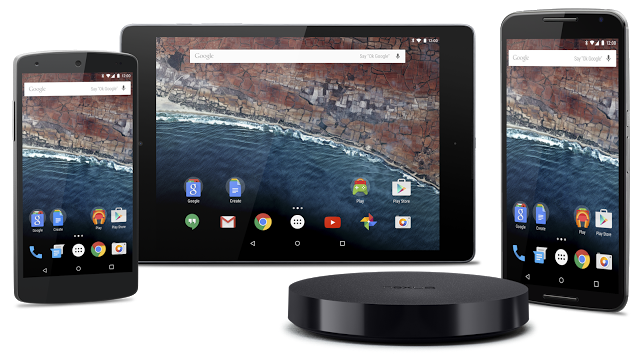
    Last night, at the Google I/O Conference, we got a first look at the next big Android update. Google detailed the new features that are going to be made available with Android Marshmallow.

    We’ve already spoken about all the major announcements, we’re now bringing the spotlight to Android M. Are you wondering what sets it apart from Lollipop? Check out the list below.

    Clearer Security Permissions

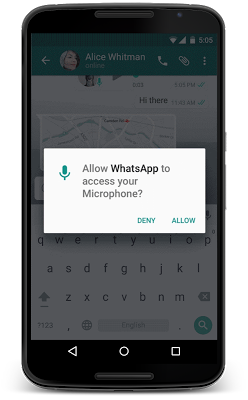
    When you launch a newly downloaded app, do the permissions you’re ‘Accepting’ ever worry you? To make things simpler for users, Google has removed that step and instead you’re now going to be asked for a permission, when you choose to use a particular feature within an app. For example, if you’re using WhatsApp and you would like to send a picture directly from the chat box, a pop-up will appear requesting WhatsApp to access your camera.

    So how this essentially helps you is that instead of hurriedly accepting the permissions on downloading an app, this way, you know exactly the functions a particular app has access to. This change is very similar to the way iOS handles their app permissions.

    android m

    Now on Tap

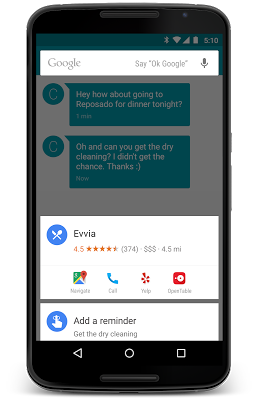
    The company has taken Google Now one step further with ‘Now on Tap’. This feature is not just available with a single tap of a button, it can now be launched while you’re viewing a particular webpage or an app. For example, if you’re viewing a friend’s Facebook profile, you can use Now on Tap to find out more details about the person. It may then link you to the person’s Twitter and Instagram profile.

    Another quick example, if you’re discussing a restaurant with a friend via chat, Now on Tap can give you details about the eatery. All in all, it can be launched to give context to anything you’re doing – without having to leave an app.

     android m 5

    ‘Doze’ to Save your Battery

    With the new feature ‘Doze’, Android gives your phone the ability to detect if the smartphone has been left unattended for a while. In which case, M will reduce the background activity, giving the phone longer battery life.


    andorid m 2

    Android Pay

    At the conference Google also announced Android Pay. Like every other mobile payment system, it will enable Android users to simply and securely use their Android phones to pay in stores or for Android Pay partner apps. Google has taken this one step ahead, it has added useful fingerprint support which allows users to confirm a purchase with their fingerprint. The newly-added fingerprint support can also be used to unlock devices. The company promises  that it works consistently across a range of devices and sensors.

    android m 6
    Image Credit: Gazette Review

    This is only the first look at the latest version of Android. At the conference, Google stressed upon the fact that the company will continue to work on developing it further. Android M is expected to release later this year.

    Easier to “Cut, Copy, Paste”

    Google understands the number of time we need to copy and paste text from one tab to another. Hence it is going to be making our life easier by bringing the options right above the text we want to cut, instead of at the top of the screen. It may not seem like a major change, but it’s small features like these that combine to make our phone usage quick.

  • Android TV : Could it Mean Third Time Lucky for Google?

    Android TV : Could it Mean Third Time Lucky for Google?

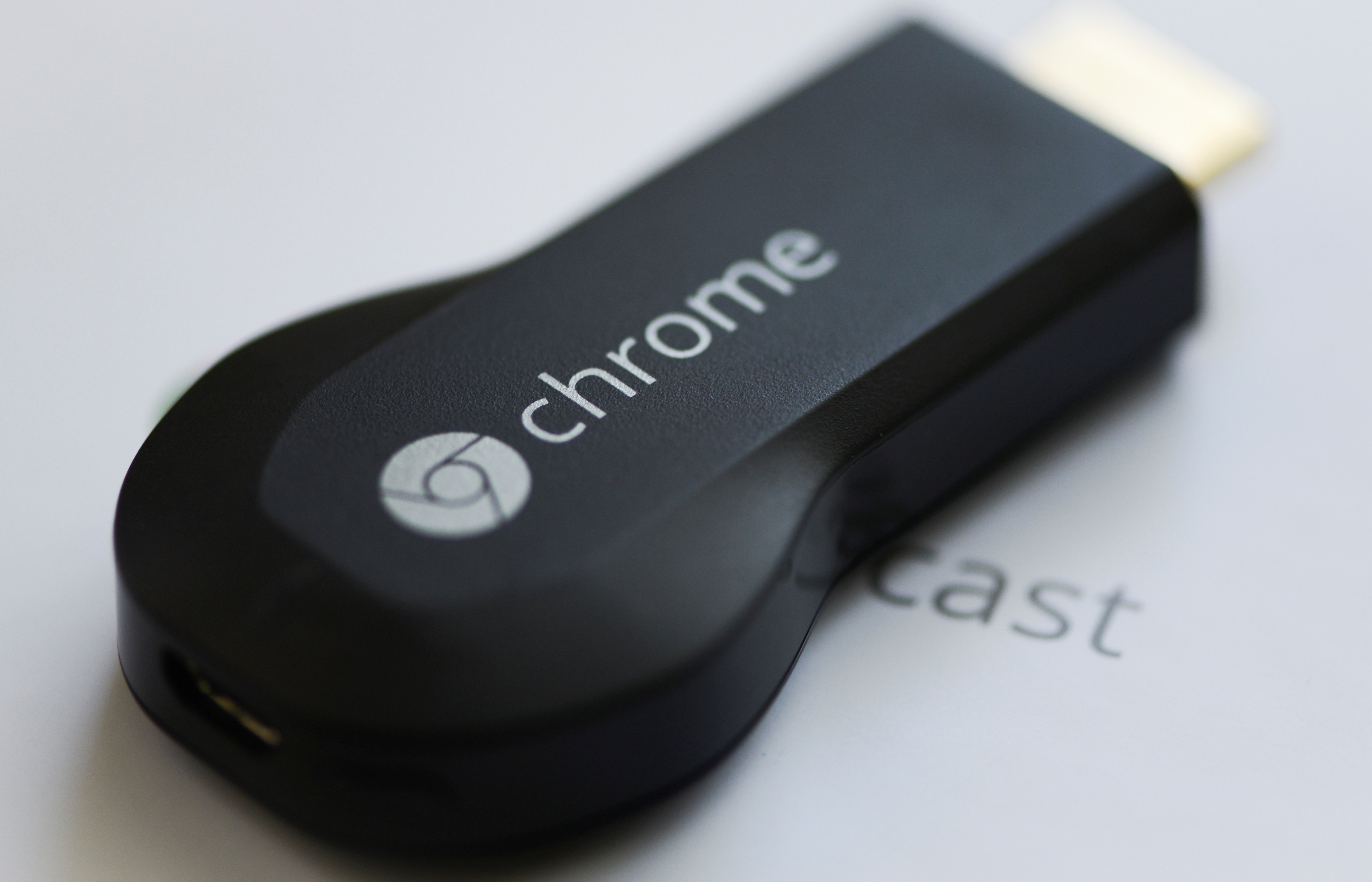
    Google has been trying very hard to get into our living rooms for long time now. Google TV was introduced way back in 2010 with the first Google TV’s being made by Sony and Logitech. In the second generation of devices, LG, Asus and others had also partnered on Google TV. But sadly, Google TV wasn’t a success. Nor was the Nexus Q which was a media-streaming entertainment device introduced in June 2012. Even Nexus Q wasn’t much of a success and later was replaced by Chromecast which was launched at last year’s Google I/O.

    android-tv

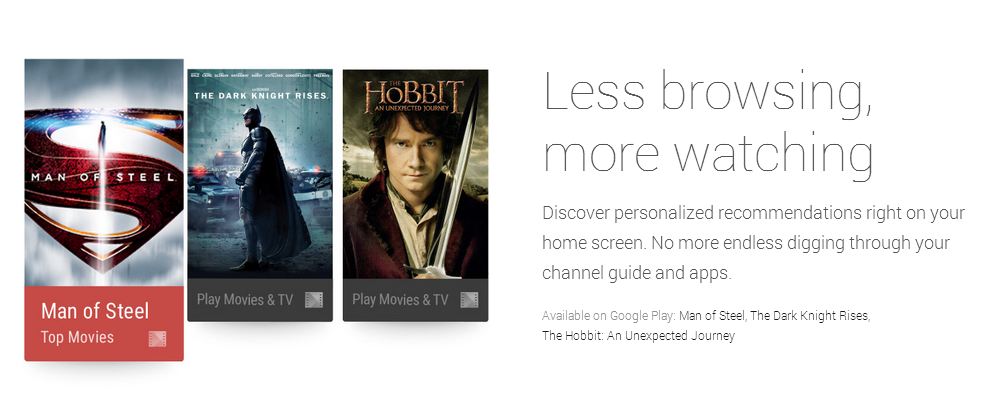
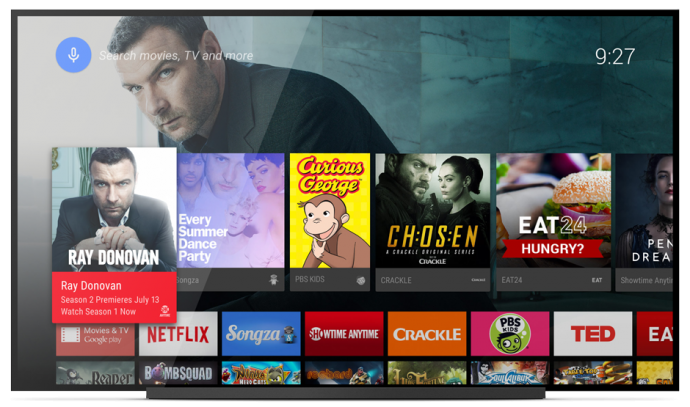
    Though, it seems like Google’s new Android TV may have a bright future ahead of it. Since Google has only showcased the developer-kit of the Android TV called ADT-1, you won’t be able to buy it for a while. But that won’t be an issue once manufacturers begin selling their consumer-facing devices later this fall. Android TV is still in pre-production, so a lot of things are likely to change between now and its final release.

    Unlike its previous effort in smart TV software mentioned above, Android TV will work with a number of different chipsets. It’s designed to enable Android developers to create apps using the same Android toolset that they use for mobile phones and tablets.

    android tv3

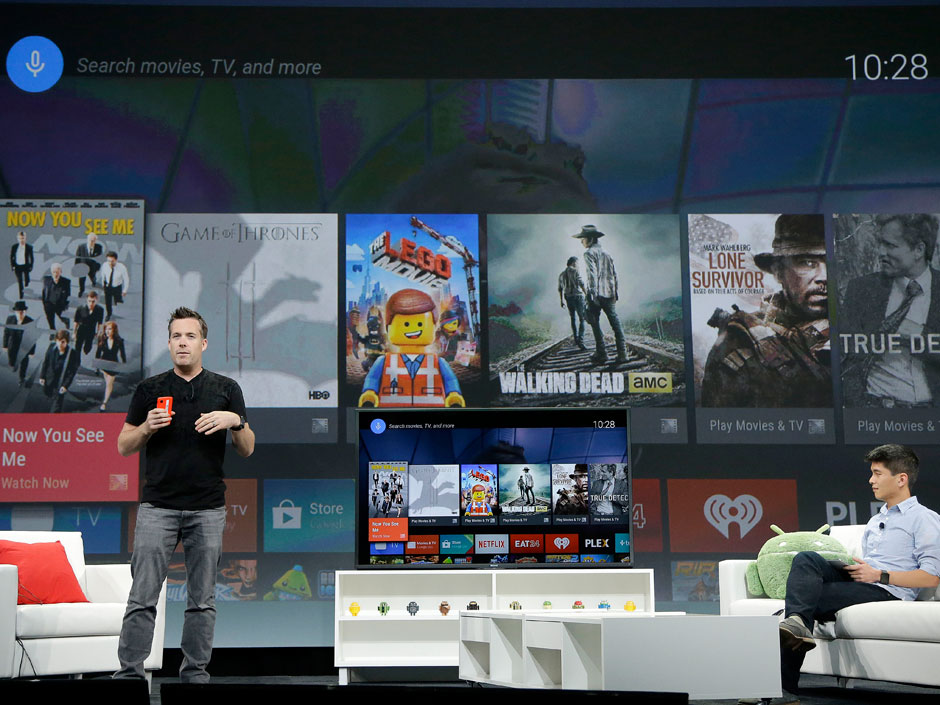
    Android TV will play movies and TV shows, and users will be able to control it via mobiles phones and tablets. Google Engineering Director Dave Burke showed off how the system works to enable search and navigation either via text or voice. He even showed off the ability to control the TV via an Android Gear Smartwatch.

    Chromecast will run on Android TV with full support, so users can beam content from their mobile devices straight to the TV. The new platform also enables users to launch an app store developed specifically for a 10/UI.

    android tv2

    According to Google, the OS will be available for smart TVs (Sony and Sharp have signed on to build televisions with the OS built in), media streamers, set-top boxes, cable boxes and micro consoles. This platform will be ideal for those manufacturers that are interested in getting into the smart TV businesses, but don’t have the resources to develop their own ecosystem. It’s a good opportunity for smaller companies and start-ups to help building the Android TV hardware.

    Google pointed out some technical requirements to ensure that Android TV doesn’t offer an inconsistent  user experience such as:

    • 2GB of RAM,
    • 8GB of flash storage,
    • WiFi and/or Ethernet,
    • Bluetooth 4,
    • Play-ready DRM,
    •  Widevine level

    Companies also suggested to incorporate mics for voice input, and standardized controller button mapping. These guidelines are cricial because the system needs to be powerful enough to handle graphic-intensive games, entertainment apps and connectivity between the TV and mobile devices via Google Cast which Google is focusing on with Android TV.

    No one can give a final verdict for Android TV as yet, company has a long way ahead as far as it is concerned. Of course, a lot will depend on the pricing of the new software which has to compete with the already settled Smart TV makers.

  • Here Is What Happened At The Google I/O

    Here Is What Happened At The Google I/O

    The developer’s conference, Google I/O was kicked off with with a ton of interesting news. Google has taken the wraps off and unveiled several new products, including the Android TV, Android Auto and the Android L. The keynote for the Google I/O 2014 developer conference created  a lot of buzz for the tech community. Here is a list of some of the keynotes from the conference:

    Android Wear

    Google-Android-Wear

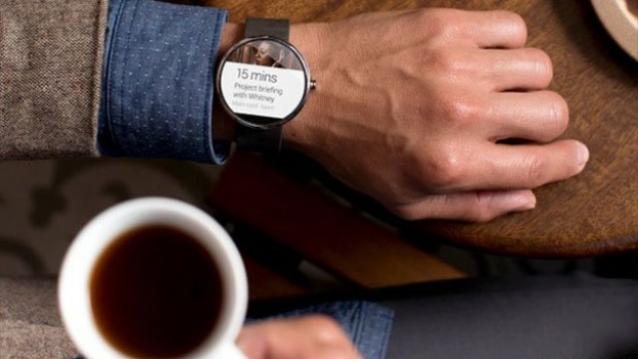
    We finally got to see smartwatches running on Google’s Android Wear OS, in the form of LG’s G Watch and the Samsung Gear Live.The watches connect with your smartphones to provide direct access to handset notifications, allowing you keep check on your mobile apps without using your phone. And yes, they are also equipped with sensors that can monitor things like how many steps you took and your heart rate.

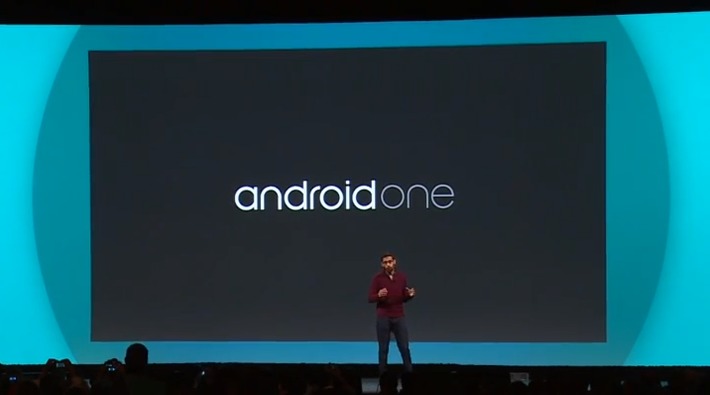
    AndroidOne

    android-one

    Google also announced a new set of hardware reference platforms, called AndroidOne. This will provide opportunity for Google’s partners, such as Micromax. This also means that companies will now be able to develop devices quickly and cheaply.With AndroidOne, Google aims to bring a quality Android experience to the emerging markets, at affordable prices.

    Android ‘L’


    It may not have been announced officially just yet, but we did get a peek at what Google’s plans for it are. The next “L” version of Android is updated with a new software layer called Android Runtime (ART) that Google claims will double performance. It will also be bringing an entirely new interface with it. Google is calling the new look Material Design, and it focuses on the dynamic animations and creating depth through the use of virtual lighting and shadows. The design will also be consistent across all of Google’s apps on all devices associated with it.

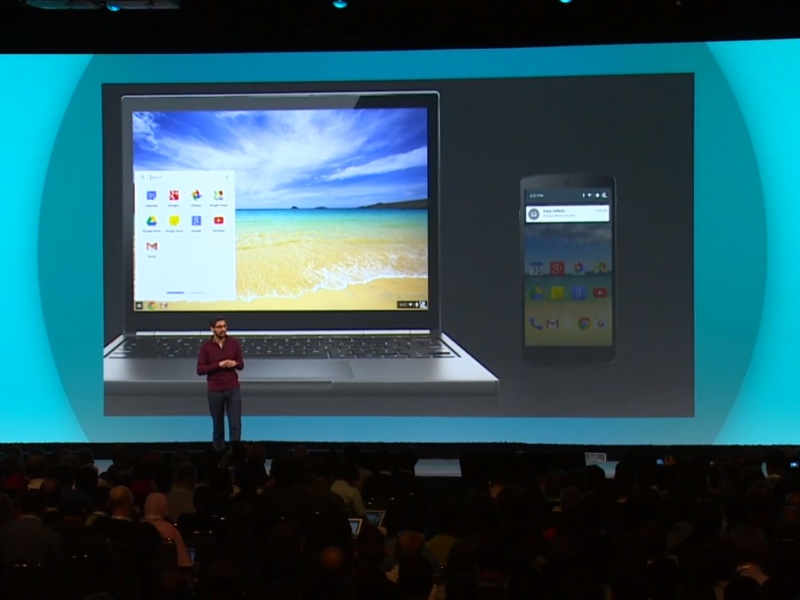
    Chromebook

    sundar-pichai-google-io-chromebook-1

    Google Chromebooks are focused on avalabilty of the Internet at budget prices. And this year these Chromebooks have gotten several new tricks under their sleeves. You’ll soon be able to receive calls and notifications of your phone right from your Chromebook, and open Android apps on the device.

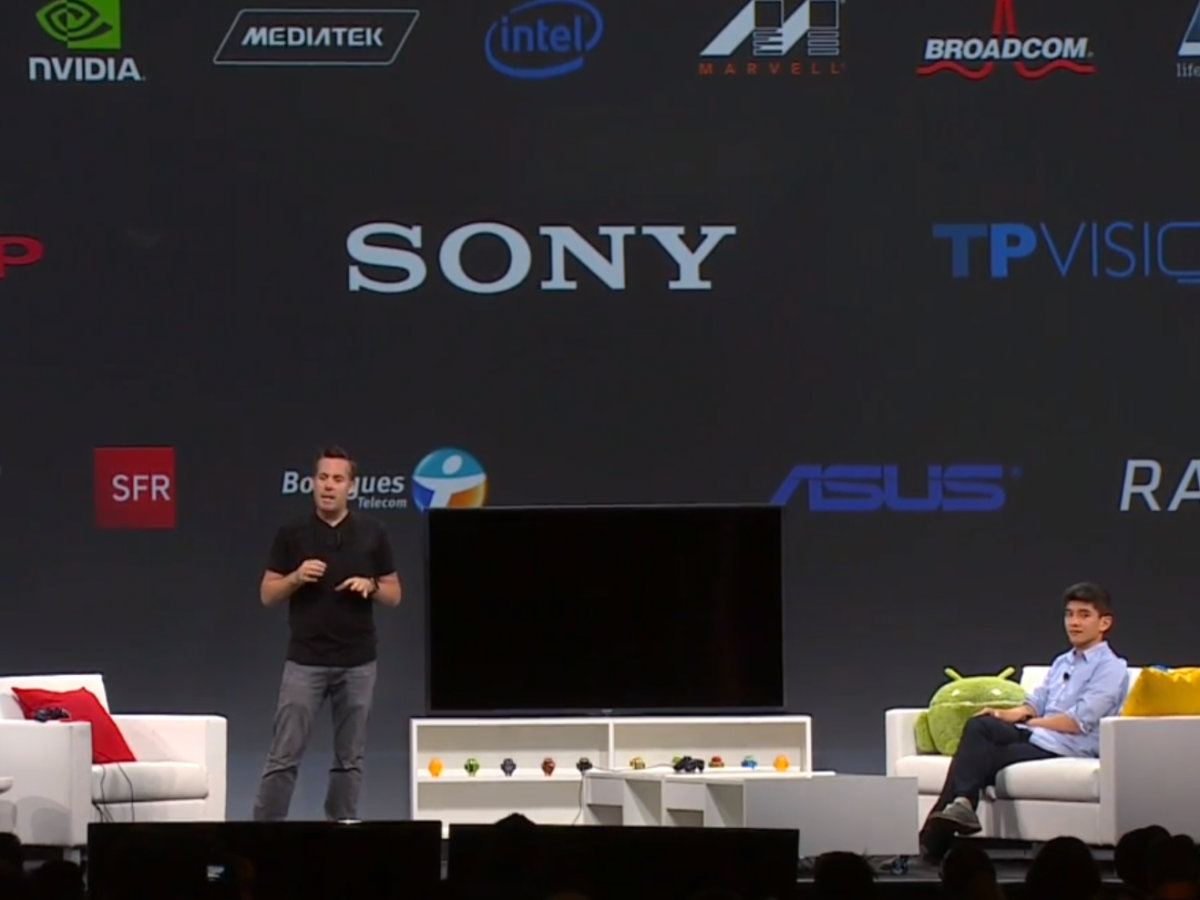
    Android TV

    google-io--android-tv

    Google’s Android TV is another initative all set to rule our domestic lives. With Android TV, smartphones, tablets, and even smartwatches, can now replace your old remote control. The entire platform is designed to give you a fresh Android experience on the biggest screen in your house.

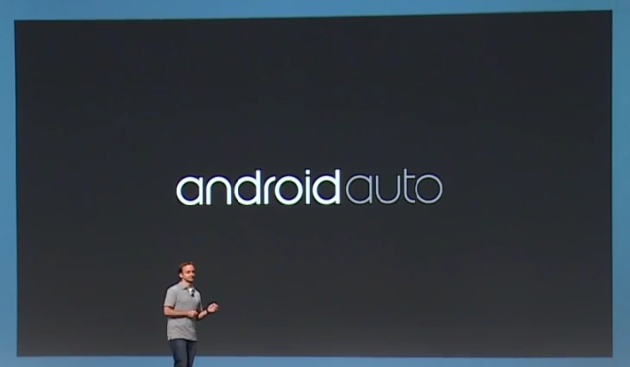
    Android Auto

    google_io_2014_android_auto-630x367

    Competing against Apple’s CarPlay, Google announced a new interface for cars that will create a whole new hands-free Android experience to your vehicle’s navigation system. Now, plugging your device into a compatible car will launch Android Auto, with Google Now-style info cards, navigation directions, and some awesome features like dictating text messages or letting you answer calls, without taking your eyes off the road.

    Chromecast

    Chromecast_dongle

    Though there was no news about new Chromecast during the event, still Google hinted a few updates on the streaming media stick including its ability to mirror your entire Android device directly onto your television screen. The Chromecast’s biggest weakness is obviously the lack of supporting apps, and this new feature shall solve this problem.

  • Here is What to Expect from Google Android 5.0

    Here is What to Expect from Google Android 5.0

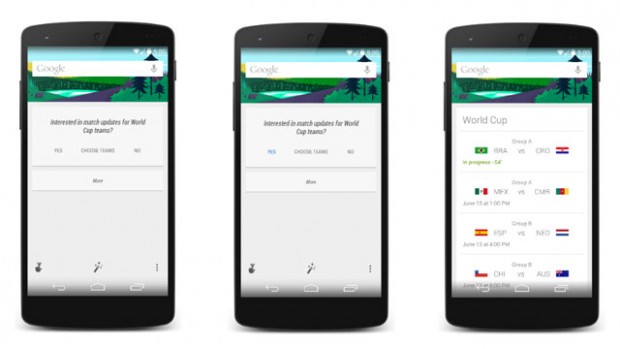
    Google teased anxious tech-heads with a hint of the existence of a new Android 5.0 through a picture they posted on their official Twitter page. They posted a photo of Google Now to introduce a new feature where users can view World Cup scores and schedules via the intelligent personal assistant. Each of the phones in the images had their time set to 5.0.
    Android-5-0-Lollipop-Google

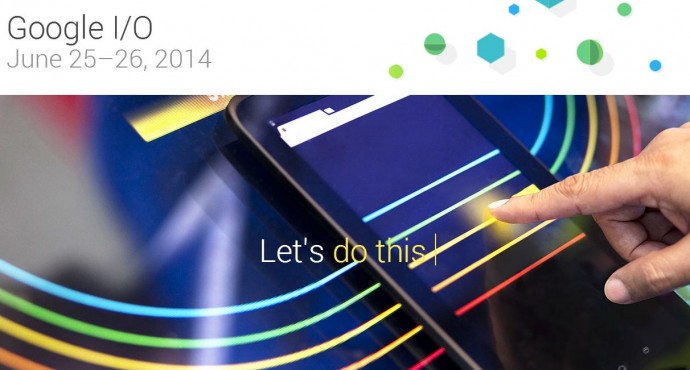
    The developer conference will be held on June 25th and 26th and is one of the biggest Android and Google themed events. During the conference, we can anticipate new introductions; both on the software and hardware side of things. Here is exactly what we’re expecting from the new operating system:

    The Name

    There is no real sign of the dessert-based name that will follow its predecessor. Having astonished everybody with its choice to go for Android 4.4 KitKat, rumor suggests that Google will slip back to its general naming principle by calling the next installment Android Lollipop. That will be a major problem because people may not like it for obvious reasons. Some reports also suggested that the new Android’s name will start with either M or L. We are wildly guessing and hoping in vain that Google will come up with some Indian-sweet inspired name like Android 5.0 Ladoo or Android 5.0 Matka Kulfi.

    New Phones

    The first handset to run Android 5 will either be a Nexus phone or a tablet. Given the timing of the announcement we think it might be the latter. The Google Nexus 5 launched Android 4.4 at the tail end of last year, and we reckon the Nexus 10 (2014) will appear soon – meaning a tablet launch for the new OS. HTC looks like the front runner to bring this tablet to the market, so we’re thinking that this could happen mid-2014, which makes it likely that the productions would be starting soon. We’re also hearing a lot of rumblings about a Nexus 8, a slate which will supposedly launch with Android 4.5, so maybe that’s the device that Android Lollipop will make its debut on.

    Fitness First

    Also, recent idea is that Google’s next version of Android will have more fitness smarts built-in. Apple is set to go big in this area with the iWatch and iOS 8, and other brands, such as Samsung and LG, are making strides in this segment too. The idea is that future versions of Android will allow the software to harness “fitness data from sensors on your Android device.” These could be built into future Android phones and tablets, but it’s also likely that the API will play nicely with Android-based smartwatches and even Google Glass.

    Integrated Messaging

    We would love to have one integrated app that can squeeze Google Talk, Google Voice, SMS, Gmail, and the Google+ Messenger into one service that’s easily accessible on Android. Assuming that the new messaging service shows up at Google I/O or in a near future, we would expect Google to integrate the app or client into the new release of Android.

    Google Now

    Google Now is one of the more go-getting evolutions of Google’s search software. The idea is simple — it’ll predict what you want or need to know before you know you need or want it, and serve it up in an easy-to-read format. And the execution of this idea has been excellent. And now, Google has been working with brands and partners on Google Now cards that will touch our lives more than we know. It would be great if  Google Now would automatically remind me that my favorite show is coming on TV or remind me to water my plants because it knows that it hasn’t rained since two days.
    google oi

    Google Music Subscriptions

    According to some reports, Google has been in talks with several record labels in an attempt to come up with a Spotify-like music service that would integrate into Android. At present, Google Play Music offers users to upload their own music to Google’s servers and provide streaming options from different Android devices and Web browsers. It seems like Google will offer unlimited music access through Google Play and/or YouTube for a monthly fee. Google recently struck a deal with Warner Brothers and is said to be working with Universal Music Group, Sony Music Entertainment, and other labels too.

    Google Play News

    The Google Play experience may swell into newspaper subscriptions. We guess that is the same as their old magazine service where users are able to purchase single editions and/or subscribe to newspapers from around the world.

    Google Gaming Center

    This is the freshest rumor we have heard, Google is reportedly about to test its fish in the Android gaming waters. Earlier this month, Google hired a chief game designer; titled very aptly “Chief Game Designer at Android Play Studio.” Google may also publish its own games and create a gaming hub through which you can connect to your friends and other players which provide Leaderboards and achievements. Google+ seems to be the most rational way to tie users together.

    Google is said to announce big updates and hardware in this year Google I/O. If all the above rumors turn out true, then it is going to be bigger than this year’s Apple’s WWDC. Google and Apple are contesting hard to have an edge above each other; who will win only time will tell.
  • Nexus 6 and Nexus 8 Show up in Chromium Code

    Nexus 6 and Nexus 8 Show up in Chromium Code

    Google’s next edition of Nexus devices have been spotted in the new Chromium code, hinting confirmation of the Nexus 6 and the 8.9 inch tablet Nexus 8.  While it’s not much to go on, references to the two devices have recently appeared in Chromium’s source code, as dug up by Florian Kiersch on Google+.

    nexus-8-6-chromium-code-640x339

    The reported changelog of Android 4.4.3 KitKat published on the Android Open Source Project (ASOP) has referred to HTC-made Flounder, and another product codename Molly. Where flounder is suggested to be the Nexus 8 which this time around could be an HTC built device. Molly on the other hand could be  Android TV, both of which are expected to be launched at Google I/O Conference on the 25 and 26 June in San Francisco

    Earlier, reports had claimed that the next-generation Nexus smartphone would come from LG, based on their new flagship device G3.The G3 could be a mix of the LG G Flex and the G2, So it may sport a 5.2-inch full HD curved LCD display. Everyone has their money down on the handset being powered by a 64-bit version of Qualcomm’s Snapdragon 800-series chipset with 3GB RAM and running on Android 4.5 Lollypop.

    The Nexus 8 on the other hand, if made by HTC, could mark the long awaited return of the taiwanese manufacturer in the tablet market. The push that a Nexus device could bring to HTC’s tablet line, may be as good as a push LG got.

    It is also rumored that the Nexus 6 will be the last Nexus from Google, ending the Nexus saga from the Android maker. It is also assumed that Google will be developing a new name for its series of devices going forward, naming them with a different moniker.

  • Google Launches standalone Apps for Hangouts on iOS, Gmail, Chrome and Android

    Google Launches standalone Apps for Hangouts on iOS, Gmail, Chrome and Android

    Google has unified the messaging service and termed it Hangouts. With standalone apps for iOS, Gmail, Chrome and Android. The conversation is kept in focus and not the platform you use, focusing the interface on conversations that carry from device to device, notifications and shared photo pools that weren’t in Google Talk.

    The new service of Hangouts replaces Google Talk, Google+ Messenger, and the original Google+ Hangout video chat service and as per Google Hangouts will eventually replace all of Google’s communication properties. The new Hangouts is basically a messaging app, like Whatsapp or Facebook Chat.

     Hangouts will store all conversations in the cloud, and allow users to message friends at any time, even if they’re not connected. Users can visit past conversations and access shared photos and video call history; thanks to Google’s cloud, Hangouts will sync everywhere, giving people access to conversations on any device.

    Just like the old Hangouts the new Hangout will allow video call with up to 10 friends, and new features include “just hanging out”  with an amazing “watermark” allowing users to show when someone else is typing just like in WhatsApp messenger or iMessage, but whats new is the ability so see how far the recipients have read into the conversation. 

    Every photo that you or a friend posts in Hangouts will be automatically saved in a private shared album on Google+, and users can view the photos they’ve shared over time. Hence the new integration of Google+ with this new Hangout service is essential. 

    Google also plans to integrate other communication features like Google Voice and their international VOIP services within Hangouts, but no real timeline has been clarified for the same. 

    The apps for iOS, Android and other services are live and can be downloaded.

    [iOS APP]


  • Android 4.3 Jelly Bean May Debut At Google I/O Instead Of Key Lime Pie

    Android 4.3 Jelly Bean May Debut At Google I/O Instead Of Key Lime Pie

    Android 4.3, Jelly Bean will be the next major software build released from Google.

    Android 5.0, Key Lime Pie was originally expected to debut at this year’s Google I/O, however, a newer build of JellyBean seems to be the stronger candidate to be introduced this year, according to a report from Android Community.

    Much of the proof has been found in IP logs that are available to many web administrators. They point to a new version of Jelly Bean, Android 4.3, with a build number of JWR23B. Android Police posted examples of this from their server logs coming from both the Nexus 4 and Nexus 7, all of which emerged from IP addresses in Google’s range.

    There are also several examples of developers citing this build in various bug trackers around Google products, suggesting that its launch is imminent. Because the build starts with “J,” it’s easy to assume that it’s part of the same family of code as the previous two major Jelly Bean releases; Google assigns the first letter of the name to each corresponding build.

    Google has also never launched a major version of Android at Google I/O. Android 4.1 was announced last summer, and Android 2.2 was launched at Google I/O in 2010. While Android 3.1 Honeycomb was exposed at Google I/O 2011, its significance would go on to be undermined as merely “aesthetic” in future releases.

    That being said, even though Jelly Bean has been around for over a year now, there still seem to be a few major bugs to squash. Android 4.2 has not been a smooth upgrade for many users, especially those running the Galaxy Nexus and Nexus 7, as it introduced significant slowdown, animation glitches, camera instability and more. Overall, while Android 4.2 seemed to be a fairly minor upgrade to end user, it actually made a number of significant modifications to the Android case base, and Google may believe it has another minor upgrade to fix any remaining bugs.

    Google I/O is coming on May 15th, and we’ll be there to cover all the announcements, major or otherwise. You can certainly expect a faster, Qualcomm-powered Nexus 7, as well as a rumoured 32GB LTE-powered Nexus 4. There will be a much higher prevalence of Glass users at this year’s jaunt, too, and you can bet on a few more surprises as well.
    [Android Police, Android Community]

  • Chrome Users cross 310 Million Users, 1 TB data downloaded daily & 13 Years of browsing time saved

    Chrome Users cross 310 Million Users, 1 TB data downloaded daily & 13 Years of browsing time saved


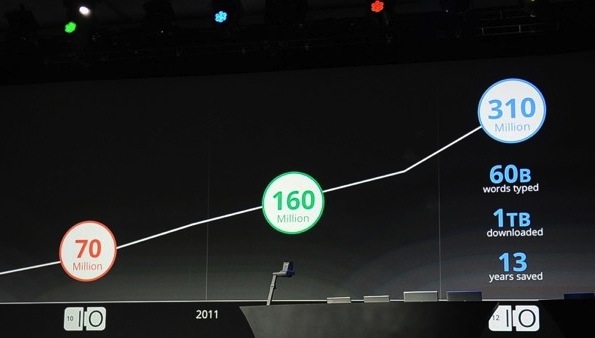
    Google at the I/O Conference has announced that the usage of their web browser Chrome has almost doubled since last year and now tops 310 Million users. 1 TB of data is downloaded daily by these users, and according to Google the speedy browser has saved users 13 years of total browsing time. 
  • Google Chrome comes to iOS, iPhone and iPad

    Google Chrome comes to iOS, iPhone and iPad

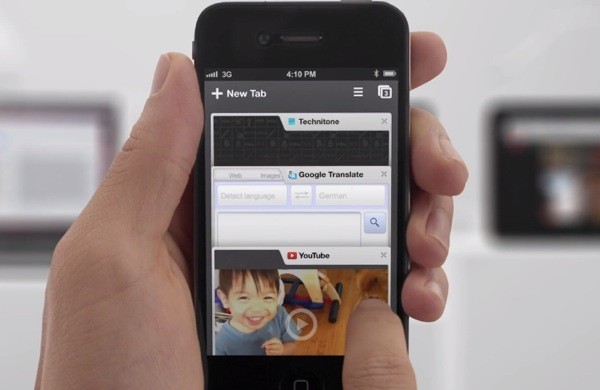
    While the whole world was skeptical, Google just went ahead and put Chrome mobile on iOS. Both iPad and iPhone users will get the app, either with incognito browsing, syncing and that unique tabbed browsing interface intact.

    With the restrictions on the Apple App Store the Chrome webkit will not be allowed on iOS, but either way the download is now live!

    [App Store]

  • Everything You Need to Know about the Google Nexus Q Media Player

    Everything You Need to Know about the Google Nexus Q Media Player


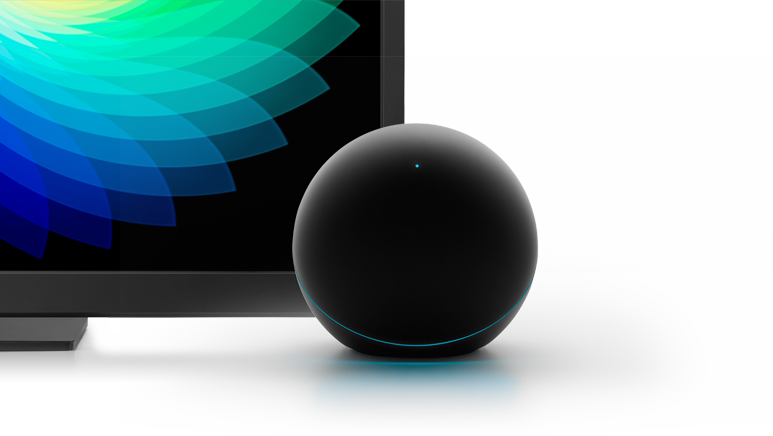
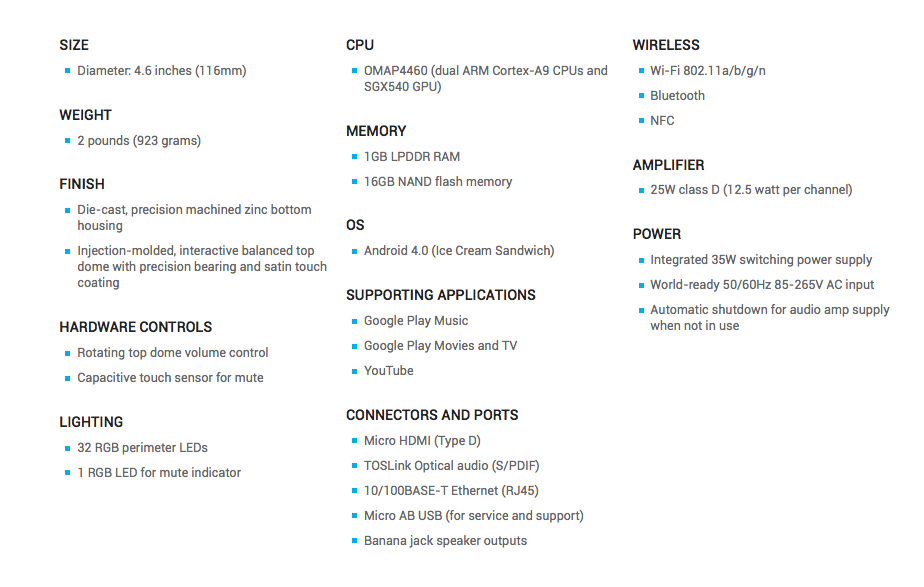
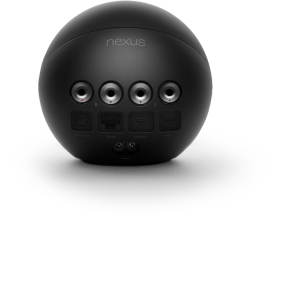
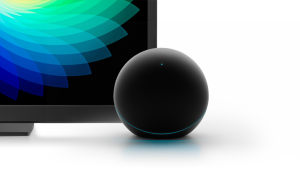
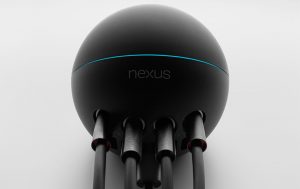
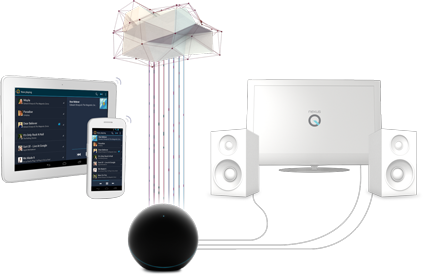
    Google has launched their first media player along with their new OS and Tablet at the I/O conference. Powered by an OMAP 4460 CPU. the Nexus Q is Google’s  small, sphere-shaped device that will work with the Nexus 7 tablet and other Android devices to stream media from the cloud. The Player has 1 GB of Ram and 16GB Flash Storage.


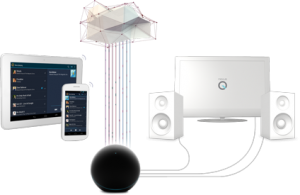
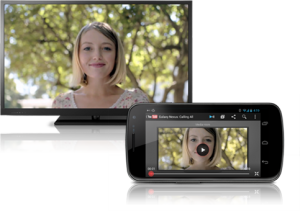
    Nexus Q streams your favorite entertainment directly from the cloud to your living room. Just use the Google Play and YouTube apps on your Android phone or tablet to surf an ocean of music, TV, movies and videos, and Nexus Q will play it all on the biggest speakers and screen in the house. The Nexus Q will stream your music from the cloud or your device, It will also playback YouTube content and movies directly on a Large Screen TV connected to it.

    Multiple users can access and change the streaming media at a party, all they need is an Android Device, and a connection to the same WiFi Network. Get ready to fight over what music plays at the party.


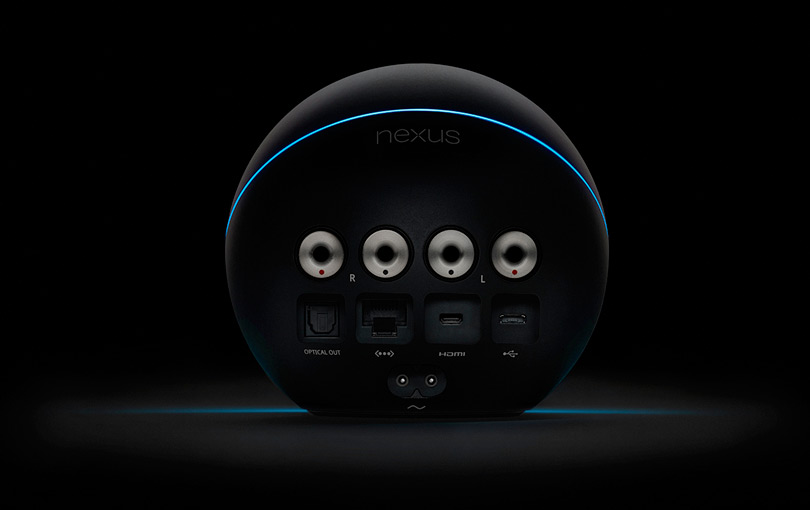
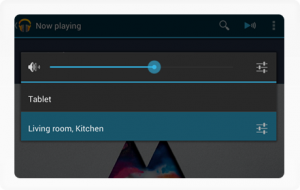
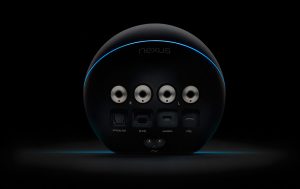
    Nexus Q has a audiophile-grade amplifier built in so you can hook your speakers right up, or use an optical or HDMI cable to connect Nexus Q to your AV receiver or HDTV. Once you’re playing, you can control the volume from your phone or tablet, or simply by turning the top half of Nexus Q. Just touch the top LED to mute the sound completely, Ingenious.

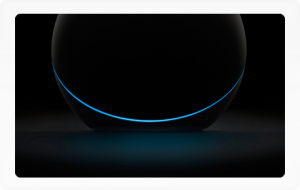
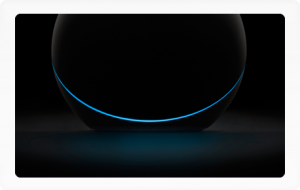
    The 32 LEDs that ring Nexus Q shift and change color in time to your music. Choose your favorite effect and put your Nexus Q where it can be seen, and touched. You can connect multiple Nexus Qs to fill your house with sound. Select the devices you want to play on from within the Google Play apps or YouTube.


iGyaan Network
Privacy Overview

This website uses cookies so that we can provide you with the best user experience possible. Cookie information is stored in your browser and performs functions such as recognising you when you return to our website and helping our team to understand which sections of the website you find most interesting and useful.